Small Businesses: Review Scripts That Can Double Response Rates
Small Businesses: Review Scripts That Can Double Response Rates
Ask right after a positive moment, in one plain sentence, with a direct review link attached. That’s it. It works because the experience is still fresh, the ask takes seconds to act on, and it reads as honest rather than desperate. Google rewards recency and volume, the FTC requires the ask stay unconditioned, and tools like Mybizapps can fire that request automatically the moment a job closes.
TL;DR:
- Asking for reviews immediately after a positive interaction increases response rates and helps capture fresh customer impressions.
- Using system triggers like job completion or delivery ensures reviews are requested at the optimal moment, within a narrow time window.
- SMS and in-app prompts outperform email and printed QR codes, especially when combined with short, direct, link-first messaging.
- Follow FTC rules by avoiding incentives conditioned on positive reviews and disclosing any feedback rewards transparently.
- Automating review requests through integrated platforms saves time and improves tracking, ensuring consistent follow-up and faster response management.
Table of Contents
- Why Customer Reviews Matter for Your Business Right Now
- When Should You Ask for a Review?
- How to Ask for Reviews Across Every Channel
- What Compliance Rules Should You Follow When Requesting Reviews?
- How Should You Respond to Reviews, Especially Negative Ones?
- How Do You Automate and Measure a Review Request Program?
- What Would I Implement in Week One?
- Simplify Review Requests With an Integrated Operations Platform
- Authoritative Resources and Platform Policies
- Sources
Why Customer Reviews Matter for Your Business Right Now
Reviews decide whether a stranger picks up the phone or scrolls past you. Most consumers now treat online reviews the way they’d treat a recommendation from a neighbor, and that trust translates directly into clicks, calls, and booked jobs. Google’s local ranking algorithm also weighs review count, rating, and recency as signals of a business that’s active and trusted, which mean a stale review profile can quietly bury you in search results even if your work is excellent.
Recency matters as much as volume. A five-star average built entirely from reviews three years old reads as suspicious to both customers and Google’s ranking systems. A steady trickle of new reviews, even a modest one, signals a business that’s still operating and still pleasing people.
There’s also a quieter benefit most owners miss: reviews are free operational feedback. A pattern of comments about slow callbacks or confusing invoices tells you something your internal metrics never will.
- Reviews shape purchase decisions before a customer ever calls you.
- Fresh, steady reviews carry more weight with search algorithms than a big pile of old ones.
- Negative-leaning feedback themes often expose process gaps worth fixing.
- Review replies double as public proof that you handle problems well.
Pro Tip: Set a standing habit of scanning new reviews weekly for recurring complaints, not just star ratings. Three mentions of “hard to reach by phone” is a fixable process problem, not a reputation problem.
When Should You Ask for a Review?
Timing beats wording almost every time. The best ask rides on a specific, objective event, not a date on the calendar. Waiting for the “right moment” to remember usually means missing the window entirely, which is why tying the request to a system trigger works better than relying on memory.
Strong triggers include a completed job, a delivered order, a resolved support ticket, or a customer offering verbal praise on the spot. Each of these marks a moment when the customer’s opinion of you is at its peak and their attention is already on the transaction.
Timing windows differ by business type. Service businesses should ask within 0 to 24 hours of job completion, while the memory of the work is sharp. Product businesses need a longer runway, typically 3 to 14 days after delivery, so the customer has actually used the item before being asked to judge it.
Frequency has a hard ceiling. Send the initial ask, then at most one reminder five to seven days later if there’s no response. Anything beyond that reminder stops converting and starts annoying people.
| Business type | Trigger event | Ask window |
|---|---|---|
| Home services / contractors | Job marked complete | Same day to 24 hours |
| Retail / e-commerce | Order delivered | 3 to 14 days |
| Restaurants / hospitality | Visit or service ends | Same day, ideally within hours |
| Professional services | Ticket resolved or project closed | 24 to 48 hours |
| Subscription / recurring service | 30 to 60 days of active use | Milestone based, not per visit |
- Never ask before the job is truly finished. An unresolved complaint plus a review request is a bad combination.
- Never send more than one reminder. A second nudge feels like nagging, not follow-up.
- Tie every ask to a system event, not a mental note, so nothing slips through.
How to Ask for Reviews Across Every Channel
The channel you use to request reviews from customers matters more than most owners assume. SMS and in-app prompts consistently outperform emailed links, and mid-week mornings tend to pull the best response rates across most channels. Below are copy-ready scripts for the channels most small businesses already use.
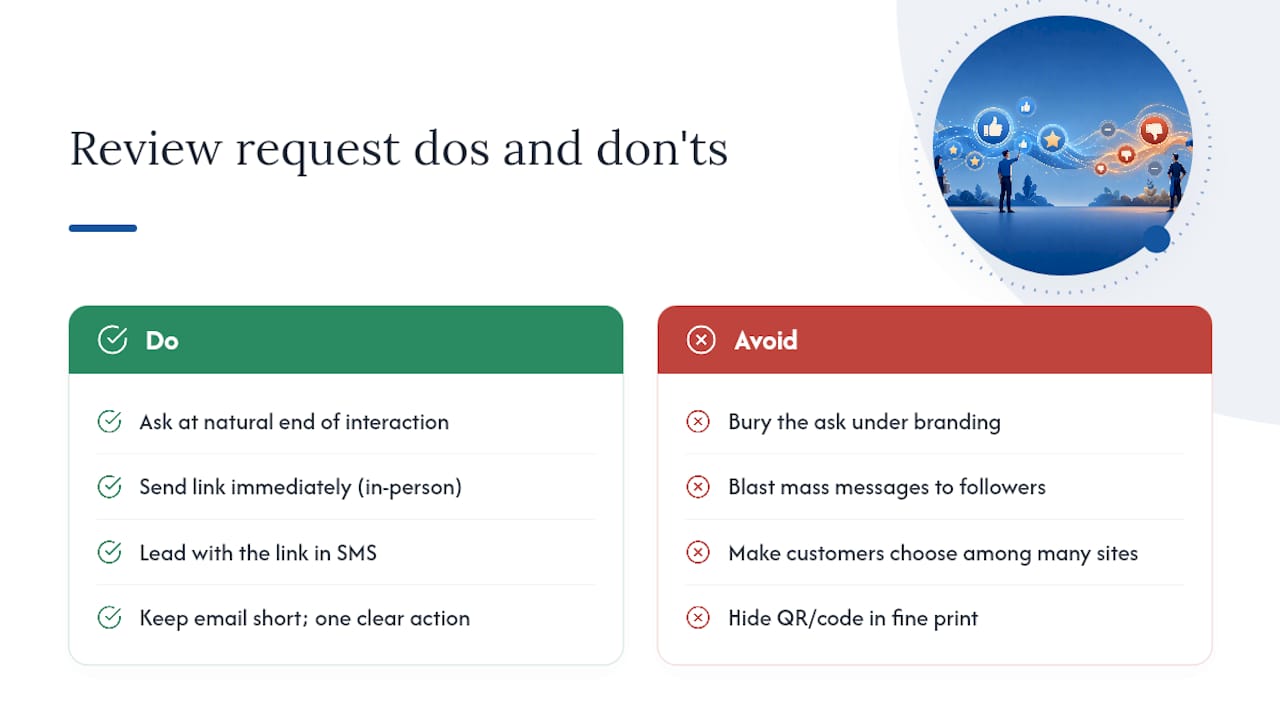
1. In person. The verbal ask should happen at the natural end of an interaction, right after a compliment or a handshake. Train staff to say something like: “Glad that worked out. Would you mind leaving us a quick review? I’ll text you the link right now.” Then actually send the text before the customer walks away. The verbal ask primes the customer; the text removes the friction of them having to search for you later.
2. SMS. Text messages get read fast and get replied to faster than email. Keep it to two sentences, lead with the link, and always include opt-out language for compliance:
The link-first structure matters. A customer skimming a text on their phone will click before they read the second sentence, so put the destination up front.
3. Email. Email converts lower than SMS but still earns its place, especially for product businesses collecting reviews days after delivery. Subject lines that name the product or service outperform generic ones. Try “How’s your [product] working out?” or “Quick favor, [Name]?” instead of “We’d love your feedback.”
Keep the body short, standalone, and centered on one clear action. A wall of branding above the ask buries it. If your platform supports embedded star ratings, put a one-click rating widget above the fold so the customer can react before they even scroll.
4. Receipts, invoices, and QR codes. A QR code printed on a receipt or invoice footer is a low-effort, always-on request. Phrase the call to action as a favor, not a demand: “Loved the service? Scan to leave a quick review.” Place it near the total or the signature line, where the customer’s eyes naturally land last, not buried in fine print.
5. Website. A dedicated “Leave a Review” page that funnels visitors straight to your Google Business Profile, Yelp listing, or industry-specific review aggregator removes the guesswork of where to post. List two or three platforms max. Asking a customer to choose among six review sites is asking them to do more work than they’re willing to do, and most will just close the tab.
6. Social media and messenger apps. A direct message after a positive comment or tag can work, but tread carefully. Some platforms restrict solicited reviews or treat mass messaging as spam, so keep the ask personal and one-to-one rather than blasting a review request to your entire follower list.
Across every channel, the pattern that actually moves the needle is the same: name the person, name the job, keep it to one or two sentences, and put the link where they can’t miss it. Specificity outperforms generic surveys almost every time, and embedding the direct link instead of asking customers to search for your business themselves can roughly double completion rates.
Pro Tip: Shorten your Google review link with Google’s own short-link tool inside your Business Profile dashboard. A clean, short URL feels less suspicious in a text message than a long tracking link.
What Compliance Rules Should You Follow When Requesting Reviews?
The FTC’s rule on consumer reviews and testimonials bans conditioning any incentive on a review being positive, and it also bars implying that a good review is expected in exchange for a discount, gift, or future service. The rule exists because conditioned incentives distort the review pool into something closer to advertising than honest feedback.
Review gating, the practice of only asking happy customers for reviews while quietly steering unhappy ones toward a private feedback form, sits in the same risky category. It’s a filtering tactic that inflates your public rating artificially, and both regulators and platforms scrutinize it closely.
Platform rules add another layer. Google Business Profile guidelines discourage incentivized reviews and prohibit review swaps or fake review schemes. Yelp goes further and can penalize or ban businesses caught soliciting reviews with any kind of reward attached, treating incentivized solicitation as a policy violation outright.
If you do want to run a customer feedback or loyalty incentive, keep it separate from the review ask entirely. Offer the reward for completing any feedback form, positive or negative, and disclose the incentive openly rather than tucking it into fine print.
- Never filter which customers get asked based on how happy they seemed.
- Never offer a discount, refund, or gift specifically for a positive review.
- Always disclose any incentive that applies to feedback generally, not just glowing reviews.
- Treat every platform’s own posted policy as the final word, since rules do shift.
How Should You Respond to Reviews, Especially Negative Ones?
Reply speed and tone both affect how the review reads to future customers, not just the reviewer. Google recommends professional, conversational, timely replies to both positive and negative reviews, treating the reply box as a public conversation rather than a customer service ticket.
For positive reviews, a short, specific reply beats a generic thank you. Something like: “Thanks, [Name]! Glad the [specific job] worked out. See you next time.” Naming the actual job signals you read the review rather than pasting a template.
Negative reviews need a different approach. Acknowledge the complaint publicly, then move the resolution offline immediately: “Sorry this didn’t go the way you expected, [Name]. I’d like to make it right. Can you call or email me directly at [contact]?” This shows future readers you take issues seriously without airing account details or arguing in public.
Once you’ve resolved an issue privately, it’s fair to ask the customer to consider updating their review, though never demand it. And when a review is glowing, ask permission before reusing the customer’s words as a testimonial on your website or marketing materials. A quick “Mind if we quote this on our site?” costs nothing and avoids awkwardness later.
- Reply to negative reviews within 24 to 48 hours; delays read as indifference.
- Never argue with a reviewer in the public thread, even if they’re wrong.
- Feed recurring complaint themes back to your team as process fixes, not just PR problems.
Pro Tip: Keep a simple log of every negative review and its resolution. After a few months, patterns emerge that point straight at your weakest operational link.
How Do You Automate and Measure a Review Request Program?
Manual review requests fall apart the moment you get busy, which is exactly when volume matters most. Automating requests from objective system events, a job marked complete in your CRM, an invoice paid, a ticket closed, keeps the ask consistent without anyone having to remember to send it.
The best automation setups still keep a human exception path for high-value or sensitive accounts, where a templated text might land wrong. A VIP client who just had a rough experience shouldn’t get the same auto-triggered request as a routine job.
Four metrics tell you whether the program is actually working: request volume sent, request-to-review conversion rate, response rate broken down by channel, and your average rating trend over time. Watching conversion by channel specifically will usually confirm what the broader data already suggests, that SMS and in-app prompts convert noticeably better than emailed links.
- Cap automated requests to one initial send plus a single reminder, never more.
- Route flagged or unhappy interactions to a person before any request goes out.
- Review your average rating trend monthly, not just individual reviews as they land.
- Track conversion by channel so you can shift budget toward what actually works.
This is where consolidating tools pays off. When your scheduling, invoicing, and customer messaging all live in one system, like Mybizapps, the trigger for a review request is just another automated step tied to the same “job complete” event that already closes out the invoice, rather than a separate manual task someone has to remember.
What Would I Implement in Week One?
Day one, pick your triggers. Job completion, delivery confirmation, ticket resolution, whatever objective event fits your business, and write it down as a rule, not a habit to remember.
Day two, build your direct links. Generate a shortened Google review link and a QR code, then print or save both everywhere a customer might see them: receipts, invoices, a follow-up text.
Day three, draft three templates: one for SMS, one for email, one for the verbal in-person ask. Keep every version under three sentences.
Day four, train whoever talks to customers directly. The verbal ask only works if staff actually say it consistently, not just when they remember.
Day five, run your first batch against real triggers from the past week. Don’t wait for a perfect system, just send the requests.
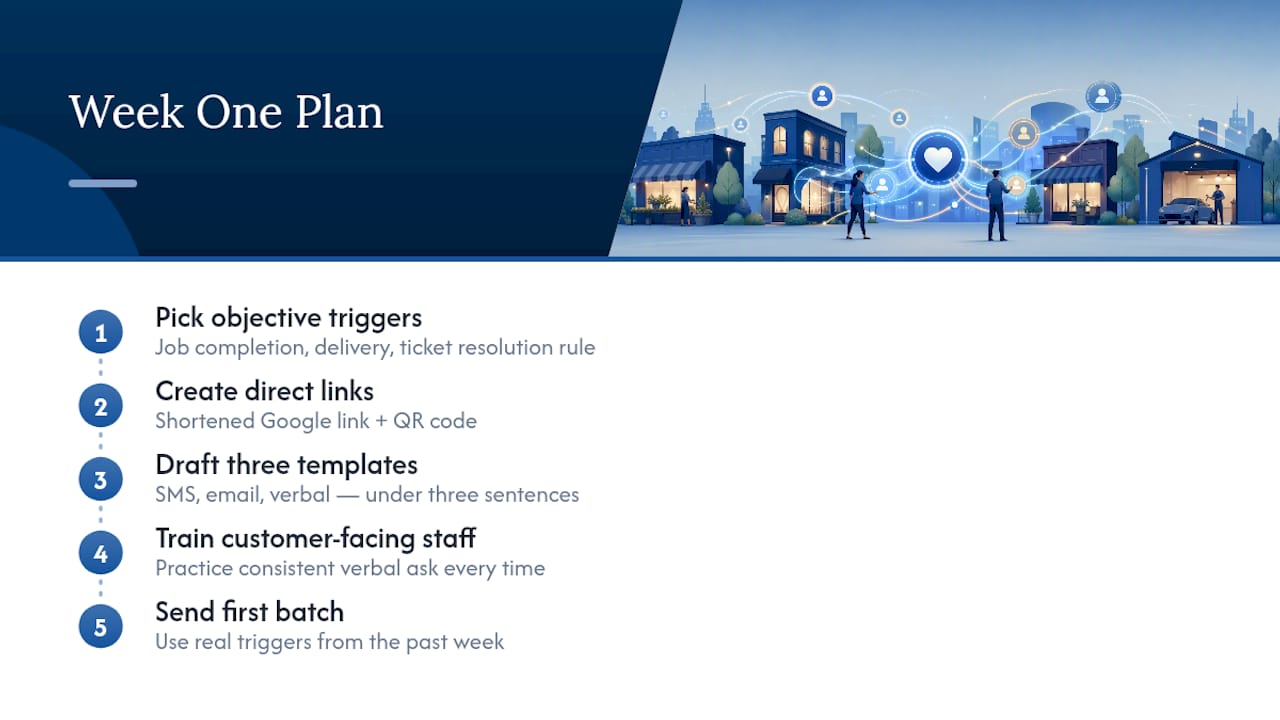
Days six and seven, monitor what comes in and reply to every single review, positive or negative, within 48 hours.
The mistakes that sink this fastest are asking too early, before the job is truly resolved, and asking too often, which burns goodwill fast. Keep the whole system boring and repeatable. A steady trickle of honest reviews beats a clever campaign every time.
— Philip
Simplify Review Requests With an Integrated Operations Platform
Chasing reviews across five disconnected tools, one for scheduling, another for invoicing, a separate texting app, is exactly the kind of fragmented workflow that makes review requests slip through the cracks. Mybizapps is built to close that gap: because job completion, invoicing, and customer communication already live under one login, a finished job can trigger a review request automatically instead of depending on someone remembering to send one.
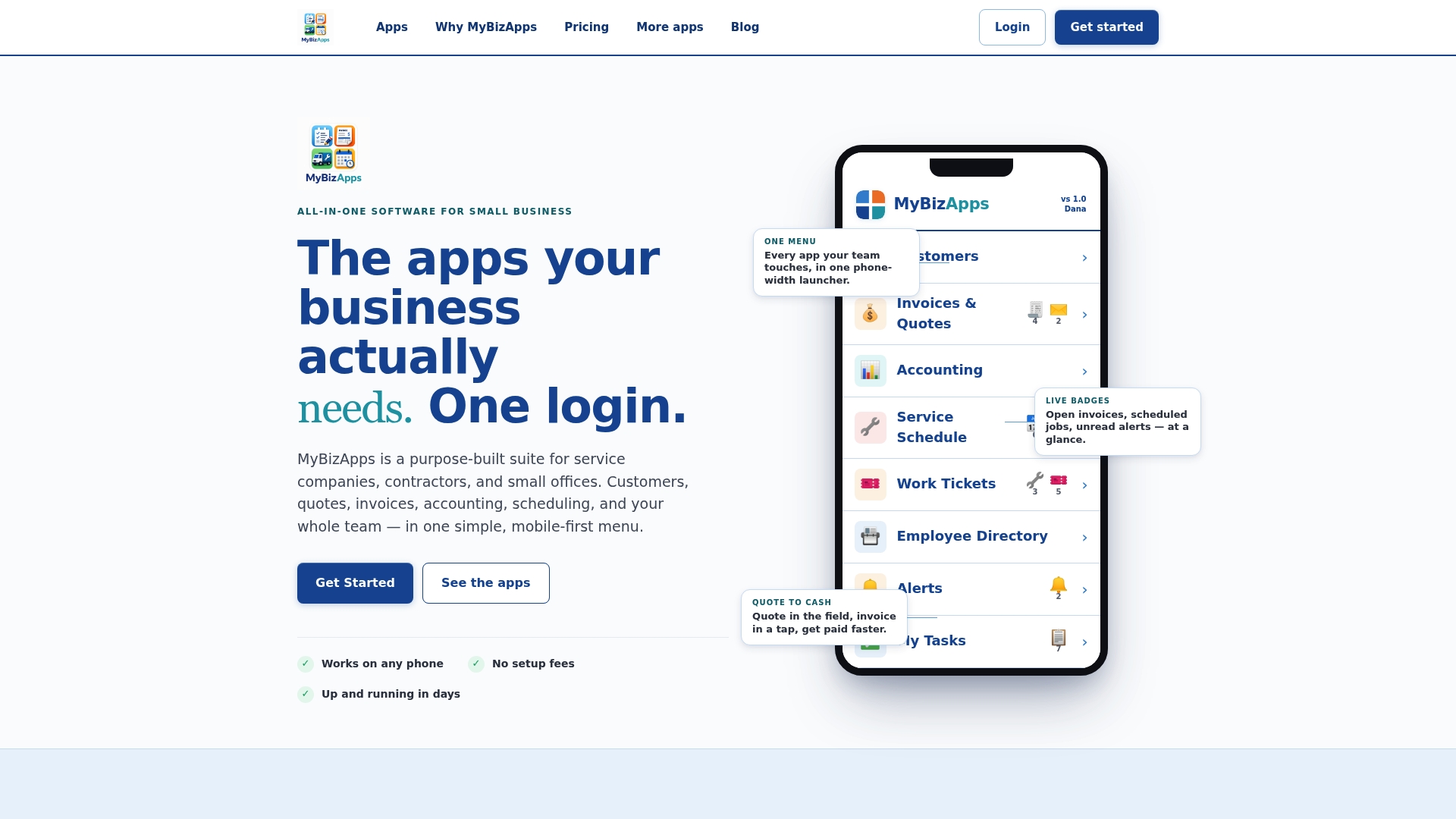
That consolidation saves real time. Instead of juggling logins to check whether a request went out, you get one dashboard showing which jobs closed, which requests fired, and which customers responded, plus a place to store the review links and your replies alongside the original job record. Fewer tools also means fewer places for a step to get missed between finishing the work and asking for feedback.
If you’re running review requests manually right now and losing track of who’s been asked, compare plans on the Mybizapps pricing page or check the price sheet to see which tier fits a business your size, and see whether centralizing the whole workflow is worth the switch.
Authoritative Resources and Platform Policies
For the rules that actually carry legal or platform weight, go straight to the source rather than a secondhand summary. Google’s own guidance on replying to reviews covers tone and timing directly from the platform you’re likely relying on most. The FTC’s rule on consumer reviews and testimonials is the definitive word on incentives and disclosure. For timing and channel benchmarks referenced throughout this guide, see the breakdown on request timing and channel performance.
Sources
- Google Business Profile — Reviews: how to reply
- How to Ask for Customer Feedback: Timing, Channels, and Templates | Perspective AI
- How to Ask for Reviews: 7-Step System | Web Tonic™