Stop Double Entry: Asset Barcode Tracking for SMB Managers
Stop Double Entry: Asset Barcode Tracking for SMB Managers
Barcode asset tracking uses a printed or digital barcode plus a scanner and an asset record to make audits faster, cut equipment losses, and keep asset data accurate. It works for any business that needs to know where its laptops, tools, or field equipment are without buying an expensive RFID setup. It’s the right fit for SMBs and IT teams that verify assets regularly but don’t need automated, hands-free reads at scale.
TL;DR:
- Barcode asset tracking is cost-effective for SMBs and relies on durable labels matched to the environment, with 1D barcodes suited for simple IDs and 2D for additional data.
- A successful system requires a unique asset identifier, a physical label, a scanner, and an up-to-date asset record, with workflow consistency and exception handling critical.
- Scanning updates logs, maintains asset history, and should be tested thoroughly during pilot phases to prevent common issues like labels that won’t scan or duplicate identifiers.
- Integrated software that syncs asset data with ERP systems improves accuracy, simplifies audits, and links asset activity directly with financial records.
- Both smartphones and dedicated scanners are viable, with smartphones ideal for light use and initial testing, while dedicated devices are necessary for high-volume or harsh environments.
Table of Contents
- What Is Asset Barcode Tracking, Exactly?
- How Does a Barcode Scan Update Your Asset Records?
- Which Labels and Scanners Fit Your Assets?
- What Software Features Actually Matter for Barcode Tracking?
- What Does Barcode Asset Tracking Actually Save You?
- Barcodes vs. RFID, NFC, and GPS: Which Should You Use?
- How Do You Pilot Barcode Asset Tracking Before Scaling?
- How Does an Integrated Platform Support Barcode Tracking?
- How Do You Train Staff to Use Barcode Tracking Correctly?
- What Are the Most Common Barcode Tracking Problems?
- Three Mistakes to Avoid Before You Scale
- Get Your Asset Tracking Running Without Adding Another App
- Sources
- FAQ
What Is Asset Barcode Tracking, Exactly?
Every barcode asset tracking system rests on four building blocks: a unique identifier, a physical label, a scanner, and a record that updates the moment someone scans. Miss one piece and the whole system breaks down. A barcode with no linked record is just a sticker. A record with no consistent identifier turns into a spreadsheet nobody trusts.
The unique asset identifier is the anchor. It has to stay fixed for the asset’s entire life, even if the asset changes departments, locations, or owners. Reassigning identifiers “to keep things tidy” is the single fastest way to corrupt years of audit history.
Label formats split into two families. 1D barcodes (Code 39, Code 128) are the classic black-and-white stripes, cheap to print and easy to scan from a distance, but they hold minimal data. 2D barcodes (Data Matrix, QR) pack in more information, including URLs, and stay readable even when part of the label is scratched or dirty.
Scanners range from your team’s existing smartphones to dedicated handheld devices and fixed readers mounted at doorways or checkpoints. Software vendors typically describe the same handful of terms:
- Asset register: the master list of every tracked item and its current status
- Activity stream: the timestamped log of every scan, assignment, and status change
- Check-in/check-out: the record action that ties an asset to a person or location
How Does a Barcode Scan Update Your Asset Records?
A scan is a trigger, not a final answer. The moment a scanner reads a label, the system looks up the identifier and opens whatever actions your workflow permits for that asset’s current state. A well-designed system follows a consistent sequence every time:
- Identify — the scanner reads the label and pulls the stable identifier.
- Look up — the software matches that identifier against the asset register.
- Act — the record opens permitted actions: assign to a technician, check out for a job site, log maintenance, or confirm location during an audit.
- Log — the activity stream timestamps the event and updates status.
Good systems preserve assignment history rather than overwriting it. Checking a laptop out to a new hire shouldn’t erase the fact that three other employees used it before. A practical barcode workflow treats the scan as an entry point into a workflow, not a blunt data overwrite, and that design choice is what makes handoffs traceable months later.
Exceptions happen constantly, and your workflow needs defined owners for each:
- Label won’t scan (damage, glare, wrong orientation): fall back to manual entry with a supervisor override.
- No matching record found: route to an “unassigned scan” queue instead of silently failing.
- Duplicate identifier detected: flag immediately. This usually means a labeling error upstream.
- Offline capture (no signal in a warehouse basement): store scans locally and sync once connectivity returns.
Pro Tip: Build your exception queue before your pilot, not after. Teams that wait until a scan fails in the field to figure out who owns the fix lose days of trust in the whole system.
Syncing scanned data to your accounting or ERP system closes the loop, reducing manual-entry errors and improving reconciliation between what operations sees and what finance books.
Which Labels and Scanners Fit Your Assets?
The right hardware depends entirely on where the asset lives, not on what looks impressive in a vendor demo. A laminated paper label works fine on an office monitor. It fails within weeks on a piece of equipment that gets hosed down daily.
Match the label material to the environment:
- Indoor office equipment: standard polyester labels with permanent adhesive hold up for years.
- Outdoor or high-UV exposure: use UV-resistant vinyl or anodized metal tags rated for sun and moisture.
- Metallic surfaces: choose labels designed for curved or textured metal, since generic adhesive peels off machined surfaces.
- High-wear or high-heat assets (kitchen equipment, engine housings): metal foil tags with high-temperature adhesive survive where paper simply melts or shears off.
On format choice: 1D barcodes handle simple ID lookups well and print cheaply in bulk. 2D/QR codes make more sense when you want the label itself to carry a URL, linking directly to a maintenance manual or the asset’s record page, instead of just an ID string.
Smartphone cameras are the practical starting point for most SMBs. They’re already in every employee’s pocket, and many small teams scan successfully with phones during a pilot before deciding whether they need anything more. Dedicated handheld scanners earn their cost when you’re processing high volumes daily or working gloved hands in a freezer or job site, where a phone screen becomes a liability.
Whatever printer you choose, test a sample label in its actual mounting location before ordering a full batch. Placement that blocks airflow vents or sits where straps rub daily will fail faster than the label rating suggests.
What Software Features Actually Matter for Barcode Tracking?
Vendor pitch decks list dozens of features. Most SMBs only need a handful that directly affect daily accuracy and audit defensibility.
Require these as baseline:
- Record actions with role-based permissions: not every employee should be able to check out a $4,000 laptop without approval.
- A complete activity log: every scan, assignment change, and status update timestamped and attributable to a user.
- Offline capture with sync: field crews in basements or rural sites need scans to queue locally, not vanish.
- Duplicate-identifier prevention: the system should flag a repeated barcode at creation, not six months later during an audit.
- ERP or accounting sync: barcode data reconciled against finance records closes audit gaps before they become “ghost assets” nobody can explain.
Enforce standard fields, too: asset category, purchase date, assigned location, and current custodian, with validation rules that reject a save when a required field is blank. That single habit prevents half the “who has this?” confusion that plagues informal spreadsheets.
Before committing to any platform, run a two-week evaluation with real assets, not demo data. Scan in a poorly lit storage room. Force an offline capture. Try to create a duplicate label on purpose. If the software handles those cleanly, it will hold up in production.
What Does Barcode Asset Tracking Actually Save You?
The efficiency case is straightforward once you’ve run one clean audit cycle. Instead of walking a room with a clipboard, a scan sequence pulls up an asset’s full history instantly.
Barcode systems automatically sync scanned data to asset registers and ERP systems, which speeds audits and cuts the manual-entry errors that create reconciliation headaches later.
Beyond audit speed, barcode tracking reduces two costly habits: assets that quietly disappear, and duplicate purchases made because nobody could confirm whether a tool already existed somewhere in the building. It also builds a usable maintenance history, since every check-out and repair ticket links back to the same asset record instead of living in a separate paper file.
Common use cases include IT device fleets tracked from procurement to retirement, tool cribs on construction sites, rental equipment moving between job locations, and facilities teams managing HVAC units and fire extinguishers across multiple buildings.
Barcodes vs. RFID, NFC, and GPS: Which Should You Use?
Barcodes win on cost and simplicity. RFID and NFC win on automation. GPS wins on movement. Picking the wrong one for your use case wastes budget on capability you’ll never use.
- Barcodes: cheapest to deploy, require a manual line-of-sight scan, and work well for periodic audits and broad asset coverage across a facility.
- RFID: reads automatically through portals or gates without a direct scan, but needs infrastructure investment that only pays off at high throughput or when tags are hidden from view.
- NFC: convenience, security, and reliability are pushing NFC into more hands-free and tap-based interactions. This makes it a good fit where staff need a quick tap instead of aiming a scanner.
- GPS/BLE: tracks location continuously, which matters for vehicles or high-value mobile assets that wander outside a single building.
A simple rule: if someone’s going to physically inspect the asset anyway, barcodes cover it for a fraction of the cost. If you need automated counts without anyone touching the asset, RFID or NFC starts to justify its price tag. Many operations end up running barcodes for the bulk of their inventory and layering RFID onto a smaller set of high-value or high-loss items.
How Do You Pilot Barcode Asset Tracking Before Scaling?
Skipping the pilot is the single most common reason barcode rollouts stall six months in. A short, deliberate test catches problems while they’re cheap to fix.
- Preflight: standardize your identifier format and clean up master data. Merge duplicate asset entries and retire records for equipment that’s already gone.
- Print and place: generate a small batch of labels and mount them where staff can scan without interfering with normal use, then test scanning under the actual lighting and device conditions your team will face daily.
- Run full workflows: put fifteen to twenty assets through checkout, a maintenance ticket, and a mock audit to confirm the software behaves as expected end to end.
- Track metrics: scan success rate, time per audit compared to your old manual process, and discrepancy rate between what the system says and what’s physically on the shelf.
Set a decision gate before you start: if scan success stays above roughly 95% and the audit time drops noticeably, scale up. If not, fix the label material or workflow gaps first.
Pro Tip: Keep a small stock of replacement labels on hand from day one. Assets that see daily handling wear labels out faster than many pilots anticipate, and running out mid rollout delays progress.
Scaling adds its own tasks: staff training, a labeling cadence for new purchases, a clear exception-handling owner, and a label replacement schedule tied to wear, not guesswork.
How Does an Integrated Platform Support Barcode Tracking?
Running asset records separately from invoicing and scheduling creates double entry, and double entry is where reconciliation errors sneak in. When a scanned check-out event lives in the same system as your work tickets and billing, a technician assigning equipment to a job automatically ties that asset to the invoice for that job.
Some integrated platforms build asset and inventory management into the same mobile-first login as work tickets, scheduling, and accounting, so field staff can scan and update records without switching apps. For readers evaluating fit, the Mybizapps blog covers implementation examples, and the price sheet breaks down what’s included in each module.
How Do You Train Staff to Use Barcode Tracking Correctly?
The software rarely fails first. People do, usually because nobody explained why the extra scanning step matters. Training that starts with “here’s how” instead of “here’s why” produces staff who scan inconsistently and skip steps under deadline pressure.
Start every rollout with a short session showing the actual cost of skipped scans: a missing laptop nobody can locate, a duplicate tool purchase because the original was never checked back in. Concrete stories from your own operation land harder than a generic policy memo.
Keep the hands-on portion short and specific. Walk each role through only the actions they’ll actually perform: field techs learn check-out and check-in, warehouse staff learn receiving and audits, managers learn how to pull activity logs and resolve exceptions. A forty-minute session covering every possible feature guarantees most of it gets forgotten by the following week.
Assign a point person per shift or department who owns questions and exception cases during the first month. New systems generate a wave of edge cases early on: a scanner that won’t read a bent label, an asset moved without being checked out first. Without a named owner, staff either guess or stop bothering entirely.
Reinforce with quick refreshers at thirty and ninety days, not just a one-time kickoff. Habits that seem locked in during week one often slip once the novelty wears off, and a five-minute check-in catches drift before it becomes standard practice.
What Are the Most Common Barcode Tracking Problems?
Most barcode tracking failures trace back to a handful of repeat offenders, and nearly all of them are preventable with a bit of upfront testing.
Labels that won’t scan top the list, usually from glare, physical damage, or a label mounted at an angle the scanner can’t read cleanly. The fix is testing label placement and material against real lighting conditions before mass deployment, not after complaints start rolling in.
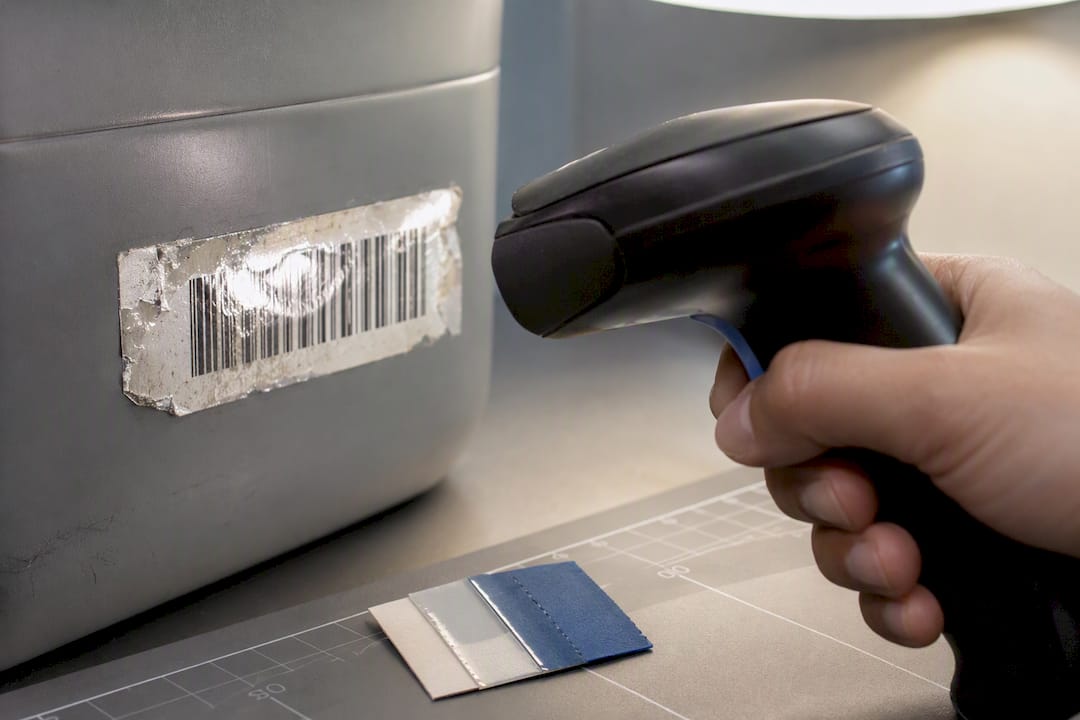
Duplicate identifiers show up when labels get printed in two batches without checking the sequence, or when someone reuses an old label on a new asset to save money. Build validation into your printing process so the system rejects a duplicate at creation instead of surfacing it during an audit six months later.
Sync failures between offline captures and the central database cause scans to vanish or double up. Confirm your software’s offline queue actually reconciles cleanly before trusting it in a basement or rural job site with no signal.
Orphaned records, where an asset shows a location or custodian that’s no longer accurate, usually mean someone bypassed the check-out workflow and moved equipment manually. The fix isn’t more software, it’s reinforcing that every move goes through a scan, even for a five-minute loan between desks.
When scan failures spike suddenly across many labels at once, check the scanner firmware or app version first. A surprising number of “broken barcode” tickets turn out to be an outdated scanning app that stopped decoding a label format correctly after an update.
Three Mistakes to Avoid Before You Scale
Mistake one: labeling every asset before validating your master records. Fix it by reconciling your asset list first, so you’re not printing permanent labels for equipment that’s already retired or duplicated in the system.
Mistake two: skipping exception workflows because “we’ll figure it out later.” Define who owns a failed scan or a missing record before your pilot starts, then actually test that person’s response under pressure.
Mistake three: under-testing adhesives and scanners against your real environment. Run a small batch through actual conditions and keep replacement stock on hand.
One-line pre-scale checklist: clean data, tested labels, named exception owners, and a scan success rate you’ve actually measured.
— Philip
Get Your Asset Tracking Running Without Adding Another App
Most barcode tracking tools solve one problem and leave you exporting spreadsheets into whatever system runs your invoicing and scheduling. Some platforms integrate asset and inventory records under the same mobile-first login as work tickets, billing, and customer accounts, so a technician who checks out equipment for a job can automatically tie that asset to the invoice for that job, avoiding re-entry.
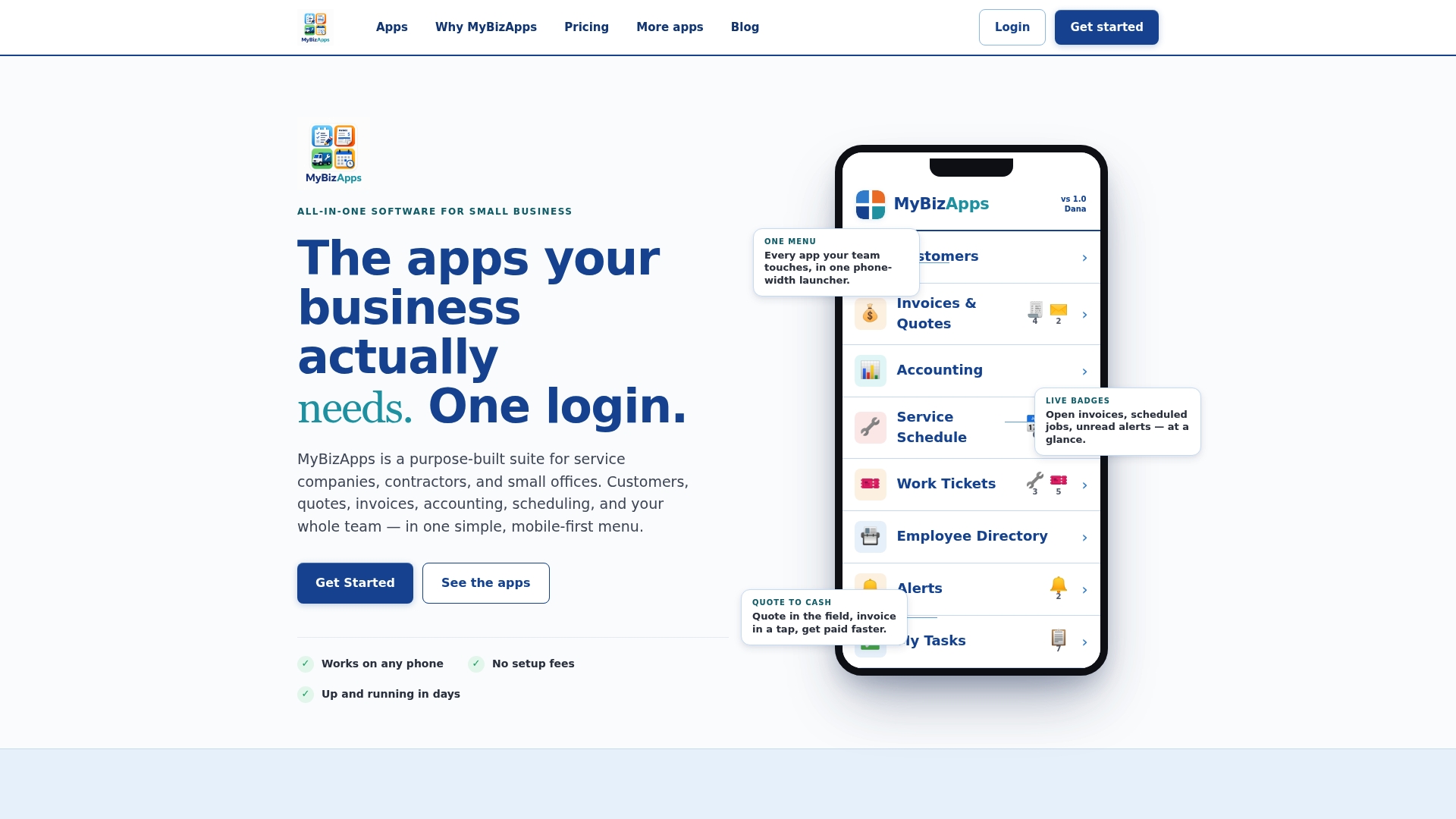
If you’re running a pilot along the lines described above, this is the kind of setup that keeps a scan from becoming an island of data disconnected from the rest of your operation. Review the Manage Assets & Inventory plan on the pricing page to see what’s included, and start with a small batch of assets before rolling it out across your whole inventory.
Sources
For deeper technical grounding on the four-part workflow and pilot approach, see AssetCenter’s guide to barcode asset tracking software. For audit and ERP reconciliation detail, AssetCues’ overview of barcode asset tracking covers common failure points. For context on when proximity technology like NFC fits better than a barcode, the NFC Forum’s 2024 industry commentary is a useful reference.
- Barcode asset tracking software: a guide | AssetCenter
- Barcode Asset Tracking | Fast & Accurate Scanning
- NFC Forum: Convenience, security and reliability driving a payments paradigm shift
FAQ
How Can I Track Assets Using QR Codes?
Assign each asset a unique identifier, print a QR label, and mount it where staff can scan without disrupting normal use. Scanning with a phone or dedicated scanner pulls the asset’s record and opens actions like check-out, maintenance logging, or audit confirmation, following the same four-part workflow used for standard barcodes.
Can a Barcode Be Tracked Back to Its History?
Yes. Every scan writes a timestamped entry to the asset’s activity log, so you can trace who checked an item out, when it moved locations, and what maintenance it received. The barcode itself doesn’t store this history; it’s a key that unlocks the record where the history actually lives.
What Is the Process of Asset Tracking From Start to Finish?
The process runs from labeling through ongoing use: assign a unique identifier, attach a durable label, scan it at key events like check-out or audit, and let the system log each action automatically. Syncing that data to accounting or ERP systems closes the loop between physical inventory and financial records.
What Is the Best Asset Tracker for a Small Business?
The right choice depends on volume and environment: barcodes work well for periodic audits and broad coverage at low cost, while RFID or GPS suit high-throughput or constantly moving assets. For a small business that also wants asset records tied to invoicing and scheduling, an integrated platform like the Manage Assets & Inventory plan from Mybizapps avoids running a separate standalone tracker.
Do I Need Dedicated Scanners, or Will a Smartphone Work?
A smartphone camera works fine for most SMB pilots and everyday scanning needs. Dedicated handheld scanners become worth the cost once you’re scanning high volumes daily or working in conditions, like gloved hands or extreme temperatures, where a phone screen isn’t practical.