Cut Billing Disputes with Mobile Check In SOP for Small Service Firms
Cut Billing Disputes with Mobile Check In SOP for Small Service Firms
The right approach is a mobile-first, timestamped check-in and check-out process backed by geofence or QR verification, with a manager approval step before anything hits payroll or an invoice. That combination fixes the three things that break small service businesses: fuzzy timesheets, billing arguments with customers, and dispatchers guessing where a crew actually is. A platform ties each of those check-ins directly to scheduling and invoicing, so the record a tech creates in the field becomes the record your office bills from.
TL;DR:
- Combining geofence, QR code, and manual punch methods improves verification accuracy, especially when pairing QR scans with GPS confirmation for high-value jobs.
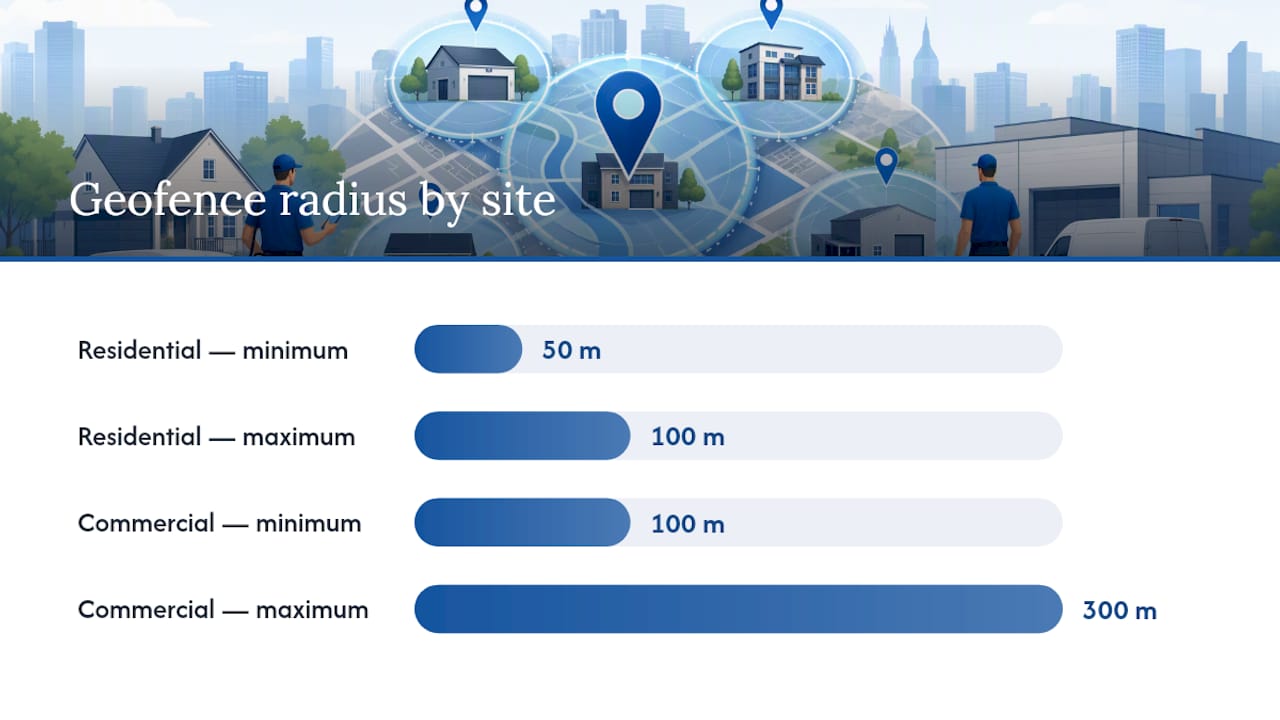
- Setting appropriate geofence radii—50 to 100 meters for residences and up to 300 meters for large commercial sites—prevents false check-in or check-out alerts.
- Requiring notes on every check-out, including brief job details, can prevent billing disputes weeks later with minimal extra effort.
- A manager approval step before payroll and invoicing ensures verified data flows accurately, reducing delays and disputes in payment cycles.
- Having a fixed, automated check-in process for each job improves compliance, minimizes manual fudging, and supports faster, more accurate invoicing.
Table of Contents
- What Does a Complete Check-In Check-Out Process Look Like?
- Geofence vs QR Code vs Manual Punch: Which Verification Method Fits?
- How Do You Set Up Geofence and QR Policies?
- Turning Verified Check-Ins Into Clean Payroll and Invoices
- What Happens When a Check-In Gets Missed or Disputed?
- Why Integrated Check-In Data Changes How Fast You Get Paid
- Get Check-In and Check-Out Running in Days, Not Months
- Sources
- FAQ
What Does a Complete Check-In Check-Out Process Look Like?
A clean check-in check-out process runs on a fixed sequence, not on whatever a technician remembers to type into a group text. Every job should move through the same steps, every time, regardless of who’s doing the work.
Here’s the workflow that holds up under scrutiny, including when a customer disputes an invoice six weeks later:
- Dispatch assigns the job through the mobile app, with the address, job code, and any customer notes attached.
- The technician receives the job and taps to accept it, which starts the clock on travel time.
- Arrival triggers check-in through a geofence, a QR-code scan, or a manual punch if neither is available.
- The job clock starts, separate from travel time, so labor hours and drive time never get blended.
- The tech logs checklist items, photos, and parts used as the work happens, not from memory at day’s end.
- Check-out captures job status, a resolution code, and a customer signature if the job calls for one.
- A manager reviews the session in an approval queue before it moves to payroll or invoicing.
Multi-stop days need one adjustment: pause the job clock instead of checking out fully when a tech steps away for a parts run or a quick second stop, then resume it on return. A full check-out should mean the job is genuinely done, not just interrupted. For crews with a lead tech, some platforms let that lead close out every technician on-site with a single action rather than making each person check out individually, which speeds up team jobs considerably, according to ServiceChannel’s provider documentation.
Every event in that sequence needs the same core data attached: a timestamp, GPS coordinates, the job code, any photos taken, and a note field for context.
Pro Tip: Require a note field on every check-out, even a one-line one. “AC unit needed a new capacitor, customer approved on-site” takes ten seconds to type and saves a phone call three weeks later when the invoice lands.
Geofence vs QR Code vs Manual Punch: Which Verification Method Fits?
Picking a verification method comes down to trade-offs between accuracy, how much friction your techs will tolerate, and what happens when the technology fails. None of the three options is right for every job type.
Geofencing works passively. The system logs entry and exits the moment a phone crosses a defined perimeter around the job site, with no action required from the technician. Spytec’s geofencing guide describes exporting entry and exit reports straight from these logs for payroll or client verification. Geofencing shines for recurring commercial accounts and fleet tracking, but GPS drift near tall buildings and weak signal indoors can produce false arrivals or missed exits, as detailed by Victorian Gate Automation in their approach to site-access verification.
QR-code scanning requires an active step: the technician scans a code posted at the job site, which proves they were physically present rather than just nearby. Team-Trak’s field guide notes that QR verification also sidesteps the “why is my phone being tracked all day” objection that constant GPS monitoring sometimes triggers among staff. The catch is setup: someone has to print, laminate, and mount a code at every site, and it only works if the phone camera or in-app scanner cooperates.
Manual punch is the fallback. A technician taps a button to log arrival and departure with no automated verification behind it. It’s the easiest to deploy and the easiest to fudge, so it only makes sense for short jobs paired with a strict manager review process.
- Geofence: best for repeat commercial sites, weakest indoors or in dense urban blocks
- QR code: best for one-off jobs and client-sensitive sites, weakest when codes get damaged or removed
- Manual punch: best as backup only, weakest on accuracy without a review layer
The strongest setup combines two of these rather than picking one. Pairing a QR scan with GPS confirmation creates what Team-Trak calls a two-layer proof: the scan proves presence, the coordinates confirm location, and together they’re far harder to fake than either alone. Save that combination for high-value jobs or clients who scrutinize invoices, and let geofencing run quietly in the background for routine, recurring accounts.
How Do You Set Up Geofence and QR Policies?
Settings matter more than most managers assume. A geofence radius that’s too tight generates false late check-ins; one that’s too loose lets techs “arrive” from the coffee shop next door.
- Residential geofence radius: 50 to 100 meters, tight enough to confirm the tech is actually on the property.
- Commercial geofence radius: 100 to 300 meters, since larger campuses and multi-building sites need more tolerance to avoid false negatives.
- QR placement: post a unique, site-specific code somewhere weatherproof and visible, like inside a service panel door or a mounted plaque, and require in-app scanning so external links or duplicated codes can’t be used to spoof a check-in.
- Offline handling: allow a manual punch when GPS or data signal fails, but flag it automatically for manager review rather than auto-approving it.
- Device baseline: every technician needs a smartphone with location services enabled and the scheduling app installed before their first solo job.
Publish the policy in plain language so nobody can claim confusion later. Something like: “Check in within 100 meters of the job site using the app. Check out before leaving, with photos attached for any job involving parts replacement. Missed check-ins get flagged for manager review; three unexplained misses in a month trigger a coaching conversation.” Overtime should require a manager’s approval in the queue before it’s paid out, not an automatic accrual based on raw clock time.
Pro Tip: Set your geofence radius wider than you think you need at first. A radius that’s too tight generates so many false alerts that managers start ignoring the flags entirely, which defeats the purpose.
Turning Verified Check-Ins Into Clean Payroll and Invoices
Verified time only helps your business if it flows cleanly into the systems that actually pay people and bill clients. That means deciding upfront which fields matter and building an approval gate before anything gets exported.
At minimum, each record needs: technician ID, job ID, arrival timestamp, departure timestamp, total duration, travel time (kept separate from job time), any photo or document attachments, and an approval status flag.
- Route every completed session through a manager approval queue before it touches payroll or invoicing software.
- Export to common formats like a QuickBooks CSV or a standard timesheet file, following the weekly review pattern Punch’s field-service guide recommends for HVAC and plumbing crews.
- Attach the checklist and photo evidence to the invoice line item, not just to an internal file, so the customer sees exactly what was done and when.
- Flag any manually edited timestamp differently from an automated one, so nobody has to guess later which entries were adjusted by hand.
The payoff shows up fastest in your invoice-to-payment cycle. A customer who sees a timestamped arrival, a photo of the completed repair, and a signature on file has far less room to argue about the bill, which means fewer stalled invoices and faster collection.
What Happens When a Check-In Gets Missed or Disputed?
Missed check-ins happen. Dead phone batteries, dead zones, a tech who forgot to tap the button. What matters is having a fixed process for resolving it instead of a manager scrambling through text messages.
- Pull every available record first: the geofence log, route history if the app tracks it, any photos taken, and the technician’s own notes.
- Ask the technician for context before assuming the worst. A missed check-in isn’t automatically a compliance problem.
- Rank the evidence by strength: a combined QR-plus-GPS entry outranks a geofence-only timestamp, which outranks a technician’s note with a photo, which outranks a customer’s verbal confirmation alone.
- Any manual edit to a timesheet needs a manager’s sign-off and a logged reason, creating an audit trail that protects both the business and the technician if the dispute escalates.
Why Integrated Check-In Data Changes How Fast You Get Paid
Most disputes over invoices aren’t really about the work. They’re about proof. A customer questioning a four-hour labor charge isn’t necessarily accusing anyone of dishonesty. They just don’t have anything showing what happened during those four hours.
That’s the real argument for running check-in and check-out through the same platform that handles scheduling and invoicing, rather than three disconnected tools duct-taped together. When a platform logs a technician’s arrival, checklist, and photos on the same system that generates the invoice, that evidence travels with the bill automatically. Nobody has to dig through a separate time-tracking app to answer a customer’s question.
The compliance side matters too. Assigning one person, usually a dispatcher or operations manager, to own check-in monitoring and handle exceptions tends to make the whole system stick. Without an owner, non-compliance quietly creeps back in within a few weeks, no matter how good the initial rollout was.
— Philip
Get Check-In and Check-Out Running in Days, Not Months
A platform handles check-in verification, checklists, and invoicing under one login, so you’re not stitching together a time clock app, a scheduling tool, and separate invoicing software to get a single accurate record. That matters most for small crews where the owner is often also the dispatcher, the bookkeeper, and the person fielding angry calls about invoices.
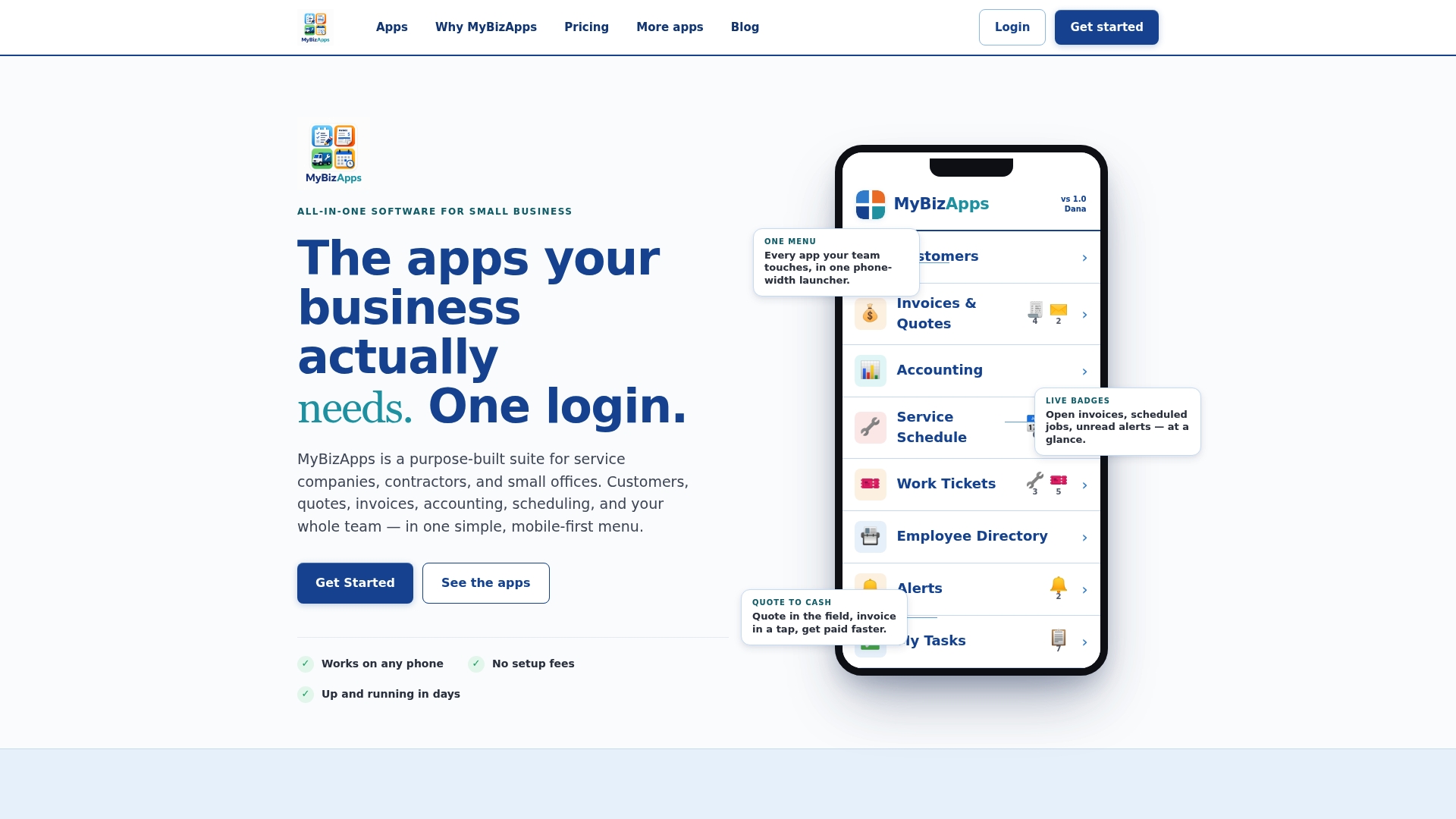
The platform supports mobile check-in with geofence and QR verification, job checklists with photo attachments, a manager approval queue, and payroll export options, all feeding directly into the same invoicing system your customers see. That means a technician’s verified arrival and completed checklist become the backbone of the invoice, not a separate record someone has to reconcile manually at month-end. Fewer disputes, faster approvals, quicker payment.
If you’re evaluating whether this fits your crew size and job volume, the price sheet breaks down which modules you’d actually need, from basic scheduling up through full check-in and invoicing integration. Take a look and see where your current process is leaking time or money.
Sources
- Geofencing timecard automation — Spytec
- Checking In and Out of Work Orders Using SC Provider — ServiceChannel
- How to verify field technician visits with GPS proof — TrackTeam
- The practical guide to QR code check-in and check-out for field teams — Team-Trak
- Time tracking for HVAC and plumbing techs (Field Service Guide 2026) — Punch
FAQ
What Should Be Recorded During Every Check-In?
Capture a timestamp, GPS coordinates, the job code, and a brief note at minimum, with photos added for any job involving parts or visible completed work.
Should Small Businesses Use Geofencing or QR Codes?
Use geofencing for recurring commercial accounts where passive tracking is enough, and QR codes for one-off or high-value jobs where active proof of presence matters more.
How Do You Handle a Missed Check-In?
Pull the geofence log, route history, and any photos or notes first, then ask the technician for context before treating it as a compliance issue.
Can Check-In Data Reduce Invoice Disputes?
Yes. Timestamped arrivals paired with checklist photos and signatures give customers concrete proof of the work performed, which cuts down on billing arguments and speeds up payment.
What Geofence Radius Should a Service Business Use?
Residential sites typically work well with a 50 to 100-meter radius, while larger commercial properties often need 100 to 300 meters to avoid false alerts.