Stop Field Rework: 6 Contractor CRM Features Mapped to Your Workflow
Stop Field Rework: 6 Contractor CRM Features Mapped to Your Workflow

A contractor CRM earns its keep through six feature groups: contact and pipeline tracking; estimating and proposals; job costing and change orders; scheduling; document and photo capture; and integrations that keep data flowing between systems. Of these, the single priority that determines whether the tool gets used is reliable field data continuity, meaning mobile access, offline behavior, and sync that actually works. Everything below builds from that priority toward a practical shortlist and rollout plan.
TL;DR:
- A contractor CRM’s core value relies on seamless field data continuity, including mobile access, offline functionality, and reliable synchronization.
- Effective CRMs must track a single project record through all stages, from lead capture to final invoice, without manual re-entry or data fragmentation.
- Essential features include job costing, change-order management, document capture with version control, and integrations with accounting and e-signature tools.
- Field usability issues, such as offline data entry, role-based permissions, and proper app synchronization, are decisive for CRM adoption and success.
- Starting with a focused pilot on one pipeline and one project workflow over 30 to 90 days, with measurable goals, minimizes risks and optimizes implementation.
Table of Contents
- How a contractor CRM fits the lead-to-cash and project workflow
- Detailed feature taxonomy: priority feature groups and what to expect from each
- Field usability and mobile/offline requirements that determine adoption
- Integrations and data flow: accounting, e-signature, storage, calendars and APIs
- Implementation and rollout: a pragmatic plan and adoption checklist
- Prioritize features by contractor type and team size
- Publisher example: how MyBizApps addresses the feature priorities
- Author’s short recommendation and next steps
- Try a focused pilot before you commit to a full rollout
- Sources
- FAQ
How a contractor CRM fits the lead-to-cash and project workflow
A contractor CRM is not a standalone sales tool. It is the record that follows a lead from first contact through estimate, schedule, change order, invoice, and final payment. When that record breaks at any handoff, someone in the office ends up retyping information that a field crew already entered once, and errors creep in every time data moves between systems.
The CRM’s job starts at lead capture: a call, a web form, or a referral gets logged with enough detail to qualify the opportunity and track where it sits in the pipeline. From there, the same record should carry forward into estimating, so a proposal reflects the actual scope discussed rather than a fresh guess. Once a job is won, the record needs to persist through scheduling, field updates, change orders, and the final invoice, with customer communication attached the whole way through.
This is where construction-specific CRMs diverge from generic sales tools. A generic CRM tracks deals and contacts well but has no native concept of job costing, RFIs, submittals, or document control, the features that construction and service teams rely on daily. Capterra’s comparison of RAKEN and ProContractor lists change-order management, job-cost tracking, RFIs and submittals, mobile access, offline sync, and document capture as baseline capabilities for contractor-focused platforms, not add-ons.
A few structural questions help clarify where your CRM needs to plug in:
- Does the record survive the handoff from sales to project management without manual re-entry?
- Can field staff update job status, costs, and photos from a phone without waiting for office hours?
- Does the system distinguish between a change order, an RFI, and a standard task, or lump them together?
- Is there one authoritative version of the customer and project record, or do multiple tools each hold a partial copy?
Practitioner guidance on evaluating construction software for general contractors makes the same point from a different angle: a CRM that does not preserve the record through lead, estimate, schedule, and invoice becomes just another silo, adding a system to check rather than removing one.
Detailed feature taxonomy: priority feature groups and what to expect from each
Once you know where the CRM sits in your workflow, the next step is checking what each feature group should actually deliver. Vendors bundle these differently, but the underlying capabilities are consistent across the category.
Contact and opportunity management. Pipeline stages for contractors need to reflect long sales cycles: initial inquiry, site visit, estimate sent, negotiation, contract signed. A pipeline built for transactional retail sales will misrepresent how long deals actually take to close.
Estimating, proposals, and change orders. Look for built-in e-signature on proposals, line-item estimating tied to your cost database, and a change-order workflow that updates the contract value automatically rather than requiring a side spreadsheet. Capterra’s construction management software review finds that change-order tracking and real-time job costing are among the clearest differentiators between generic and construction-specific platforms.
Job costing and invoice flow. This group covers budget versus actuals tracking, purchase orders, and the connection from approved costs to the invoice that goes out the door. A system that cannot show, at a glance, whether a job is running over budget is of limited use to a project manager mid-build.
Scheduling, dispatch, and timesheets. Crew scheduling needs to handle overlapping jobs, equipment conflicts, and last-minute changes, with timesheets that tie labor hours back to the job for costing purposes. Work-ticket integration matters here too, since a ticket created in the field should update the same job record the office sees.
Document and photo capture. Field crews need to attach photos, submittals, and RFIs directly to the job, with version control so the latest drawing or spec sheet is obvious. Quality-control checklists tied to photo evidence reduce disputes later.
Inventory, equipment, and subcontractor management. Materials and equipment tracking, subcontractor and supplier records, and compliance tracking (licenses, insurance certificates, safety documentation) round out the taxonomy. The Capterra feature comparison lists these alongside RFIs and submittals as standard for construction-oriented platforms, noting that priorities shift depending on whether the contractor works residential or commercial jobs.
Reporting and dashboards. Customizable KPIs, budget-versus-actual views, and forecast reporting help with go or no-go decisions on future bids. A dashboard is only as good as the data feeding it, which is why the field-capture and integration groups matter as much as reporting itself.
A short list of what to check across all of these:
- Confirm each feature group ties back to the same customer and project record, not a separate database.
- Ask whether change orders automatically update contract value and invoicing.
- Check that job costing shows budget versus actuals in real time, not after a manual export.
- Verify document capture supports version control for drawings and specs.
- Look for compliance tracking on subcontractor licenses and insurance.
Pro Tip: Before you shortlist any CRM, list your last five change orders and see whether the tool you’re evaluating can reproduce that exact approval and billing flow.
Field usability and mobile/offline requirements that determine adoption
A feature list means little if the crew using it in a truck bed with one bar of signal cannot get the job done. Field usability is where most contractor CRM adoption succeeds or fails, and it deserves more scrutiny than the sales demo usually gives it.
Photo and document capture should attach directly to the job record with location and timestamp metadata, so a photo taken on-site lands where the office expects it without a separate upload step. Offline behavior matters just as much: the app needs to let a technician log hours, update status, and attach photos without a connection, then sync cleanly once signal returns. Conflict resolution, what happens when two people edit the same job while offline, is worth testing directly rather than taking on faith.

Quick-entry patterns speed up field use and improve data quality at the same time. Templates for common job types, voice notes for quick updates, and barcode scanning for materials or equipment all reduce the friction that leads crews to skip logging altogether. Role-based views matter too: a technician needs a simpler screen than a project manager, and cramming everything into one interface tends to slow both down.
Capterra’s comparison taxonomy treats mobile access, offline access, real-time updates, permissions, and notifications as core requirements, not premium extras, which reflects how central these features are to whether field data ever reaches the office intact.
A few checks worth running before you commit:
- Test offline entry and sync on an actual job site, not just office Wi-Fi.
- Confirm role-based permissions limit what field staff can edit versus view.
- Check whether the audit trail shows who changed what and when.
- Verify double entry is eliminated between field updates and office invoicing.
Integrations and data flow: accounting, e-signature, storage, calendars and APIs
The feature list matters less than how well those features talk to the systems you already run. A CRM with strong estimating tools but no accounting integration just creates a second ledger someone has to reconcile by hand every month.
The integrations worth prioritizing are accounting or ERP sync (QuickBooks and similar platforms), e-signature for proposals and change orders, cloud storage for drawings and specs, calendar and email sync for scheduling, and payment processing for faster collections. Capterra’s 2026 review of construction software lists these integration categories, along with API and export support, as material evaluation criteria, not nice-to-haves.
API access and data export matter beyond convenience. If you cannot export your customer and project data cleanly, you do not really own it, and switching costs later become a lock-in problem. Audit history, who changed a record and when, is part of the same conversation, since it determines whether you can trust a report enough to act on it.
Pricing models are worth watching closely too. Per-user, per-module, and per-project pricing all lead to very different total costs as your team grows, and a tool that looks cheap at five users can become expensive fast at twenty.
Before signing anything, run a few practical checks:
- Export a sample of real customer and job data and confirm it comes out clean and complete.
- Ask how the system handles duplicate contacts or projects created in two places.
- Identify which system is authoritative for each data type (accounting for invoices, CRM for customer contact).
- Confirm the pricing model against your actual user and project count, not the demo team size.
A guide on auditing CRM data before adding any new tool is a useful reference here, since integration quality depends heavily on the state of the data you are about to connect.
Implementation and rollout: a pragmatic plan and adoption checklist
Rollout is where a lot of contractor CRM projects lose momentum, usually because the initial scope tries to cover every workflow at once instead of proving value on one.
The most reliable approach is to define a minimum viable scope before touching the software: one pipeline and one project-to-cash flow, covering lead through invoice for your most common job type. Expanding to every service line and every report can wait until that one flow works cleanly.
- Clean up existing customer and project data before import: remove duplicates, decide who owns each record, and set required fields.
- Configure one pipeline and one project workflow, matching your actual estimate-to-invoice steps.
- Test integrations with accounting and e-signature tools using real transactions, not sample data.
- Run a pilot with a small group of field and office users, with role-based training for each.
- Track adoption with concrete measures: daily active users, time to log a job update, and time from job completion to invoice sent.
Case examples of contractor CRM rollouts point to timelines in the range of 90 days to four months depending on scope, with faster rollouts tied to using industry-ready templates instead of building configuration from scratch. Starting with the narrow pipeline described above is one of the more reliable ways to shorten that window rather than widen it.
Pro Tip: Run your data cleanup before the sales demo, not after signing. A CRM evaluated against messy data will look worse than it is, and a CRM configured on top of messy data will fail regardless of features.
Prioritize features by contractor type and team size
Not every contractor needs the same slice of the taxonomy first. Matching your priorities to your actual work shortens the evaluation process considerably.
Residential remodelers tend to get the most value from mobile job updates, a client portal for status and photos, and strong estimating and proposal tools, since client communication and quick turnaround estimates drive repeat business and referrals. Field-service trades, HVAC, plumbing, electrical, and similar, lean harder on scheduling and dispatch, work-ticket integration, fast invoicing, and inventory tracking for trucks and parts. Commercial general contractors need the heavier end of the taxonomy: submittals and RFIs, document control with version history, and multi-project reporting with job costing across several sites at once. Capterra’s synthesis of construction management software confirms this split directly, noting that residential firms weight client communication and mobile updates while commercial firms weight submittals, RFIs, and document control.
A short checklist for picking your first three features to pilot:
- Identify the workflow step that currently causes the most rework or delay.
- Pick the feature group that fixes that specific step, not the longest feature list.
- Choose one pipeline and one project type to test before rolling out company-wide.
- Set one measurable adoption target (logged updates per week, invoices sent within 24 hours of completion) before you start.
Publisher example: how MyBizApps addresses the feature priorities
MyBizApps organizes its modules in a way that maps directly onto the taxonomy above rather than scattering features across disconnected tools. Bookings and Service Scheduling cover lead capture and dispatch, Work Tickets and the Billing Module carry the job through completion and invoicing, and Accounting keeps the financial record tied to the same job instead of a separate export.
A practical pilot configuration for a contractor testing this approach:
- Enable Bookings and Service Scheduling first to cover lead intake and dispatch.
- Add Work Tickets to track job status and completion from the field.
- Turn on the Billing Module and Accounting together so invoicing pulls straight from the completed ticket.
- Layer in the Customer Portal once the core flow is running, so clients can see status without a phone call.
Because every module sits under one mobile-first login, a technician closing a work ticket in the field and an office manager generating an invoice are working from the same record, which cuts down on the double entry that tends to erode CRM adoption over time.
Author’s short recommendation and next steps
The single biggest determinant of CRM return on investment is not the length of the feature list. It is whether field data stays intact as it moves from a technician’s phone to an office invoice, and whether the integrations around that flow actually hold up under real use.
My advice: run a 30 to 90 day pilot on exactly one pipeline and one project-to-cash workflow before expanding anything. Measure it with three numbers: daily active users, leads converted to signed jobs, and time saved getting invoices out the door. If those numbers move, expand. If they do not, you have learned that cheaply instead of after a company-wide rollout.
— Philip
Try a focused pilot before you commit to a full rollout
Most of the feature groups covered above show up somewhere in MyBizApps, organized under one login instead of stitched together from separate tools. Bookings, Service Scheduling, Work Tickets, the Billing Module, Accounting, and the Customer Portal each map to a step in the lead-to-cash flow described earlier, and because they share one system, a job update in the field reaches the invoice without anyone retyping it.
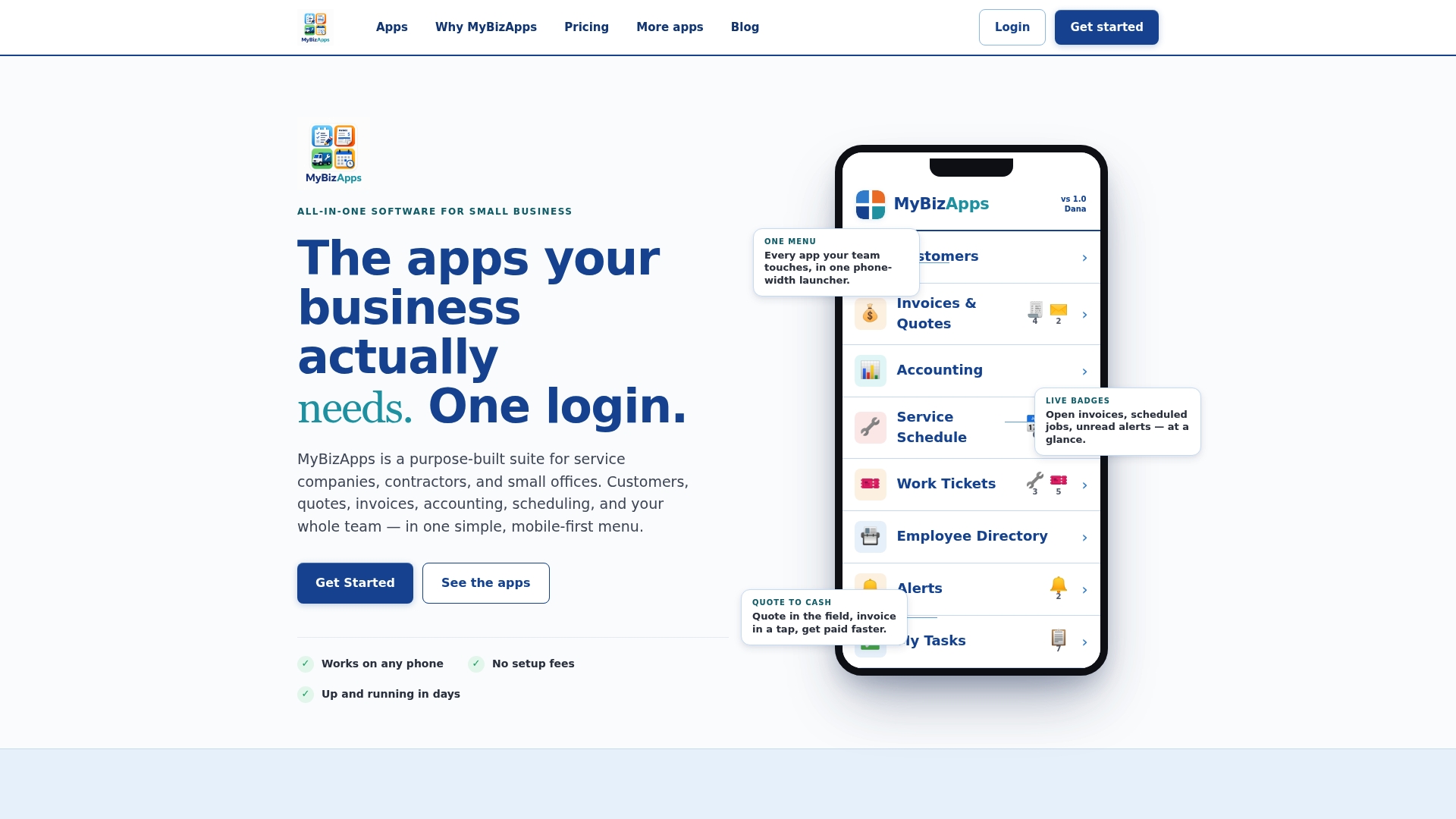
A sensible way to test this: enable Bookings and Service Scheduling for intake and dispatch, add Work Tickets for field status, then turn on the Billing Module and Accounting so completed work turns into an invoice without a manual handoff. Measure the same three numbers from the pilot plan above: daily active users, jobs booked to jobs won, and time from job completion to invoice sent.
Full module details and current monthly prices are listed on the Mybizapps pricing page, with a more detailed breakdown on the price sheet if you want to compare costs across modules before you start.
FAQ
What is the best CRM for contractors?
There is no single best CRM for every contractor, since residential remodelers, field-service trades, and commercial general contractors each prioritize different feature groups. The right choice is the one that fits your specific workflow, whether that means strong estimating and client portals for residential work or submittals and multi-project job costing for commercial general contracting, as noted in Capterra’s construction management software review.
What is a CRM for contractors?
A contractor CRM tracks customers and job opportunities from first contact through estimate, schedule, and invoice, while also handling construction-specific needs like change orders, job costing, and document control. It differs from a generic sales CRM by keeping the project record intact through the full field-to-office workflow rather than stopping at the signed contract.
What are the key features of a CRM?
Core contractor CRM features include contact and pipeline management, estimating and proposals with e-signature, job costing and change-order tracking, scheduling and dispatch, and document or photo capture tied to the job record. Reliable mobile and offline access, along with integrations to accounting and storage systems, determine whether those features actually get used in the field, per Capterra’s feature comparison.
What are the top 3 CRM tools?
Rankings vary by contractor type and change frequently, so it is more useful to evaluate tools against your specific workflow than to chase a fixed top-three list. Focus on how well a platform handles field data continuity, job costing, and integration with your accounting system rather than a generic ranking.
How do I choose a CRM setup for a small business?
Start by mapping your actual lead-to-cash workflow, then choose a CRM that keeps that single record intact from first contact through invoice. Pilot with one pipeline and one project type for 30 to 90 days, clean your existing data before import, and measure adoption with concrete numbers like daily active users and time to invoice before rolling the system out company-wide.