30 Day Setup: Audit Ready Equipment Maintenance Logs for Small Teams
30 Day Setup: Audit Ready Equipment Maintenance Logs for Small Teams
An equipment maintenance log is a chronological record of every service event on a piece of equipment: what was done, who did it, what it cost, and when the next service is due. Keep one consistently and you get a defensible history for audits and warranty claims, fewer surprise breakdowns, and a clear signal of when a machine is costing more to repair than replace. The templates and setup steps below get a working log running today.
TL;DR:
- Critical assets like HVAC units or production line motors should have dedicated logs to ensure clear records for costly downtime and warranty claims.
- Enter data promptly on the day of service, including specific work descriptions, part numbers, evidence, and technician sign-off to maintain audit and dispute readiness.
- Using a combination of paper at the point of work, spreadsheets for ongoing tracking, and CMMS for automation offers the most practical approach for small teams.
- Connecting logs to scheduled maintenance through reminders and automated alerts helps prevent omissions and keeps records up to date.
- Maintaining records for the full operational life of equipment, with proper security controls, ensures compliance and supports claims during inspections or incidents.
Table of Contents
- What Is an Equipment Maintenance Log, and How Does It Fit Your Maintenance System?
- What Fields Belong in Every Maintenance Log Entry?
- Paper, Spreadsheet, or CMMS: Which Format Actually Works?
- Free Templates You Can Start Using Today
- How to Build a Maintenance Log in Four Steps
- Best Practices That Keep Logs Audit-Ready
- How MyBizApps Supports the Maintenance-Log Workflow
- Legal and Compliance Considerations for Maintenance Logs
- Turning Log Data Into Fewer Breakdowns
- Keeping Digital Maintenance Logs Secure
- A Pragmatic Take on Getting Started
- Ready to Move Your Logs Into One System?
- Sources
- FAQ
What Is an Equipment Maintenance Log, and How Does It Fit Your Maintenance System?
The log is the record of what actually happened, not what was supposed to happen. That distinction runs through everything else in your maintenance system. A preventive maintenance schedule tells you when service is due. A work order authorizes and tracks a specific job. The maintenance log captures the outcome of that job as permanent history, whether the work was scheduled or a surprise breakdown.
You’ll also decide between a per-asset log and a shared log. Critical machines (a rooftop HVAC unit, a walk-in cooler, a production line motor) deserve their own dedicated history, since one-asset histories are clearer for critical equipment where downtime is expensive. Fleets of similar low-criticality items, like hand tools or a bank of identical space heaters, can often share one log without losing clarity.
Most entries fall into one of four buckets:
- Preventive: scheduled service done on time, like filter changes or lubrication.
- Corrective: unplanned repair after something failed or degraded.
- Inspection: a check with no repair needed, but documented anyway.
- Calibration: adjustment of sensors, gauges, or measuring equipment to spec.
What Fields Belong in Every Maintenance Log Entry?
A log entry needs two layers: information that identifies the asset, and information about the specific event. Skip either one and the record loses value the moment someone tries to use it for a warranty claim or an audit.
Asset header fields (recorded once, referenced every time):
- Asset ID or tag number
- Serial number and model
- Location or department
- Purchase date and warranty expiration
Event fields (recorded at every service):
- Date of service
- Event type (preventive, corrective, inspection, calibration)
- Work performed, described specifically
- Parts used, with part numbers
- Technician name
- Labor hours and total downtime
- Cost (parts plus labor)
- Evidence: photo, invoice, or calibration certificate
- Next due date
- Status and sign-off
A useful maintenance log records asset identifiers, service date, type, work performed, parts, labor hours, cost, next due date, evidence, and sign-off, and that field list works whether you’re on paper or software. Three habits make the difference between a log that’s actually useful and one that just looks complete: enter data the same day the work happens, use part numbers instead of vague descriptions like “new filter,” and never leave the next-due field blank.
Paper, Spreadsheet, or CMMS: Which Format Actually Works?
Each format solves a different problem, and most small teams end up using more than one.
- Paper works best at the point of work. A technician under a machine with grease on his hands isn’t opening a laptop. But paper degrades, gets lost, and can’t be searched or backed up.
- Spreadsheet is the fastest way to start. Excel or Google Sheets costs nothing extra and handles small teams well, though multiple people editing the same file at once causes version conflicts.
- CMMS (computerized maintenance management software) automates reminders, attachments, and reporting, but setup and staff adoption take real time and require more upfront work than a spreadsheet.
The hybrid pattern that works in practice: capture notes on a clipboard or phone at the point of work, then transfer that into the spreadsheet or CMMS as the system of record the same day, before memory fades and the sticky note gets lost.
Free Templates You Can Start Using Today
Three ready-made options cover most situations, and each is worth testing before you commit to it long term.
- Printable PDF sheet. The WHO’s free template is a clean, print-ready page suited to facilities that want paper at the point of service and a binder as backup.
- Excel or Sheets workbook. A downloadable XLSX with built-in totals handles cost tracking automatically and works well as a shared team file. A sample completed row might read:
Asset #204, Compressor, 3/12/2026, Preventive, "Replaced intake filter and checked belt tension," Filter P/N 88231, J. Alvarez, 0.5 hrs, $42, invoice attached, next due 6/12/2026, signed off.That single line answers every question an auditor, an insurer, or the next technician would ask. - Single-asset history vs. fleet sheet. Use one tab per critical asset for anything expensive to replace, and one shared tab for low-value duplicates like extension cords or portable fans.
Before rolling a template out to the whole team, pilot it against about ten recent real events. That’s usually enough to expose a missing column, a field nobody fills in, or a layout that’s slower than it should be.
How to Build a Maintenance Log in Four Steps
Setting up a working log takes less time than most people expect. Here’s the sequence that gets you from nothing to a functioning system in about 30 days.
- Choose your asset ID convention and core fields. Decide now whether asset numbers follow a location code, a purchase order sequence, or something else. Lock in the field list from the checklist above before you build anything.
- Pick a format and build the template. Start with a spreadsheet unless you already know you need CMMS. Build the header row, freeze it, and add data validation for event type so entries stay consistent.
- Pilot with a small set of assets. Choose five to ten pieces of equipment and log ten real events. Watch for fields people skip or misunderstand, and fix the template before scaling it.
- Set reminders and connect logs to your schedule. Every “next due” date should trigger a calendar alert or a work order automatically, so the equipment maintenance calendar and the log stay in sync instead of drifting apart.
Track three numbers in the first month: fill rate (the share of required fields actually completed), the ratio of planned to reactive work, and how often evidence like photos or invoices gets attached. An initially low fill rate is common. Persistently low fill rates indicate the template may ask for information your team finds hard to provide.
Pro Tip: Assign one person as the log’s owner for the first 30 days. Not to do all the data entry, but to check weekly for blank next-due fields and chase them down before they become a pattern.
Best Practices That Keep Logs Audit-Ready
The single biggest habit that separates a trustworthy log from a decorative one: logging is the last step of the job, done the same day, not “when I get a minute.” Delayed entries get vague, and vague entries are worthless six months later when someone needs proof of what happened.
- Write specific, repeatable action descriptions (“replaced compressor belt, tensioned to spec”) instead of shorthand (“fixed it”).
- Record part numbers every time, and attach invoices or photos whenever the job produces them.
- Set a retention rule. Many warranty and audit needs require records for the life of the equipment, so decide upfront how long evidence gets kept and where.
- Watch for the three most common gaps: no technician listed, a blank next-due field, and missing sign-off. All three quietly break the chain of accountability an audit relies on.
Maintenance logs support warranty claims, audits, and lifecycle-cost analysis specifically when they include dates, part numbers, and evidence together. Drop any one of those three and the record’s usefulness in a dispute drops sharply.
How MyBizApps Supports the Maintenance-Log Workflow
MyBizApps handles the pieces that usually cause logs to fall apart: asset records, mobile checklists, work tickets, scheduling, and invoicing, all under one login instead of scattered across apps.
- Asset and inventory records hold the header fields (ID, serial, location) so technicians aren’t retyping them every visit.
- Mobile-first work tickets let a technician close a job on-site and have that entry become the asset’s permanent history automatically.
- Real-time scheduling turns a logged “next due” date into the next dispatched job without a second system.
- Invoicing attaches directly to the same record, so cost and evidence live next to the work performed.
A completed work ticket for a compressor repair, for example, becomes that asset’s next history entry and sets its own reminder for the following service, closing the loop between log and schedule automatically.
Legal and Compliance Considerations for Maintenance Logs
Regulatory requirements around equipment records vary by industry, but the underlying pattern is consistent: if a regulator, insurer, or court ever needs to know whether equipment was properly maintained, the log is the evidence. Food service, healthcare, aviation, and manufacturing all carry specific documentation requirements tied to their governing bodies, and a missing or incomplete log can turn a routine inspection into a serious liability question.
Warranty agreements often require proof of scheduled maintenance as a condition of coverage. If a manufacturer requires quarterly filter changes to keep a compressor’s warranty valid and you can’t produce dated records showing that happened, the warranty claim can be denied outright. This is one of the strongest practical reasons to attach invoices or photos to every entry rather than relying on memory.
Insurance claims after equipment failure or a workplace incident frequently hinge on maintenance history. An insurer investigating an equipment fire or injury will ask for service records, and a log with signed-off entries, dated evidence, and a clear technician name carries far more weight than a verbal account of “we always keep up with maintenance.”
Retention periods aren’t universal. Some records need to be kept for the operating life of the equipment, others for a fixed number of years tied to statute of limitations or industry rule. Rather than guessing, check the specific requirement that applies to your equipment type and jurisdiction, and when in doubt, keep records longer rather than shorter. Digital logs make this far easier than paper, since storage cost is no longer the constraint it once was.
Turning Log Data Into Fewer Breakdowns
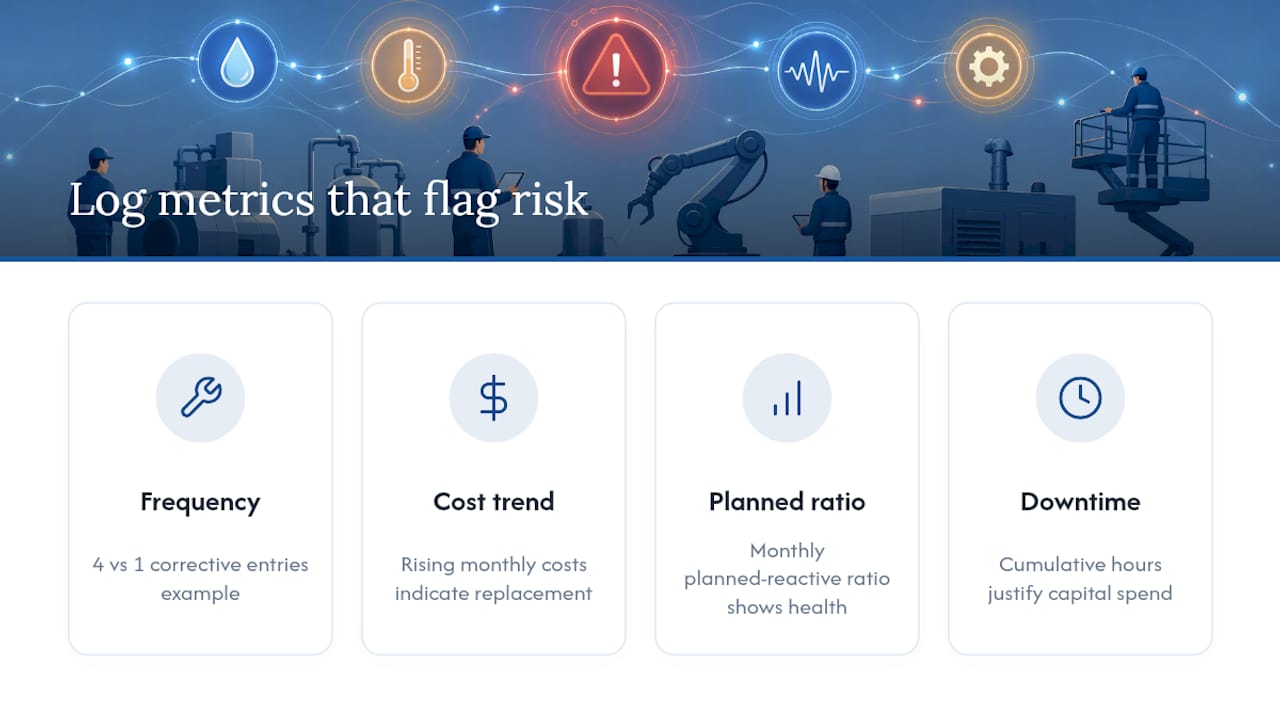
A maintenance log only pays off once you start reading it, not just filling it out. The pattern to look for first is repair frequency by asset: if one compressor shows four corrective entries in six months while an identical unit shows one, that’s a signal worth investigating before the first one fails completely.
Cost trending over time catches a second pattern. Plot repair cost per asset by month or quarter, and a rising line usually means a machine has crossed from “worth fixing” into “worth replacing.” Many facility teams miss this because each repair looks small in isolation. It’s the trend across a year of entries that tells the real story.
The ratio of planned to reactive work is the clearest single health indicator for the whole system. A facility running mostly preventive work has predictable costs and fewer surprise outages. One running mostly corrective work is by definition managing crises instead of preventing them. Tracking that ratio monthly, straight from your log’s event-type field, shows whether your preventive maintenance schedules are actually working or just existing on paper.
Downtime hours per asset, pulled directly from the log, help justify capital spending decisions. When a piece of equipment’s cumulative downtime starts rivaling the cost of a replacement unit, that’s a business case, not a maintenance note. None of this analysis requires sophisticated software. A pivot table in a spreadsheet, sorted by asset and event type, surfaces most of these patterns in an afternoon.
Keeping Digital Maintenance Logs Secure
Digital logs solve the loss and legibility problems of paper, but they introduce their own risks around access and data integrity. The main concerns are unauthorized edits to historical records, accidental deletion, and exposure of sensitive information like technician personal details or building access codes noted in service comments.
Access control is the first line of defense. Not every employee needs edit rights to every asset’s history. A basic setup limits who can modify closed entries versus who can only add new ones, which prevents a record from being quietly altered after the fact to cover up a missed service.
Backup and version history matter more for digital logs than most teams realize, since a single accidental “select all, delete” in a shared spreadsheet can erase months of records with no recovery path. Cloud-based platforms with automatic version history solve this by default; a local spreadsheet file needs a deliberate backup routine to match that protection.
Avoid recording sensitive personal data in log entries beyond what’s operationally necessary. A technician’s name is useful; their personal phone number or home address in a comment field is a privacy exposure with no maintenance benefit. The same goes for building access codes or alarm codes, which occasionally end up in freeform notes fields and shouldn’t.
For teams moving from spreadsheets to dedicated software, check whether the platform encrypts data in transit and at rest, and whether it offers role-based permissions rather than an all-or-nothing login. Those two features cover most of the realistic risk for a small facility’s maintenance records.
A Pragmatic Take on Getting Started
Start with the fields that actually change a decision: date, cost, next due, and who did the work. Everything else is nice to have. The best log is the one your team fills in every time, not the elaborate one that gets abandoned by week three. Move from spreadsheet to CMMS only once you’re consistently filling ten or more entries a week and manually tracking next-due dates has become the bottleneck.
— Philip
Ready to Move Your Logs Into One System?
If you’re currently juggling a spreadsheet for maintenance history, a separate calendar for reminders, and a third tool for invoicing, MyBizApps replaces all three with one mobile-first login built for service companies and small offices.
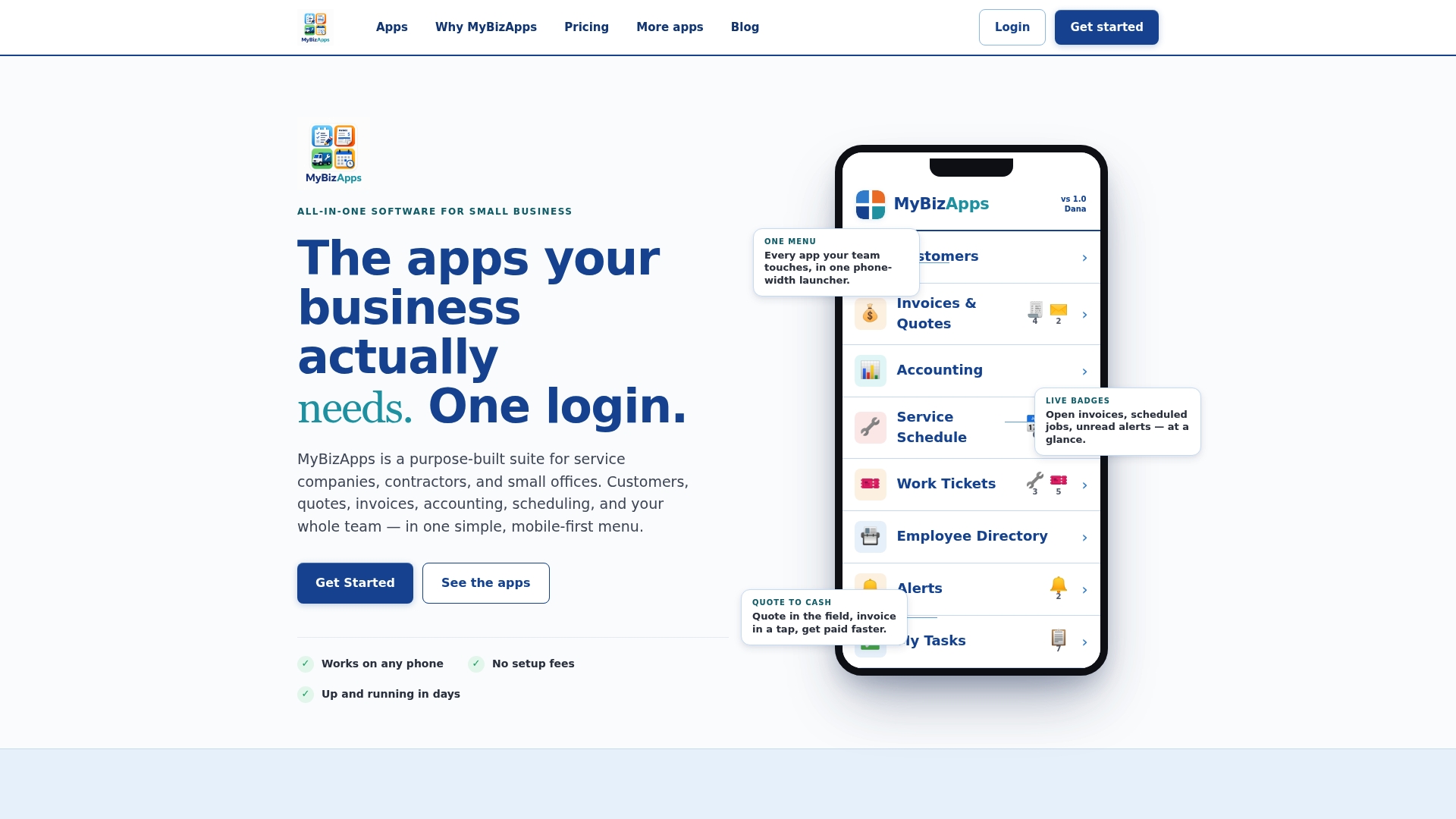
Work tickets close into asset history automatically, scheduling picks up the next-due date without re-entry, and invoicing attaches straight to the job record. That’s the whole point: less time re-typing the same information across four apps, more time actually doing the maintenance. Pair it with a partner tool like Clock-Me for GPS-verified technician hours, and your labor field fills itself in.
Check the MyBizApps price sheet to see which plan fits your team size, or visit MyBizApps to see the full platform before you switch.
Sources
- Template Equipment Maintenance Log Sheet
- Equipment Maintenance Log Template | Free PDF + Excel
- Equipment maintenance log template + example | AssetCenter
FAQ
What should be included in a maintenance log?
Every entry needs the asset ID, service date, event type, work performed, parts used with part numbers, technician name, labor hours, cost, evidence like a photo or invoice, next due date, and sign-off.
How do you keep track of equipment maintenance?
Most teams combine a preventive maintenance schedule that sets when service is due with a maintenance log that records what actually happened, connected through work orders or work tickets so nothing falls through the gap between the two. Platforms like MyBizApps link scheduling and work tickets directly into the asset’s history so the connection happens automatically.
How do I create a maintenance log?
Choose your asset ID convention and required fields, pick a format (spreadsheet is the fastest starting point), pilot it against about ten real events, then set reminders tied to each entry’s next-due date.
What are maintenance logs?
A maintenance log is a chronological record of every service event performed on a piece of equipment, including what was done, who did it, and when the next service is due. It’s the historical evidence your maintenance tracking software or spreadsheet is built to store and organize.
How long should you keep maintenance records?
Retention rules vary by equipment type and industry, but many warranty and audit requirements expect records for the equipment’s full operating life, so keeping digital copies indefinitely is safer than guessing at a shorter window.