6 Invoice Email Templates for Freelancers & Small Businesses, AP Ready
6 Invoice Email Templates for Freelancers & Small Businesses, AP Ready
Send a clear subject line, put the invoice number, amount, and due date in the first two lines, attach a PDF, and include a payment link or exact payment instructions. Six copy-paste templates below cover every stage from first invoice to overdue notice, plus a reminder ladder so nobody has to guess when to follow up.
TL;DR:
- Including the invoice number and due date in the subject line and filename ensures quick processing and reduces delays caused by missing details.
- Following a structured follow-up schedule, starting three days before due and escalating to final reminders after 21 days, maintains professionalism and consistency.
- Attaching a descriptive PDF with all required fields and providing clear payment instructions minimizes misunderstandings and accelerates payments.
- Using an automated invoicing platform streamlines client management, prevents missed follow-ups, and shortens payment cycles through centralized records and scheduling.
- Keeping templates simple, consistent, and aligned with agreed terms from the start helps avoid confusion and reduces bounce-backs or disputes.
Table of Contents
- Copy-Paste Invoice Email Templates for Every Billing Stage
- What Goes in the Email and on the Invoice Itself
- The Reminder Ladder: When and How to Follow Up
- Attachments, Payment Links, and a Few Technical Notes
- How an Integrated Invoicing Platform Removes Common Friction
- Customizing Templates Without Losing Professionalism
- Automate the Templates and the Reminder Ladder
- Sources
Copy-Paste Invoice Email Templates for Every Billing Stage
You don’t need to write these from scratch every time. Save each one, swap in your details, and send. The goal is the same across all six: get the amount, due date, and payment method visible before the reader scrolls.
-
First invoice (new client). Tone: professional, slightly warm since this sets the relationship. Subject: “Invoice #1042 for [Project Name] — Due [Date].” Body: “Hi [Name], thanks for the opportunity to work together. Attached is invoice #1042 for [$Amount], due [Date]. You can pay via [link/method]. Let me know if anything needs clarifying. Best, [Your Name].”
-
Recurring invoice. Tone: brisk and consistent, since repeat clients expect a routine. Subject: “Invoice #1043 — [Month] Services, Due [Date].” Body: “Hi [Name], here’s your invoice for [Month]: [$Amount], due [Date]. Payment link: [link]. Same terms as usual. Thanks, [Your Name].”
-
Project completion / final invoice. Tone: closing note, confirms scope is done. Subject: “Final Invoice #1044 for [Project Name].” Body: “Hi [Name], the project wrapped up on [date]. Attached is the final invoice for [$Amount], due [Date], covering [brief scope note]. Payment instructions: [link/details]. It’s been a pleasure working on this. [Your Name].”
-
Pre-due friendly reminder. Tone: light, no pressure. Subject: “Reminder: Invoice #1042 due [Date].” Body: “Hi [Name], just a heads-up that invoice #1042 for [$Amount] is due [Date]. Payment link: [link]. Let me know if you need the PDF resent.”
-
First past-due reminder. Tone: neutral, factual. Subject: “Invoice #1042 is now past due.” Body: “Hi [Name], invoice #1042 for [$Amount] was due [Date] and hasn’t come through yet. Here’s the payment link again: [link]. Let me know if there’s an issue on your end.”
-
Firm final notice. Tone: direct, references terms. Subject: “OVERDUE: Invoice #1042, 30 days past due.” Body: “Hi [Name], invoice #1042 for [$Amount] is now 30 days past due, past the [X]-day terms agreed on [date]. Please remit payment by [new date] via [link]. Contact me if there’s a dispute so we can resolve it.”
Every one of these keeps the amount and due date near the top, which is what lets accounts-payable staff process the request without opening the attachment first.
What Goes in the Email and on the Invoice Itself
A subject line that includes the invoice number and due date, like “Invoice #1042 — $850 Due March 15,” lets accounts-payable teams search and file the message without opening it. Name the attached PDF the same way: something like acme-invoice-1042.pdf, not invoice.pdf or final(2).pdf.
The first two lines of your email should answer three questions before the reader scrolls: how much, when it’s due, and how to pay. A concise body with a clear subject line and a properly attached PDF shortens payment delays because there’s nothing left to hunt for.
The invoice document itself needs these fields, regardless of format:
- Invoice number (sequential, never reused)
- Issue date and due date
- Itemized line items with quantities and rates
- Subtotal, tax, and total due
- Accepted payment methods and any late-fee terms
- Your business name, address, and contact info
Quick stat: Accounts-payable staff consistently favor subject lines and filenames that include the invoice number and due date, since those two details are what they search for when reconciling payments. Leave either one out and your invoice sits at the bottom of an inbox.
Missing a single one of these fields is the most common reason invoices bounce back with “can you resend with X” replies, which adds days to your payment cycle for no good reason.
The Reminder Ladder: When and How to Follow Up
Chasing payment doesn’t have to feel awkward if you follow a set schedule instead of improvising each time. A predictable rhythm also signals to clients that this is routine business process, not a personal grievance.
- 3 days before due: a friendly nudge. Reply to the original invoice thread rather than starting a new one. Subject stays neutral: “Invoice #1042 due Friday.”
- 1 day after due: first reminder, same thread, same tone. Subject shifts slightly: “Invoice #1042 is now past due.”
- 7 to 14 days late: second notice, more direct. Ask for a specific payment date: “Can you confirm when this will be settled?”
- 21 to 30 days late: final notice. Use “OVERDUE:” in the subject line and reference the original payment terms explicitly.
This staged approach to timing works better than sending the same message repeatedly, because escalating language signals urgency without sounding like a form letter.
Referencing the agreed terms (“per our 30-day payment terms dated [date]”) reframes the reminder as contract administration. Structured, professional follow-ups read as standard practice, not harassment, when they point back to something both parties already signed.
Pro Tip: Always reply in the same email thread as the original invoice. It keeps the entire payment history in one place for both you and the client, and it reduces the chance someone claims they “never got the invoice.”
Attachments, Payment Links, and a Few Technical Notes
Attach a PDF every time, and keep the filename descriptive: acme-invoice-2041.pdf beats invoice.pdf because it survives being forwarded, downloaded, and searched later. Square and other invoicing tools treat PDF as the standard format for exactly this reason.
- Include a one-line summary in the email body (amount, due date) even though it’s also in the PDF.
- Add a direct payment link or full bank details, since payment links and accepted methods are what actually lower payment friction.
- Note that hosted payment links can expire; if yours does, say so and give a backup method so a stale link doesn’t cause a missed payment.
How an Integrated Invoicing Platform Removes Common Friction
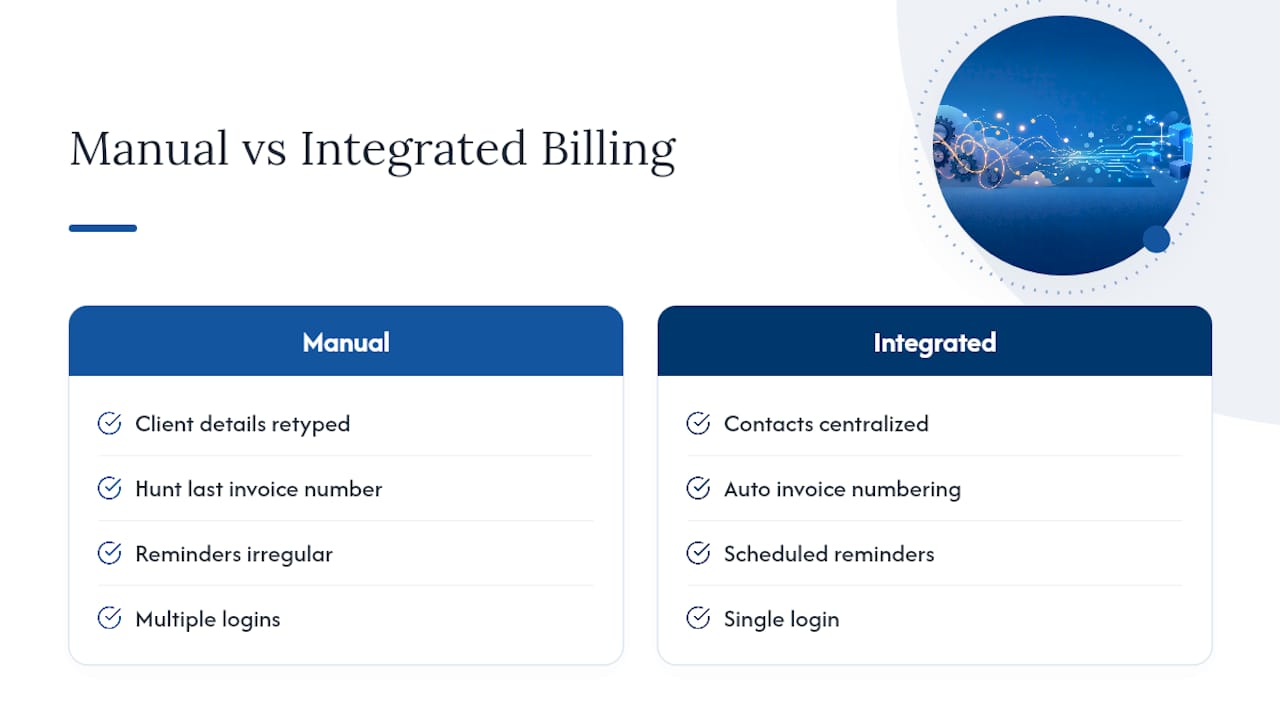
Every step above works. It also takes time to do by hand, invoice after invoice. Retyping client details, hunting for the last invoice number, and remembering who’s overdue is where most billing delays actually come from, not the writing itself.
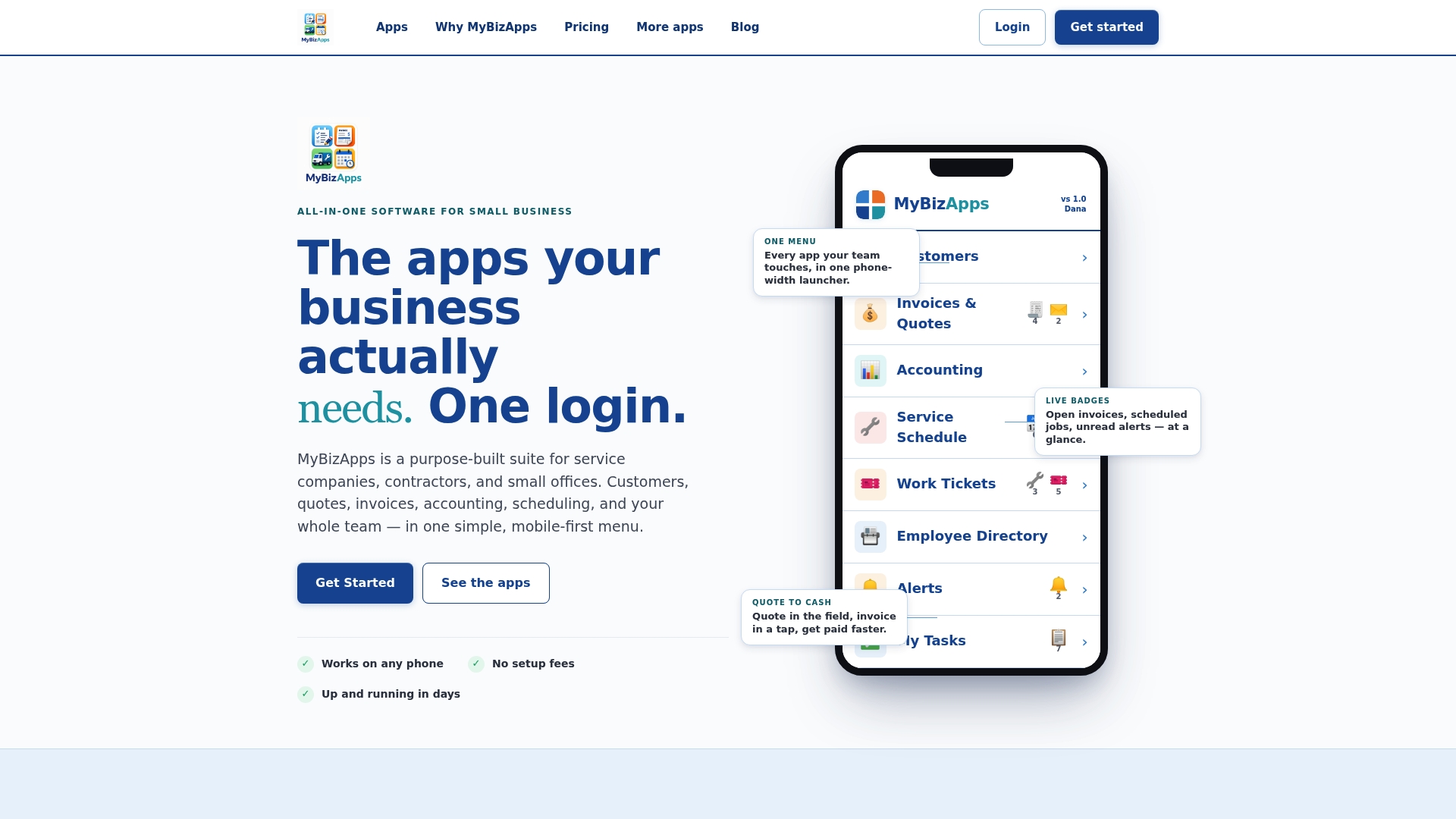
An integrated platform centralizes contact history, payment records, and reminder scheduling so nothing gets retyped. Mybizapps users report faster invoicing and payment cycles because quotes, invoices, and scheduling live under one login instead of three separate tools. That single-login structure is also why reminders go out on schedule instead of “whenever someone remembers.”
Customizing Templates Without Losing Professionalism
Templates work until they don’t. Long projects with multiple deliverables need a line explaining what this specific invoice covers. AP departments at larger companies, by contrast, want the opposite: fewer words, same three data points up top.
Before you send anything, lock down three habits: keep a simple log of every invoice sent, number them sequentially without exception, and set a calendar reminder for each due date. And say your payment terms out loud before the project starts, not after the first invoice goes unpaid.
— Philip
Automate the Templates and the Reminder Ladder
Writing sharp emails only gets you halfway. What actually speeds up cash flow is not having to remember which invoice needs a reminder today, or retype a client’s payment history for the third time this month. Mybizapps keeps quotes, invoices, and payment tracking under one login, so a reminder ladder like the one above runs on schedule without you manually checking due dates every morning.
If you’re billing more than a handful of clients a month, that automation adds up fast in hours saved, not just dollars collected sooner. Check the pricing plans to see which tier fits your invoice volume, and get your first automated reminder set up today.
Sources
- How to write an invoice email (with template) - Stripe
- Invoice Email Template: 9 Copy-Paste Examples, From Send to Past Due - CMDK
- Invoice Email Templates That Get You Paid on Time - LegalClarity