Cut Return Trips: Mobile Field Service App Tests for Service Managers
Cut Return Trips: Mobile Field Service App Tests for Service Managers
Offline-first job data, mobile work orders, parts access, and integrated invoicing are the four features that most reliably raise first-time fix rates and shorten billing cycles. Everything else, from push notifications to reporting dashboards, supports those four. Build the checklist below around them, run a pilot before you buy, and you avoid the most common vendor mistake: paying for feature depth your technicians never open in the field.
TL;DR:
- Offline-first functionality must preload job data and handle conflicts to ensure technicians can complete jobs without signal interruptions.
- Integrated mobile work orders with guidance and real-time inventory tracking directly improve first-time fix rates and reduce trips to the warehouse.
- Clear visibility into scheduling, dispatch, and GPS routing helps cut travel time and minimizes scheduling errors in the field.
- Tightly coupled ERP, CRM, and accounting systems with two-way sync are essential to prevent duplicate records and ensure real-time data accuracy.
- A focused pilot using specific KPIs and involving slow adopters verifies that the app delivers measurable improvements before full deployment.
Table of Contents
- Mobile Field Service App Features Worth Paying For
- What These Features Actually Do to Your KPIs
- Integration Expectations: ERP, CRM, and Accounting
- Offline Behavior You Should Test Yourself, Not Trust on a Spec Sheet
- The Security Baseline Procurement Should Never Skip
- A Short, Realistic Pilot Plan
- Why Small Teams Get More Out of Fewer, Better Features
- Get the Checklist Working Without the Vendor Sprawl
- Sources
Mobile Field Service App Features Worth Paying For
Vendors love to list forty features on a comparison sheet. Most of those features never get touched past week two. What actually moves the needle is a short set of capabilities technicians rely on every single job, tested against real conditions rather than a demo on office Wi-Fi.
- Offline-first and sync behavior. The app should prime job data, asset history, and diagrams before the technician leaves the yard, then sync automatically and queue anything captured with no signal. Watch for a visible conflict-resolution flag when two people edit the same ticket.
- Mobile work orders with embedded guidance. A technician should see the task steps, a linked knowledge article or manual, and a checklist without leaving the ticket screen. Digital work order capture is one of the features that most directly affects how fast a job actually closes.
- Scheduling and dispatch visibility. Techs need a live calendar view they can see from the truck, plus the ability for dispatch to reassign a job mid-day without a phone call. Good scheduling design cuts the double-booked-truck problem before it starts.
- GPS navigation and geofencing. One-tap turn-by-turn directions, automatic “arrived” status changes, and geofenced time stamps remove the guesswork dispatchers face when a customer calls asking where the technician is.
- Inventory and van-stock tracking. Barcode scanning for parts, real-time reservation against a job, and low-stock alerts before the truck leaves the lot are what actually reduce a second trip to the warehouse.
- Photo and video capture with annotation. Before-and-after photos, damage documentation, and short video clips for remote expert support all belong inside the ticket, not in a separate camera app.
- Time entry tied to job codes. Labor hours should log against a specific cost center automatically, not get reconstructed from memory at the end of the week.
- Push notifications and in-app messaging. Dispatch-to-tech alerts, customer-facing “technician is 15 minutes away” updates, and a simple chat thread cut down on phone tag.
- Mobile reporting and signed PDFs. The app should generate a signed service report or invoice on-site, not require a return to a laptop.
- API and integration readiness. Documented endpoints, webhooks, and prebuilt connectors determine whether your accounting and CRM systems talk to the field app or fight it.
Pro Tip: During a demo, ask the vendor to switch a tablet to airplane mode and complete a full work order start to finish. If the app stalls or loses data, that’s the answer you need before you sign anything.
What These Features Actually Do to Your KPIs
Parts access and digital checklists work together to raise first-time fix rate: a technician who can confirm the part is on the truck and follow a structured inspection closes more jobs on the first visit instead of ordering a part after diagnosis. Route optimization and live ETAs cut travel minutes between stops, which shows up directly in fuel costs and in how many jobs get squeezed into a day.
Mobile invoicing changes the finance side of the business just as much. A signed invoice generated on-site starts the payment clock the moment the job ends, rather than three days later when someone finally enters it into the office system. That single shift is often what separates a service company with steady cash flow from one that’s always chasing last month’s invoices.
Five numbers are worth tracking after rollout:
- First-time fix rate (FTFR)
- Travel time per ticket
- Days-to-invoice
- Invoice accuracy rate
- Technician utilization (billable hours versus hours logged)
None of these require fancy analytics. A spreadsheet pulling data from the app’s export function is enough to see whether the software is paying for itself within the first quarter.
Integration Expectations: ERP, CRM, and Accounting
Feature breadth matters less than whether the app actually talks to the systems already running your business. Two-way sync is the line that separates useful integration from decorative integration: a one-way feed means someone is still re-entering data by hand somewhere, which is exactly the problem a field app is supposed to eliminate.
Test these specifics before signing a contract:
- Whether the app pushes completed work orders into accounting and pulls customer and pricing data back down
- How webhook latency behaves under load, not just in a sandbox demo
- Whether duplicate customer or job records get created during sync
- How parts and SKUs map between the field app’s inventory list and your existing accounting system
- Payment processor connectivity, since a card swipe in the field should post to the ledger the same day
Start integration with core objects, customers, work orders, and invoices, then expand into inventory and payroll once the basics run clean for a few weeks. Trying to connect everything in week one is how pilots stall.
Offline Behavior You Should Test Yourself, Not Trust on a Spec Sheet
“Offline capable” and “offline by default” are not the same claim. Many apps technically function without signal but only for read-only views, which does nothing for a technician trying to close a job in a basement or a rural service area with no coverage.
- Confirm the app preloads job details, asset history, and diagrams before the technician leaves cell range, not on demand.
- Check what happens when two techs edit related fields while offline. A working conflict flag, not a silent overwrite, is the correct behavior.
- Effective offline systems let a technician finish a job, capture photos and a signature, and queue everything for automatic upload the moment signal returns.
- Look for a visible sync-status indicator and a manual retry button. If the only feedback is a silent spinning icon, technicians will assume data is lost and duplicate work.
Field operations that run in low-connectivity zones, like offline-first designs built for rural yard work, show how far a well-built local storage strategy can stretch before it needs a signal at all.
The Security Baseline Procurement Should Never Skip
Field apps carry customer addresses, payment details, and technician location data, which makes security a procurement requirement, not a nice extra. Confirm these before a contract gets signed:
- Encryption both at rest and in transit, with no plain-text local storage of sensitive fields
- SSO/SAML support and multi-factor authentication for admin and technician logins
- Mobile device management (MDM) compatibility, including remote wipe if a phone or tablet is lost
- Audit trails with location and time stamps for every status change, useful for compliance and for resolving customer disputes
Ask the vendor to demonstrate a remote wipe in the sales call. If they can’t show it live, that’s a real gap.
A Short, Realistic Pilot Plan
A pilot that tries to prove everything at once usually proves nothing. Keep the scope tight enough to get a clean answer in three to four weeks.
- Pick two or three technician personas and job types that represent the bulk of your ticket volume, not the edge cases.
- Define three to five KPIs up front (first-time fix rate and days-to-invoice are a strong starting pair) and write a sample test script for each.
- Build one-page reference sheets and short micro-training modules instead of a full manual nobody reads.
- Provision spare devices and confirm the vendor’s support SLA before go-live, not after the first outage.
Pro Tip: Run the pilot with your slowest-adopting technician included, not just your most tech-comfortable one. If the app works for them, it works for the whole team.
Why Small Teams Get More Out of Fewer, Better Features
Small service teams don’t fail at software adoption because the app lacks features. They fail because the features live in five different logins that don’t talk to each other. That’s the practical case for platforms like Mybizapps, which fold scheduling, mobile work orders, and invoicing under one sign-in instead of stitching together separate tools for each function.
Users of integrated mobile-first platforms often report faster invoicing and steadier cash flow, mainly because the invoice generates from the same ticket the technician just closed, with no re-entry step in between.
— Philip
Get the Checklist Working Without the Vendor Sprawl
Every feature on that checklist—offline-first job data, mobile work orders, scheduling visibility, GPS routing, inventory tracking, and mobile invoicing—runs under one login inside Mybizapps instead of across five disconnected tools. That’s the real advantage for a small service team: no juggling a scheduling app, a separate invoicing system, and a third tool just for work tickets.
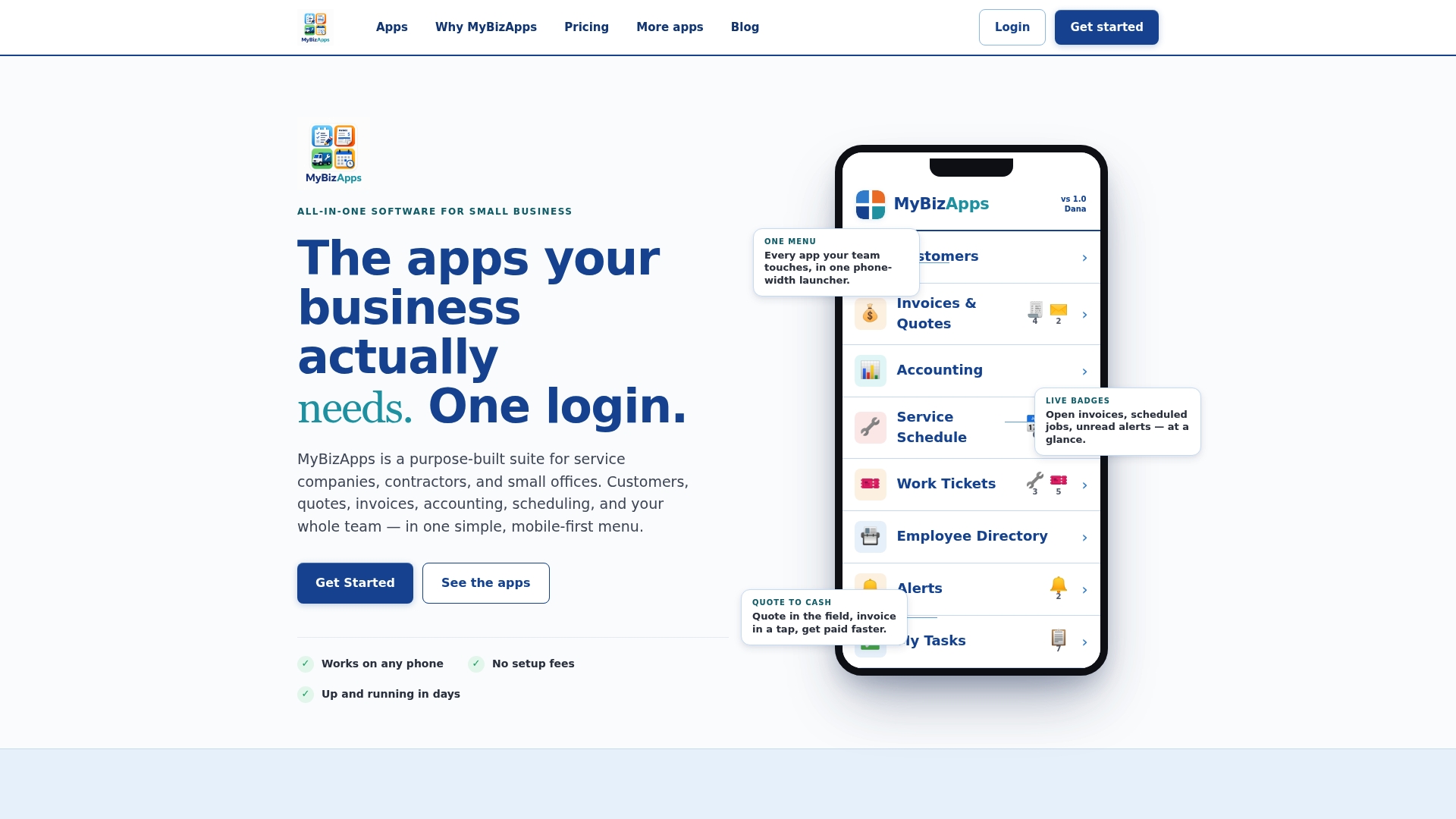
The platform is built specifically for contractors and small service companies who need their technicians working from a phone in the field and their office running from the same data, not a synced copy of it. Check the Mybizapps price sheet to see which modules match the checklist above, and start a pilot with your own dispatch team before your next busy season hits.