Get PCI Compliance in Days and Often Under $1,500 for Small Business
Get PCI Compliance in Days and Often Under $1,500 for Small Business
Every business that accepts a credit card, from a one-truck landscaping crew to a five-location retailer, must meet PCI DSS standards. There’s no revenue exemption and no small-business carve-out. The fastest way to get compliant and keep it simple is to route card data through a PCI-compliant hosted payment processor, which usually qualifies you for the simplest self-assessment. Confirm with your acquirer which questionnaire you owe.
TL;DR:
- Small businesses must meet the same PCI DSS standards regardless of transaction volume, with compliance requirements set primarily by their acquirer.
- Choosing the correct SAQ depends on how card data flows, with hosted payment solutions aiming to minimize scope and simplify certification.
- Prioritizing scope reduction, such as using tokenization and consolidating tools, significantly lowers costs, time, and complexity of PCI compliance.
- The most common mistakes include storing card data unnecessarily and embedding scripts that expand PCI scope without proper safeguards.
- Compliance costs vary from low hundreds annually for outsourcing to thousands or more with in-house remediation, and ongoing revalidation is necessary each year.
Table of Contents
- Who Has to Meet PCI Compliance Requirements
- The 12 PCI DSS Requirements Explained For Small Businesses
- SAQ Types And How To Pick The Right One
- Your Step-By-Step PCI Compliance Checklist
- What PCI Compliance Actually Costs And How Long It Takes
- Mistakes That Widen Your PCI Scope Or Risk
- How Integrated Business Software Can Shrink Your PCI Burden
- Prioritize Scope Reduction Over Chasing Certifications
- A Simpler Way To Handle Payments Without Expanding Your PCI Scope
- Where To Find The Official PCI Forms And Guides
- Sources
Who Has to Meet PCI Compliance Requirements
Size doesn’t matter here. A food truck that runs three transactions a week and a regional chain doing millions in card volume answer to the same PCI DSS requirements, because the rule applies to anyone who accepts, processes, stores, or transmits cardholder data. What changes with size is the validation path, not the obligation itself.
The card brands sort merchants into four levels based on annual transaction volume, and your acquiring bank, the financial institution that processes your card transactions, decides exactly which level applies to you and what proof it wants. Most small businesses land in Level 4, generally meaning a low transaction volume below the thresholds for higher levels, and Level 4 merchants typically validate through a Self-Assessment Questionnaire (SAQ) instead of an on-site audit by a Qualified Security Assessor (QSA).
Here’s the part owners miss most often: the PCI Security Standards Council (PCI SSC) writes the standard, but it doesn’t enforce it or grant exceptions. Your bank does that, and different acquirers apply slightly different rules for the same merchant profile.
- PCI DSS has no size exemption, ever.
- Your transaction volume and channel (in-person, online, phone) determine your level.
- Level 4 merchants usually self-assess rather than undergo a formal QSA audit.
- Your acquirer, not a generic checklist, sets your actual validation requirement.
Get that requirement in writing from your bank before you build a compliance plan around assumptions.
The 12 PCI DSS Requirements Explained For Small Businesses
The standard is built around 12 requirements. The PCI Small Merchant Guide translates them into plain operational steps rather than audit jargon. Here’s what each one actually asks of you:
- Firewalls: keep unauthorized traffic away from any system that touches card data.
- No default passwords: change every factory-set password on routers, POS terminals, and software.
- Protect stored data: encrypt or, better, avoid storing card numbers at all.
- Encrypt data in transit: use TLS whenever card details cross a network.
- Anti-malware: run and update protection on any system processing payments.
- Secure development: patch software and applications on a regular schedule.
- Restrict access: give employees access only to the data their job requires.
- Unique IDs: no shared logins; every user gets their own credentials.
- Physical security: lock down access to servers, terminals, and paper records.
- Logging and monitoring: track who touched payment systems and when.
- Regular testing: scan and test your systems, especially anything internet-facing.
- Security policy: write down your rules and train your team on them.
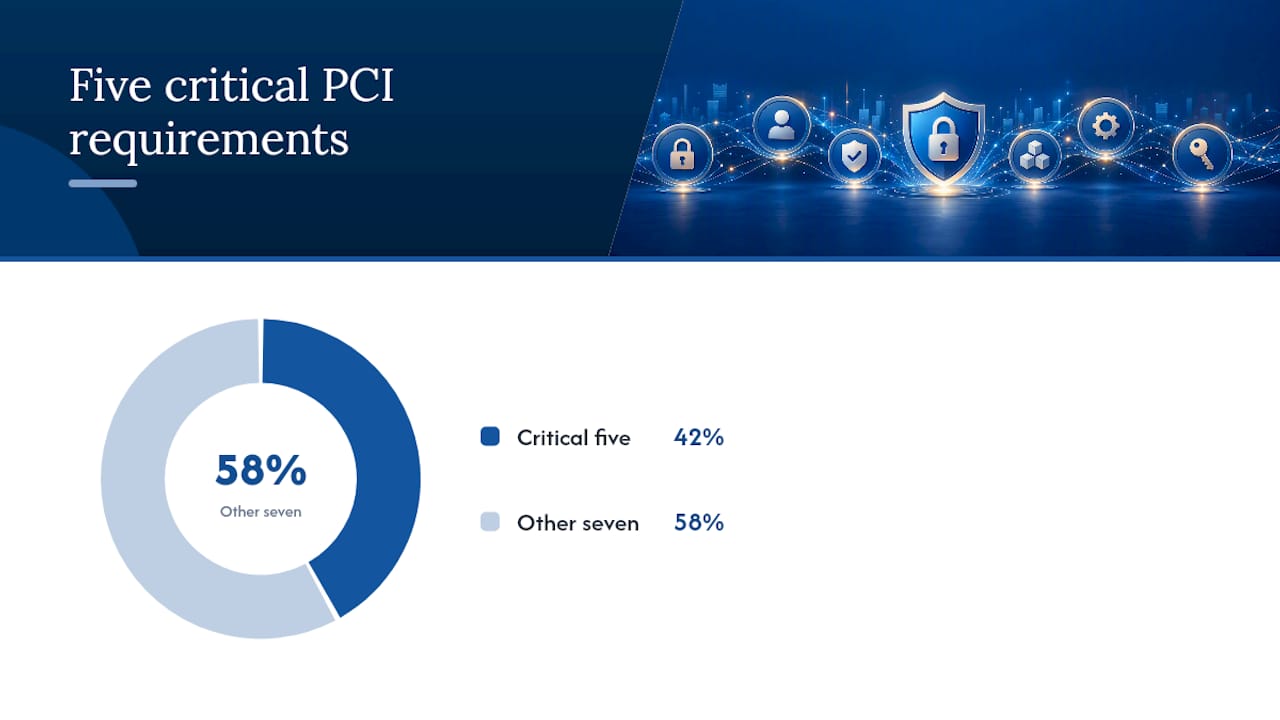
For a small shop, five of these carry outsized weight: encryption in transit, multi-factor authentication (MFA), patching, tight access controls, and logging. Get those right and the rest tend to follow naturally.
Pro Tip: Turn on MFA for your POS admin panel and payment dashboard today. It’s free on most platforms and blocks the single most common way stolen credentials turn into a breach.
SAQ Types And How To Pick The Right One
The Self-Assessment Questionnaire (SAQ) you file depends entirely on how card data flows through your business, and choosing the wrong one either overstates your work or understates your risk.
- SAQ A fits merchants who fully outsource payment capture to a hosted, PCI-compliant provider and never touch raw card data. This is the lightest questionnaire by far, often just a couple dozen questions.
- SAQ A-EP applies when your website influences the payment page, even without directly handling card numbers, commonly triggered by embedded JavaScript payment elements instead of a hosted redirect.
- SAQ B covers merchants using standalone, dial-up, or IP-connected terminals with no electronic cardholder data storage.
- SAQ B-IP is for standalone, PCI-listed payment terminals connected via IP that segment card data from other systems.
- SAQ C applies when your payment application connects to the internet and you don’t qualify for the simpler categories.
- SAQ D is the catch-all for everyone else, including merchants who store card data themselves, and it covers nearly every one of the 12 requirements in full detail.
Hosted or redirected checkout keeps your scope, and your SAQ, as small as possible. The moment you embed a payment script directly into your own checkout page, you can trigger A-EP scope, which brings script-integrity obligations most small teams aren’t equipped to manage. Landing in SAQ C or D means quarterly ASV scans, possible penetration testing, and a much longer questionnaire.
Your Step-By-Step PCI Compliance Checklist
Becoming compliant isn’t one giant project. It’s a sequence of smaller, ordered moves.
- Map your payment flow. Document every place card data touches your business, in-store terminal, website checkout, phone orders, and flag which systems are actually in scope.
- Cut your scope first. Move to a hosted checkout or tokenizing processor wherever you can. If you take phone orders, isolate that DTMF (touch-tone) capture from other systems so it doesn’t drag your whole network into scope.
- Lock down the basics. Enable MFA everywhere, enforce TLS on any data in transit, patch software on a fixed schedule, and secure your POS terminals physically.
- Schedule ASV scans if required. If any system is internet-facing and in scope, quarterly scans from an Approved Scanning Vendor are typically mandatory, and you shouldn’t try to self-certify these.
- Complete the right SAQ and sign the Attestation of Compliance (AoC). Submit both to your acquirer, not just to yourself for filing.
- Put revalidation on your calendar. PCI compliance is annual, not one-and-done, so build the review into your yearly business rhythm.
Pro Tip: Do step 2 before step 3. Reducing scope first means you spend far less time and money securing systems you didn’t need to include at all.
What PCI Compliance Actually Costs And How Long It Takes
Cost swings hard depending on how much of your payment flow you outsource. A merchant who routes everything through a hosted, PCI-compliant processor and lands on SAQ A typically spends in the low hundreds of dollars up to around $1,500 a year, mostly for the processor’s compliance fee and maybe a basic scan.
Merchants who land in SAQ C or D face a different budget entirely, often running into the thousands to tens of figures once you add ASV scans, penetration testing, and consultant or QSA fees for remediation work. Timelines follow the same split: a hosted-payment path can go from decision to signed AoC in a matter of days or weeks, while in-house remediation for SAQ D, rewriting access policies, patching legacy systems, running scans, can stretch across several months.
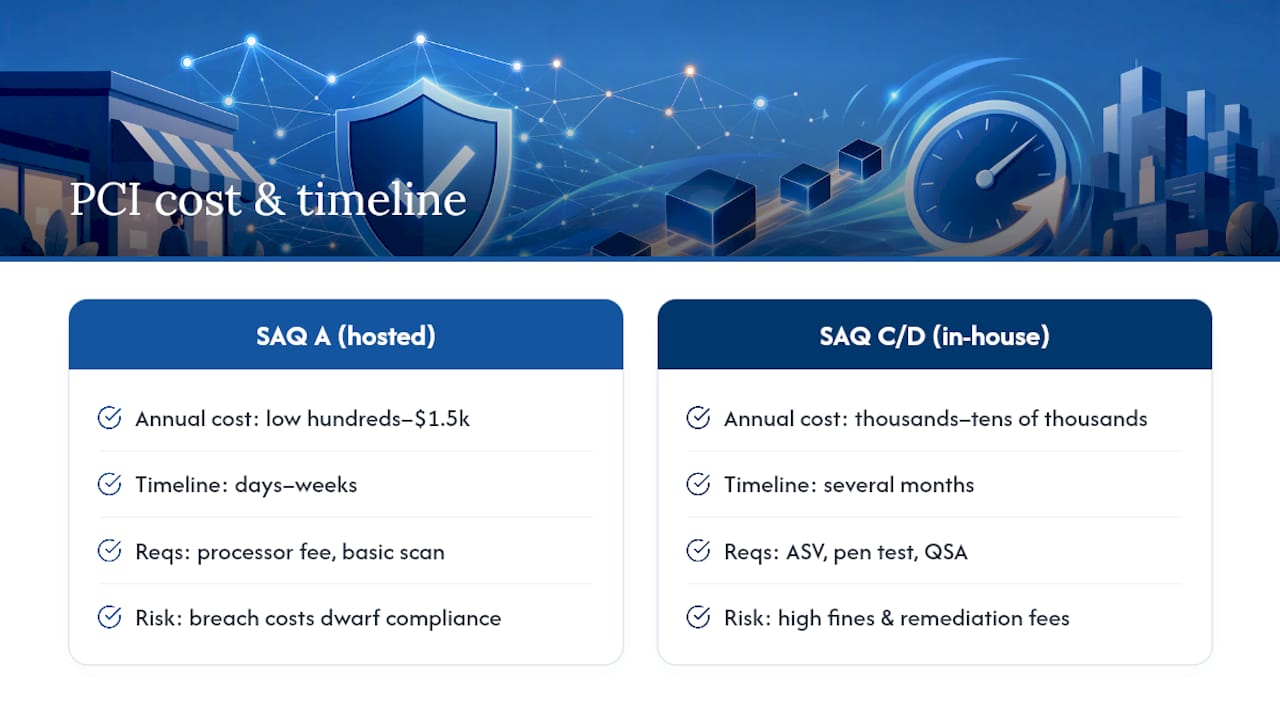
The math usually favors outsourcing. Non-compliance and breach costs, including fines, higher processing fees, and forensic investigation, routinely dwarf what SAQ A compliance costs in a normal year.
Mistakes That Widen Your PCI Scope Or Risk
Most compliance headaches trace back to a handful of avoidable decisions.
- Storing card numbers “just in case” instead of letting your processor handle it.
- Embedding third-party JavaScript payment widgets that quietly push you into A-EP territory.
- Leaving default passwords on POS terminals or routers.
- Skipping required ASV scans because “nothing’s happened yet.”
- Filing the wrong SAQ because nobody checked with the acquirer first.
Treat any of these as an immediate flag: a processor asking pointed questions about your website’s payment page, an acquirer letter mentioning a validation deadline, or a developer suggesting you “just embed the card form directly.” Each one is a signal to pause and check your scope before moving forward.
How Integrated Business Software Can Shrink Your PCI Burden
The fewer systems that touch raw card data, the less you have to secure and prove. Payment integrations that use hosting and tokenization, where card numbers never land on your own servers, keep you closer to SAQ A by design.
Running invoicing, scheduling, and payments through one platform instead of stitching together five separate tools also cuts your attack surface. Fewer integrations mean fewer places for a script or API key to go wrong, and it makes documenting your payment flow for an SAQ far less painful. Consolidating under one login also means one place to enforce MFA and access controls instead of five.
Before signing with any payment vendor, ask directly:
- Do you ever store or touch raw card data on your servers?
- Can you provide your own Attestation of Compliance?
- Do you use tokenization for stored payment methods?
Prioritize Scope Reduction Over Chasing Certifications
The businesses that struggle with PCI aren’t the ones with complex systems. They’re the ones treating it as a once-a-year form instead of an ongoing habit. Aim for SAQ A wherever your payment flow allows it, get your acquirer’s requirements in writing, and revisit your setup annually rather than scrambling each renewal. The basics, MFA, patching, scans when required, cost little and prevent most of the expensive problems.
— Philip
A Simpler Way To Handle Payments Without Expanding Your PCI Scope
If you’re weighing your options for reducing what falls inside PCI scope, Mybizapps is worth a look precisely because it keeps card data off your own systems in the first place. Its hosted payment processing runs through tokenization, so raw card numbers never sit inside your invoicing or scheduling tools, and everything from quotes to payments lives under one mobile-first login instead of five disconnected apps you’d otherwise have to secure separately.
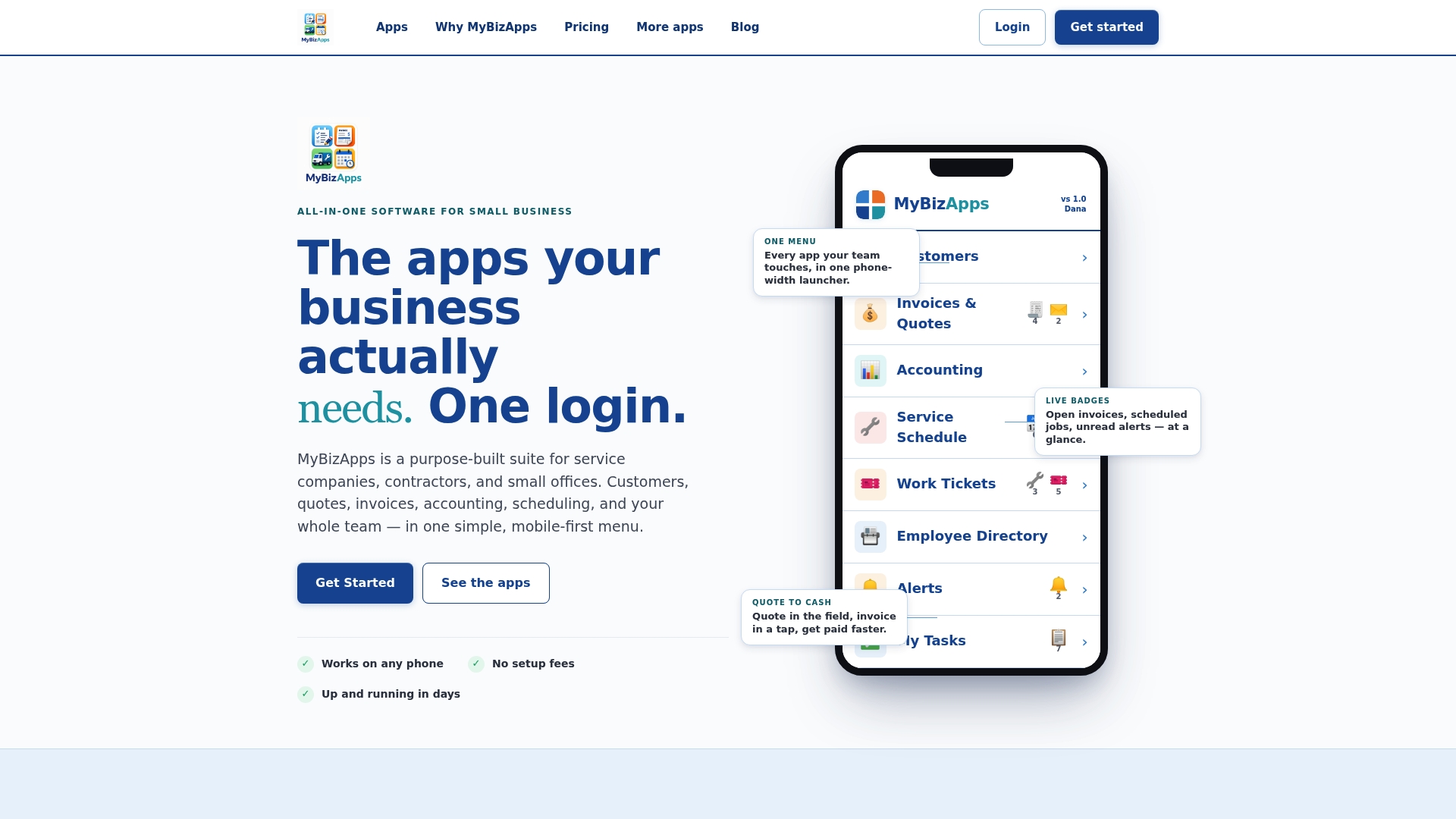
That single-login structure means fewer integrations to document when your SAQ comes due, and faster invoicing once a job wraps. It’s not the only route to compliance, plenty of standalone processors qualify merchants for SAQ A too, but if you’re already juggling separate tools for scheduling, invoicing, and payments, consolidating cuts real work out of your annual review. Check the current pricing and ask any vendor, Mybizapps included, for their Attestation of Compliance before you commit.
Where To Find The Official PCI Forms And Guides
For the source documents themselves: the PCI SSC merchant guidance hosts current SAQ downloads, the Small Merchant Guide walks through the 12 requirements in plain terms, and your acquirer can point you to approved ASV and QSA lists.