Stop Guesswork: Reconcile Payments and Invoices for Small Businesses
Stop Guesswork: Reconcile Payments and Invoices for Small Businesses

To reconcile payments and invoices means matching every payment you receive or send against the invoice it settles, then confirming that amount actually landed in your bank or books. The reliable method is a three-way match, comparing your internal payment record, the bank or processor statement, and your invoice or ledger entry, backed by an exception queue for anything that doesn’t line up. Run it on a fixed schedule, follow IRS recordkeeping rules for supporting documents, and use a platform like MyBizApps to cut the manual entry that causes most mismatches.
TL;DR:
- Regular reconciliation should focus on matching internal records, bank statements, and invoices through automated identification of common identifiers and tolerance rules to reduce manual review.
- Different reconciliation types, such as bank, payment, and accounts receivable, require varied schedules, with daily or weekly checks for high-volume or critical accounts.
- Most discrepancies stem from duplicate payments, partial payments, foreign exchange differences, ACH returns, and processing fees, which can be corrected by applying proper categorization and documentation.
- Automation of data ingestion and standard matching rules minimizes errors, while manual review is best reserved for high-variance exceptions with clear reason codes and ownership.
- Maintaining detailed, audit-ready records—such as invoices, payment proofs, and reason-coded exception logs—is essential for tax compliance and effective oversight.
Table of Contents
- What Is Payment and Invoice Reconciliation, and Why Does It Matter?
- How Do You Reconcile Invoices Step by Step?
- Which Types of Reconciliation Need Different Schedules?
- What Are the Most Common Discrepancies, and How Do You Fix Them?
- Which Parts of Reconciliation Should You Automate?
- What Records Do You Need to Keep for Tax and Audit Purposes?
- What Do Small Finance Teams Get Wrong About Reconciliation?
- Speed Up Invoice to Cash With Mybizapps
- Sources
- FAQ
What Is Payment and Invoice Reconciliation, and Why Does It Matter?
Payment reconciliation is the practice of confirming that money you expected to move actually moved, and that your books reflect it correctly. It’s not the same as bank reconciliation, which checks your cash ledger against your bank statement balance. It’s also distinct from settlement, which is the processor’s act of transferring funds to your account after fees are deducted. Reconciliation sits above all three: it’s the audit-ready confirmation that the invoice, the payment, and the deposit all tell the same story.
The mechanics rest on a three-way comparison. You look at your internal payment record (what your system says was billed and paid), the external statement (what the bank or payment processor actually recorded), and the ledger or invoice entry (what your accounting system booked). When all three agree, the transaction is clean. When they don’t, you’ve found either an error, a fee you forgot to account for, or something worse.

That last possibility is why reconciliation carries more weight than most bookkeeping tasks, where features that enforce matching and audit trails in operational workflows make all the difference as explained on TransportMate Vehicle Transport Software. Active account reconciliation is one of the more effective fraud-detection controls a small business can run, and organizations that catch discrepancies through regular reconciliation tend to limit losses faster than those relying on annual audits or customer complaints to surface problems. Beyond fraud, reconciliation is what keeps your cash flow numbers honest. A business that assumes an invoice is paid because it was sent, rather than confirming the deposit, is working from fiction. And come tax season, the IRS expects supporting documentation tying every return entry back to a real transaction, which reconciliation naturally produces as a byproduct.
How Do You Reconcile Invoices Step by Step?
Treat this as a repeatable procedure, not a one-off cleanup project. Stripe’s breakdown of the payment reconciliation process frames it as six stages: gather, match, classify, investigate, adjust, and finalize. Here’s how that plays out on the ground for a small finance team.
-
Gather and normalize your inputs. Pull data from every source that touches a transaction: bank feeds, payment processor settlement files, your invoicing system, your general ledger, and any vendor or customer statements. Normalize formats before matching. Dates, currency symbols, and reference numbers rarely arrive in the same shape across systems, and mismatched formatting is the single most common reason automated matching fails on the first pass.
-
Auto-match on hard identifiers first. Match by invoice number or order ID, then confirm amount and date. Set tolerance rules for small variances, a few cents of rounding, a flat processing fee, so the system doesn’t flag every transaction as an exception. Confidence scoring helps here: a match on invoice number, amount, and date within a day gets high confidence and posts automatically; a match on amount alone, with no ID match, gets routed for review.
-
Classify variances by type. Not every mismatch means something is wrong. Separate fee deductions, partial payments, foreign exchange differences, and timing gaps into distinct categories before you investigate. Mapping each variance type to a specific ledger account up front saves time later, because you’re not reinventing the classification logic every reconciliation cycle.
-
Investigate exceptions with reason codes. Every unmatched item gets a reason code (short pay, duplicate, missing remittance, FX variance), an owner, and a service level agreement for resolution. A vague “needs review” tag is where reconciliations stall for weeks. A code like “SHORT-PAY, customer dispute, owner: AR lead, SLA: 3 business days” moves.
-
Escalate for approval on anything above threshold. Set a dollar amount or variance percentage above which an exception requires a second person’s sign-off before it’s adjusted. This is your fraud check and your accuracy check in one step.
-
Adjust, post, and lock the period. Once an exception is resolved, post the adjusting entry with a note on what happened and why. Require sign-off from someone other than the person who entered the original transaction, then close the period so no one can edit posted entries retroactively without a visible trail.
Pro Tip: Keep a running log of which reason codes appear most often. If “missing remittance” shows up on 40% of your exceptions, the fix isn’t more reconciliation hours, it’s asking customers to include invoice numbers on their payments.
This workflow doubles as documentation. A reconciliation process built on standardized ingestion, explicit matching rules, and exception routing produces exactly the audit trail an outside reviewer or tax preparer would ask for, without extra work on your part.
Which Types of Reconciliation Need Different Schedules?
Not every payment rail deserves the same attention or frequency. Running a full reconciliation on every account daily wastes hours; running it monthly on high-volume accounts lets errors compound for weeks before you catch them.
- Bank reconciliation (checking account activity against your ledger) should run weekly for most small businesses, daily if you’re processing dozens of transactions a day.
- Card and processor reconciliation deserves daily attention if you take credit cards regularly, since chargebacks and processing fees need to be caught before they distort your revenue picture.
- Accounts receivable reconciliation (matching customer payments to invoices) works well weekly, tightening to daily during high-volume periods like month-end billing pushes.
- Accounts payable reconciliation (matching your outgoing payments to vendor invoices) can run weekly for most businesses, unless you’re managing large vendor volumes with tight payment terms.
- Payroll reconciliation should align with your pay cycle, checked every run rather than batched.
- Intercompany and multi-currency reconciliation typically needs monthly attention, since FX timing gaps and revaluation entries usually settle over longer windows.
Special handling matters for a few payment types. Virtual cards are single-use, so a failed match usually means the card expired before the vendor processed it, not fraud. ACH returns can take several business days to bounce back after initial settlement, so don’t close a period too fast if you’re paying by ACH. Chargebacks reverse revenue you already booked, which means your reconciliation needs to catch the reversal and not just the original charge.
What Are the Most Common Discrepancies, and How Do You Fix Them?
Most mismatches fall into a short list of repeat offenders. Recurring exception patterns cluster around duplicate payments, partial payments, FX variance, ACH returns, and vendor-statement mismatches, and catching them early through upstream three-way matching keeps your exception queue from ballooning.
- Net settlements and processor fees. When a $500 invoice settles as $485.50 in your bank account, don’t book the shortfall as a loss. Post the $14.50 as a processing fee expense separate from revenue, so your top-line numbers stay accurate.
- Partial payments and short pays. Apply the partial amount to the invoice, leave the balance open, and follow up with the customer for the reason. If it’s a dispute, hold the remainder as unapplied cash rather than closing the invoice.
- Duplicate or missing invoices. Cross-check invoice numbers against your issued list monthly. A missing invoice usually means a customer paid against an old reference, an easy fix once flagged; a duplicate usually means two people billed the same job.
- Chargebacks and refunds. Reverse the original revenue entry and document the dispute timeline, including the date the chargeback was filed and the outcome, since processors often require this for appeal.
- Timing and FX differences. If a payment crosses a period boundary, accrue it in the period it was earned, not when cash landed. For foreign currency invoices, revalue open balances at period end and keep a record of which exchange rate you used.
Median losses from undetected discrepancies tend to run higher in businesses that rely on year-end catch-up work instead of ongoing active reconciliation, since problems compound the longer they sit unresolved.
Which Parts of Reconciliation Should You Automate?
Automate the repetitive matching. Keep human judgment on the exceptions. That split is the whole game.
-
Automate data ingestion. Pull bank feeds, processor files, and invoice data into one place automatically rather than downloading CSVs by hand every week. Manual re-entry is where most reconciliation errors originate in the first place.
-
Automate standard matching with clear tolerance rules. Set rules like: match if invoice number and amount agree within $1, or if amount matches within 2% to account for a known processing fee. Configurable tolerances and confidence scoring cut manual review volume significantly when the rules are tuned to your actual fee structures and FX exposure, rather than left at generic defaults.
-
Route high-variance items to a human, always. Anything outside your tolerance band, anything involving a new vendor or customer, and anything above your approval threshold goes to a person. Don’t let automation silently resolve a discrepancy above a meaningful dollar amount.
-
Build the exception queue around reason codes and owners. Each unmatched item needs a code (duplicate, FX variance, short pay), a named owner, and a resolution deadline. Without owners, exceptions sit in a queue indefinitely, which defeats the purpose of catching them early.
-
Preserve run-level audit metadata. Every reconciliation run should record what rule version was applied, which fields were used to match, who approved exceptions, and when. This is what turns a spreadsheet exercise into something an auditor can actually follow.
Segregation of duties matters even at a two-person shop. The person who enters payments shouldn’t be the same person who approves reconciliation adjustments. If your team is too small to fully separate those roles, a supervisor spot-check on a sample of transactions each month is a reasonable substitute, and it’s the approach smaller organizations commonly use when true segregation isn’t practical.
Pro Tip: Don’t automate away your exception log just because volume is low. Even five exceptions a month, tracked with reason codes, tell you more about where your billing process is leaking money than a clean reconciliation ever will.
What Records Do You Need to Keep for Tax and Audit Purposes?
The IRS expects a paper trail, not just a clean bank balance. Small businesses need to retain sales slips, invoices, receipts, deposit slips, and canceled checks or other proof of electronic funds transfer to support every entry on a federal return. If you’re audited, “the number matched” isn’t sufficient; you need the underlying document.
Electronic records carry the same weight, with one added requirement: they need to reconcile clearly back to your books and return. If you use EDI or another machine-readable payment system, your retained records must support an audit trail between the electronic data and your books, meaning someone reviewing your filings later can trace a bank deposit to a specific invoice without guesswork.
A practical checklist to stay audit-ready:
- Keep invoice, payment, and settlement records for at least the IRS-required retention window, and longer if your state requires it.
- Never let period-close processes strip line-item detail. Export or archive detailed transaction files before condensing summary entries, since closed periods can quietly lose the granularity an audit needs.
- Attach a reason code and supporting note to every adjusting entry, not just the dollar amount.
- Confirm every reconciliation run has a second-person approval logged with a timestamp.
For deeper guidance on organizing this year round rather than scrambling every April, see Mybizapps’s take on bookkeeping that survives tax season.
What Do Small Finance Teams Get Wrong About Reconciliation?
Most small businesses treat reconciliation as a clerical chore, something to knock out before month-end close and forget about. That’s backwards. It’s a controls discipline, the same category as segregation of duties or approval limits, and it deserves the same seriousness even when your finance team is one person wearing four hats.
The constraint most owners underestimate isn’t time, it’s structure. You don’t need a big team to run a real control; you need a defined owner, a documented reason code list, and a habit of having someone other than the transaction’s originator sign off on adjustments. A monthly random sample review by the owner, even fifteen minutes on ten transactions, catches more than most people expect.

Where integrated platforms genuinely help is reducing the manual re-entry that creates exceptions in the first place. Fewer systems talking past each other means fewer mismatches to chase down.
— Philip
Speed Up Invoice to Cash With Mybizapps
Some software platforms put billing, payments, accounting, and scheduling under one login, which means the reconciliation workflow above doesn’t require juggling four separate systems that don’t talk to each other. When an invoice is created and a payment processed within the same platform, both records can live in one place, cutting out the manual re-keying that causes most matching errors.
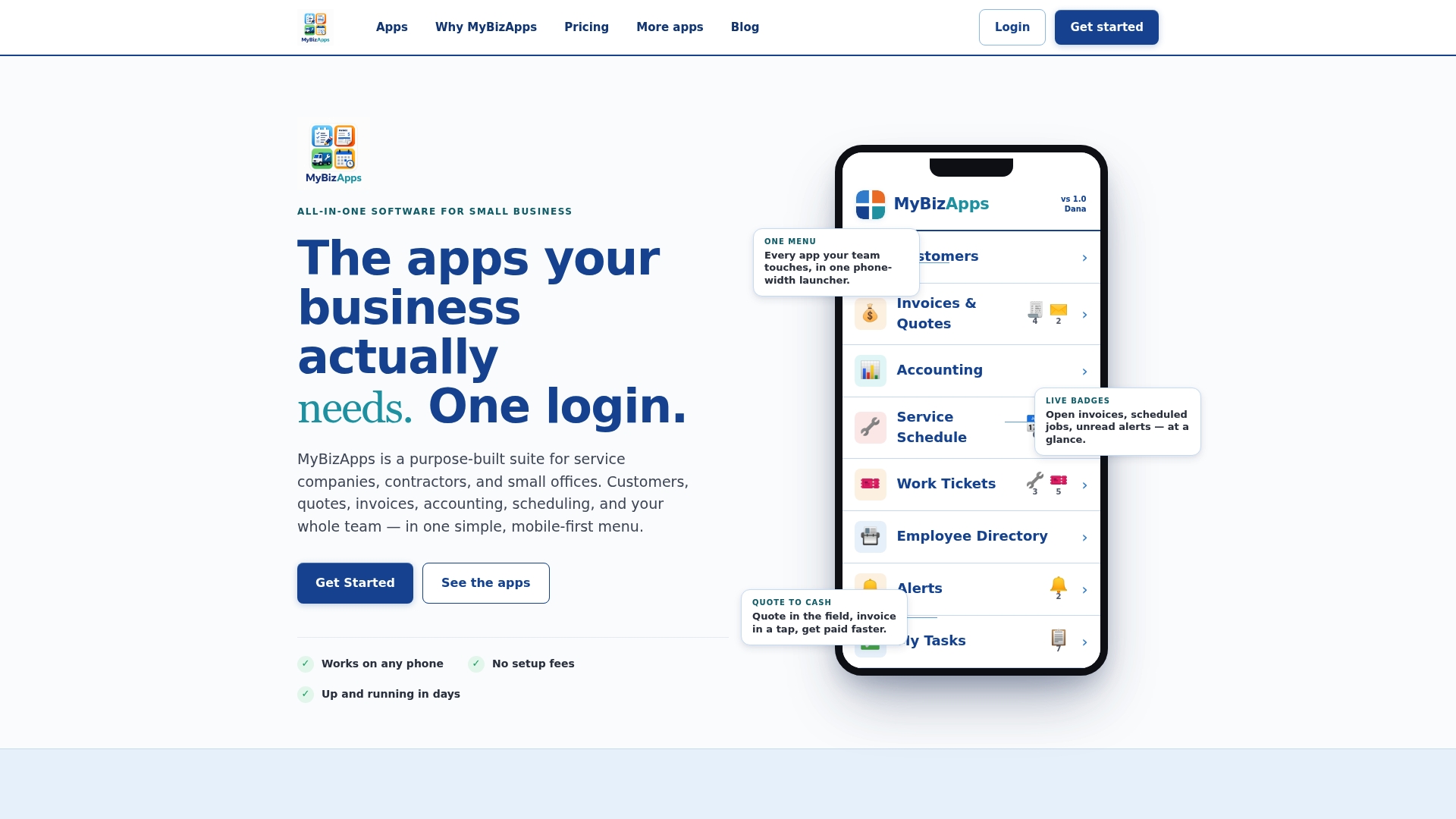
A self-serve portal to check invoice status and pay directly can help reduce missing-remittance problems that clog many exception queues. Field and office teams can check payment status from a phone between jobs instead of waiting for an end-of-day spreadsheet update, and businesses using integrated platforms often report faster invoicing and payment cycles as a result. If your team is still reconciling invoices across a separate invoicing tool, a payment processor dashboard, and a bookkeeping app, take a look at the Mybizapps pricing page to see which modules fit your workflow, or start with the full plan and pricing breakdown to compare options before you commit.
Sources
- Publication 583 — Starting a Business and Keeping Records (IRS)
- Payment reconciliation 101: How it works and best practices for businesses — Stripe
- AIA: Fighting fraud — a shared responsibility (ACFE summary)
- Payment Reconciliation Process: A Finance Team Guide — Loopfour
FAQ
What Does “Reconcile Payment” Mean?
Reconciling a payment means confirming that a specific payment you received or sent matches its corresponding invoice, and that the amount actually settled in your bank or processor account matches what your books show. It closes the loop between billing, banking, and accounting so no transaction is left unverified.
What Are the Three Types of Reconciliation Businesses Typically Use?
The three most common types are bank reconciliation (matching your ledger to bank statements), payment reconciliation (matching payments to invoices via a three-way comparison of internal records, statements, and the ledger), and vendor or customer statement reconciliation (matching your records against a third party’s account of the same transactions). Many businesses also run separate AR and AP reconciliations as subsets of payment reconciliation.
What Does “Reconcile Invoices” Mean?
Reconciling invoices means verifying that every invoice you’ve issued or received has a matching payment record, and that any invoice without a payment is flagged as open, disputed, or in an exception queue rather than left unaccounted for. It’s the invoice-side half of the broader payment reconciliation process.
How Do I Reconcile Invoices?
Start by gathering your invoice list, bank or processor statements, and ledger entries, then match each invoice to its payment using the invoice number, amount, and date. Anything that doesn’t match within your tolerance rules goes into an exception queue with a reason code, an owner, and a resolution deadline, following the gather, match, classify, investigate, adjust, finalize workflow most finance teams rely on. A platform like Mybizapps, which keeps invoicing and payment processing under one login, reduces how many exceptions you generate in the first place.