Freelancers: Send Invoices Online in Under 5 Minutes With Hosted Links
Freelancers: Send Invoices Online in Under 5 Minutes With Hosted Links
The fastest path to getting paid is a hosted invoice link sent by email, not a PDF attachment. It builds tracking (sent, opened, paid) directly into the process, gives clients a one-tap way to pay by card or bank transfer, and cuts the back-and-forth that stalls payment by days. A well-designed platform bundles that link generation with quoting, reminders, and reconciliation so nothing falls through email threads.
TL;DR:
- Sending invoices via a hosted link ensures tracking and faster payments, as clients can pay with a single tap on mobile wallets or bank transfers.
- Including essential fields like a unique invoice number, clear due date, itemized line items, and payment terms reduces disputes and streamlines approval.
- Using descriptive email subjects and file names with invoice numbers helps clients process payments promptly and simplifies reconciliation.
- Offering multiple payment methods with reference-matching automates reconciliation and sets clear expectations for payment timing.
- Automating reminders with a gradual tone and following up with personal calls improves late payment recovery without alienating clients.
Table of Contents
- How to Send Invoices Online, Step by Step
- What Fields Prevent Payment Disputes?
- Should You Email a PDF or Send a Hosted Invoice Link?
- Which Payment Methods Should You Offer?
- How Do You Automate Reminders Without Sounding Pushy?
- How Do You Keep Invoices Out of Spam and Payments Secure?
- How MyBizApps Puts This Workflow Into Practice
- Integrations That Keep Your Books and CRM in Sync
- How Should You Brand Your Invoices?
- What Legal Rules Apply to Electronic Invoices?
- How Do You Handle International Clients and Currency?
- What I’ve Learned Sending Hundreds of Invoices
- Send Invoices Online Without Juggling Five Different Apps
- Sources
How to Send Invoices Online, Step by Step
You don’t need a finance background to get this right. You need a repeatable sequence, and once you’ve run it three or four times it takes less than five minutes per invoice.
- Build the invoice. Pull in the client’s legal name and billing address, assign a sequential invoice number, set the issue date and due date, then list each line item with quantity, rate, and applicable tax.
- Add payment terms. Spell out the due date in plain language (“Net 15” confuses more clients than it clarifies) and note any late fee policy before you send anything.
- Attach the payment method. Include a payment link or reference number the client can use for a card, ACH transfer, or digital wallet payment. Platforms following practices similar to Stripe’s invoicing tools let you generate that link automatically and track it against the invoice.
- Send and monitor. Fire off the invoice by email with either a PDF attachment or, better, a secure hosted link, and watch for status markers: Sent, Delivered, Opened, Clicked, Paid.
- Confirm and reconcile. Once payment lands, send a receipt, log the payment against the invoice number, and close the record in your books.
That last step is where a lot of freelancers lose track. If you’re matching payments manually in a spreadsheet, a missed row means chasing a client who already paid, which is its own kind of embarrassing. A workflow that logs the payment automatically the moment it clears removes that risk entirely.
What Fields Prevent Payment Disputes?
Most invoice disputes trace back to something missing on the document, not a client trying to dodge payment. A complete invoice should be self-contained enough that anyone in accounts payable can process it without emailing you a follow-up question, a point Everhour’s invoicing guide makes clearly.
Essential fields, every time:
- Your legal or business name, address, and contact info
- Client’s name and billing address
- Unique invoice number (sequential, never reused)
- Issue date and due date
- Line items with description, quantity, rate, and line total
- Tax rate and amount, itemized separately from the subtotal
- Total amount due, in bold or otherwise visually distinct
- Payment terms and accepted payment methods
Optional fields that still save you headaches: a purchase order (PO) number if the client’s company requires one, a delivery address if it differs from billing, and a project or job reference code.
Phrase your terms specifically. “Due upon receipt” is vague. “Due June 15, 2026.”
Pro Tip: Name your invoice file with the invoice number and client name (e.g., “INV-1042-Garcia-Landscaping.pdf”). When a client replies to that email six weeks later, you’ll know exactly what they’re paying without opening a single file.
Should You Email a PDF or Send a Hosted Invoice Link?
Both work. They solve different problems.
A PDF attachment works offline, prints cleanly, and feels familiar to clients who still run their AP process out of an inbox. Its downside: no tracking. You send it and then wait, with zero visibility into whether it was opened, ignored, or lost in a spam filter.
A hosted invoice link flips that. The client clicks through to a page where they can view the invoice, download a receipt, and pay directly, often through a mobile wallet like Apple Pay or Google Pay. Stripe’s documentation on hosted invoice pages notes this approach also avoids the security risk of email attachments entirely, since nothing sensitive travels as a file.
- PDF attachment: best for formal records, offline access, or clients who explicitly request it
- Hosted link: best for tracking, mobile payments, and faster turnaround
- SMS or QR code: best for in-person service calls, mobile-first clients, or anyone you’d normally text anyway
Some invoicing vendors report that automated payment recovery features, like retrying failed card charges, can recover a meaningful share of otherwise-failed payments. That kind of automation only works when the invoice lives on a trackable hosted page, not buried in a PDF nobody reopened.
For a contractor handing a client a paper estimate on-site, a QR code that opens the hosted invoice on their phone closes the loop before you’ve even left the driveway.
Which Payment Methods Should You Offer?
Offer more than one option, but don’t overdo it. Three payment methods cover almost every client type without turning your invoice into a menu.
- Credit and debit cards. Fastest for the client, but expect a processing fee, typically a small percentage that comes out of your payout.
- ACH or bank transfer. Lower fees, but slower settlement, often 1 to 3 business days instead of instant.
- Digital wallets (Apple Pay, Google Pay). Nearly as fast as cards, and increasingly the default for clients paying from a phone.
Reconciliation gets simple the moment you stop relying on memory. Put the invoice number in the payment reference field for every bank transfer, and most platforms will auto-match the incoming payment to the open invoice without you touching a spreadsheet.
Set expectations around timing too. Card payments post almost instantly. ACH transfers can take a few business days to clear, which matters if you’re planning payroll or a supplier payment around that cash coming in. Freelancers juggling several clients on different payment cycles should build a buffer of at least a week between when an invoice is due and when they count on that money being usable.
How Do You Automate Reminders Without Sounding Pushy?
Manual follow-up is where most solo operators lose money, not because clients refuse to pay, but because nobody reminded them before it slipped their mind. A simple reminder cadence recovers most of that:
- Day 0 (due date): automated, neutral reminder. “Just a note that invoice #1042 is due today.”
- +3 days: friendly nudge. “Wanted to flag that invoice #1042 is now a few days past due.”
- +10 days: firmer tone. Mention the late fee policy if one applies.
- +21 days: final notice before you escalate to a phone call or, in rare cases, collections.
That cadence mirrors what platforms like Stripe Invoicing build into their automated dunning sequences, and it works because each message gets slightly firmer without ever sounding like a threat on day one.
Automated dunning should handle steps one through three without you lifting a finger. Step four is where a human touch matters. A short, polite phone call recovers relationships that an automated email chain can’t.
Pro Tip: Keep the tone in your first reminder genuinely neutral. Clients who get an aggressive message three days after a due date remember it the next time they’re choosing between you and a competitor for their next job.
How Do You Keep Invoices Out of Spam and Payments Secure?
An invoice that lands in a spam folder is functionally the same as an invoice you never sent. A few habits fix most deliverability problems:
- Send from a verified domain with SPF and DKIM configured, which improves inbox placement and makes sure client replies route back to you instead of bouncing.
- Favor hosted invoice pages over attachments. It sidesteps the “suspicious attachment” flags many spam filters apply automatically.
- Store every payment confirmation and receipt somewhere searchable. Come tax season, you’ll want that trail without digging through a year of email.
- If you’re accepting ACH transfers, know your bank’s daily or monthly transfer limits ahead of time. Nothing stalls a large payment faster than hitting a limit nobody checked.
None of this requires a compliance department. It requires setting your sending domain up correctly once and choosing hosted links over attachments as your default.
How MyBizApps Puts This Workflow Into Practice
Some platforms build this exact sequence into one mobile-first login: create a quote, convert it to an invoice, attach a payment link, and send it, all without switching tools or re-entering client data. Delivery status, payment tracking, and reminder scheduling live in the same dashboard, so you’re not piecing together an invoicing stack from three different subscriptions.
For a contractor running jobs from a truck, that mobile-first design matters more than it sounds. You can send an invoice from a job site the moment work wraps, not after you get back to a desktop that evening.
If you’re curious what that looks like for your own business, MyBizApps’ pricing page breaks down which modules cover invoicing versus scheduling and CRM, so you can see what fits before committing to anything.
Integrations That Keep Your Books and CRM in Sync
An invoice that lives only in your invoicing tool creates duplicate work the moment tax season or a client dispute arrives. The fix is connecting invoicing to whatever system already holds your accounting and client records.
Accounting integrations matter most for reconciliation. When an invoicing platform pushes paid invoices directly into your general ledger, you stop manually re-entering transactions, and the risk of a mismatched total between your invoice history and your books drops close to zero.
CRM integration solves a different problem: context. If your invoicing tool talks to your CRM, you can pull client contact details, past project history, and outstanding balances into a new invoice without retyping anything, and any resulting payment updates that client’s record automatically.
For solo freelancers running two or three tools, this often means checking whether your invoicing app has a native connector or at least exports data in a format (CSV, QBO) your accounting software can import cleanly. For small teams already juggling scheduling, quoting, and customer records, a platform that keeps those functions under one login avoids the sync errors that come from stitching separate apps together with third-party connectors that periodically break.
How Should You Brand Your Invoices?
An invoice with your logo and consistent formatting looks like a real business sent it, not a template downloaded five minutes before a deadline. That perception affects how quickly clients treat the invoice as a priority.
At minimum, customize your logo placement, brand colors, and the sender email address so it matches your business domain rather than a generic email provider. Beyond that, a consistent invoice number format and a standard note field, where you can add a thank-you line or a reminder about your referral program, reinforces the same professional impression every time a client opens one.
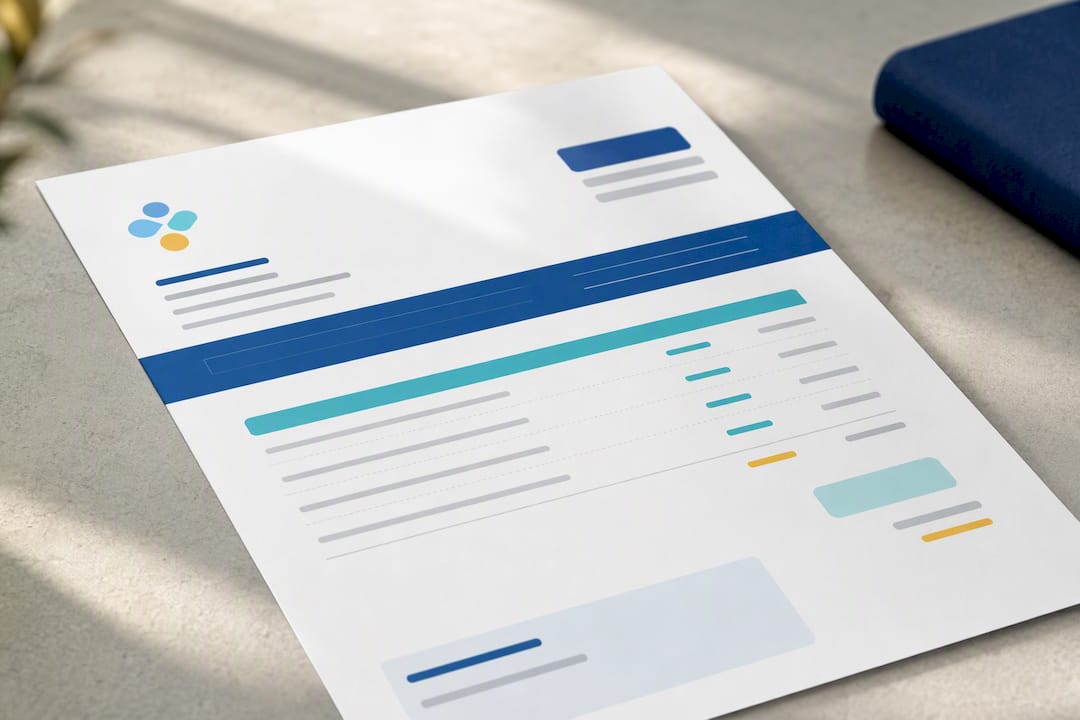
Templates matter more than most freelancers assume. A cluttered invoice with too many fonts or inconsistent spacing reads as rushed, even if the numbers are correct. Stick to one template across every client so your invoices become instantly recognizable, the same way a client immediately knows an email is from their bank or their internet provider before they even read the subject line.
What Legal Rules Apply to Electronic Invoices?
Electronic invoicing is broadly legal, but the specific compliance requirements shift by region and by whether you’re invoicing domestically or across a border.
In the United States, there’s no federal mandate requiring a specific invoice format for most small businesses and freelancers, though you still need to retain records that satisfy IRS documentation standards for income reporting. Many other countries take a stricter approach. The European Union has moved toward mandatory structured e-invoicing for business-to-government transactions in several member states, with some expanding those requirements to business-to-business trade. Countries including Mexico, Brazil, and Italy already require real-time invoice reporting to tax authorities for many transaction types.
If you invoice clients outside the United States, check the invoicing rules in their country before assuming your standard PDF or hosted link satisfies local tax reporting requirements. A client’s finance department will often tell you directly if your invoice format doesn’t meet their local compliance needs, but it’s better to know ahead of the first invoice than to find out after a payment gets held up.
How Do You Handle International Clients and Currency?
Invoicing across borders adds three variables you don’t deal with domestically: currency, tax treatment, and language.
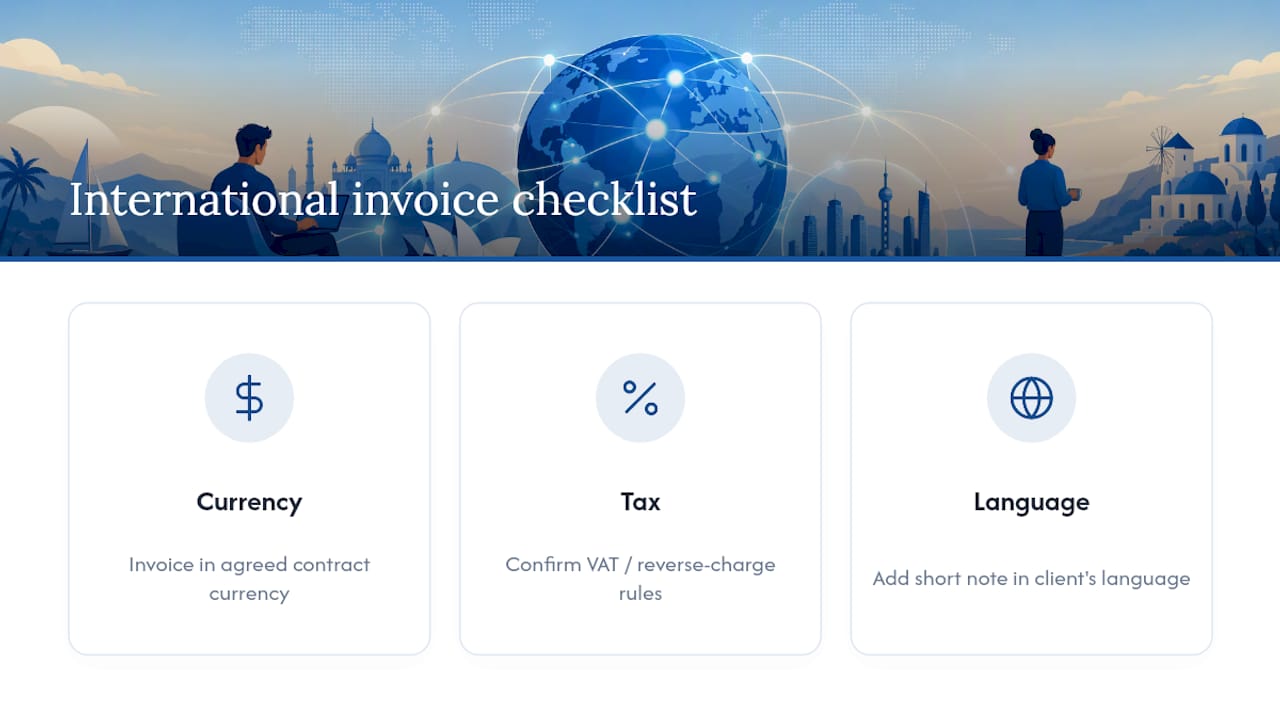
Currency should always match what you agreed to in your contract or proposal, not whatever is convenient to calculate. If you quoted a client in euros, invoice in euros, and let their bank or payment processor handle the conversion rather than converting it yourself and risking a mismatch.
Tax treatment varies by whether you’re invoicing a business or an individual, and by whether the service counts as exported labor under the client’s local rules. A freelance designer in the United States billing a client in Germany typically doesn’t charge U.S. sales tax, but the German client may owe reverse-charge VAT on their end. Neither party wants to guess. When in doubt, note on the invoice that no domestic tax has been applied and let the client’s accountant confirm their own obligation.
Language matters more for trust than for legal necessity. Even a short note in the client’s language, alongside your standard English invoice, signals attention to detail that translates into faster approval from a foreign accounts payable team unfamiliar with your usual format.
What I’ve Learned Sending Hundreds of Invoices
Subject lines do more work than people give them credit for. “Invoice #1042 for Website Redesign, Due June 15” gets opened and processed faster than “Invoice attached,” because it gives the recipient everything they need to triage the email without opening it, a habit backed by Stripe’s own guidance on invoice email writing. Busy accounts payable teams are scanning inboxes, not reading every line.
The file-naming habit matters just as much. Every invoice I’ve ever had disputed had a vague file name attached to it. Name the file with the invoice number and client name, always, and reconciliation stops being a guessing game.
If you’re a freelancer juggling five or six active clients, tracking those invoice numbers and due dates in your head stops working around client number three. A dedicated system, even a simple one, is what separates people who chase payments from people who just get paid.
— Philip
Send Invoices Online Without Juggling Five Different Apps
Most freelancers cobble together an invoicing app, a separate CRM, and a spreadsheet for tracking who still owes what. Some platforms replace that stack with one mobile-first login where quoting, invoicing, payment collection, and scheduling live in the same place, so nothing gets lost between tools.
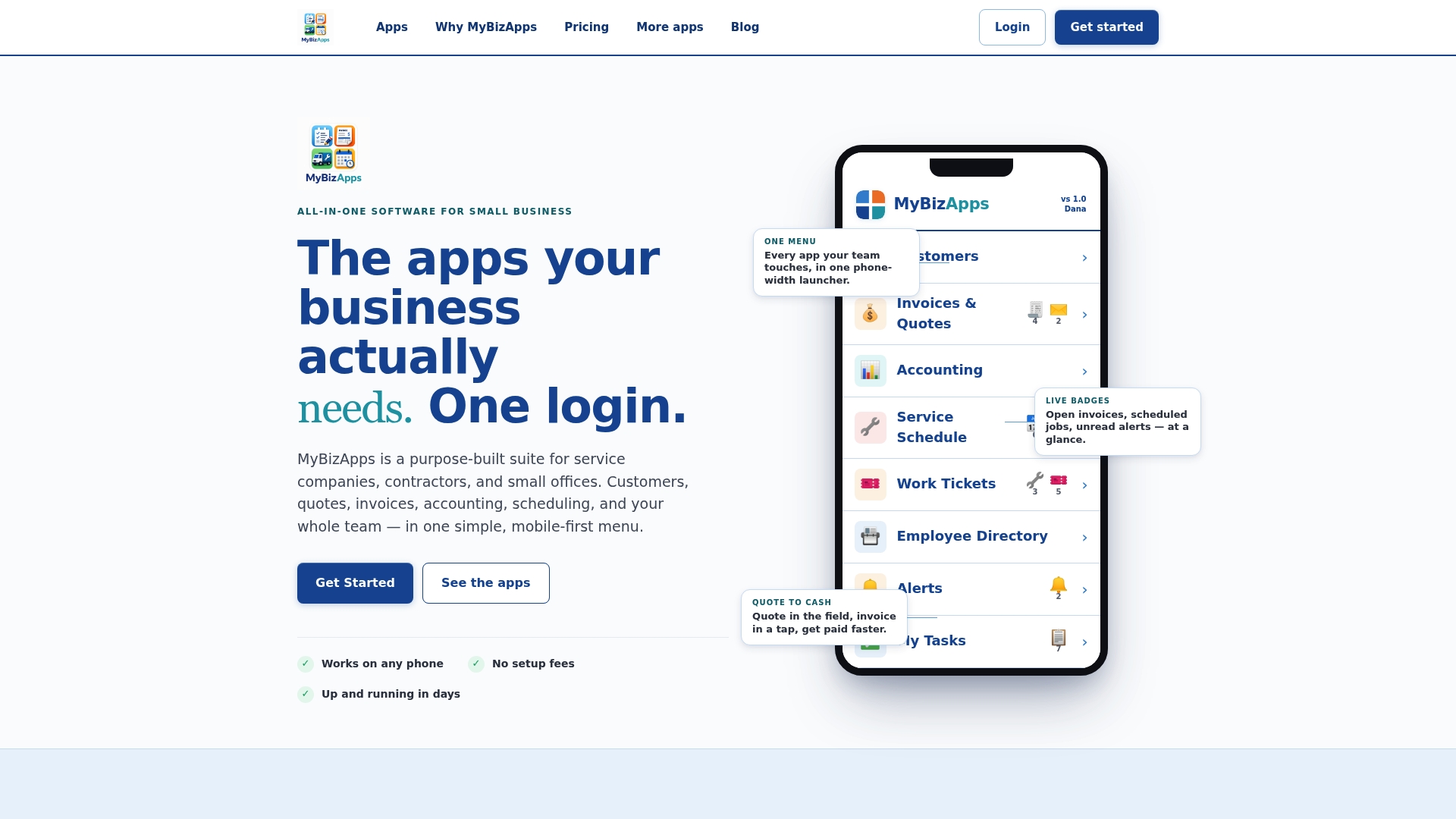
That matters most for the moment right after a job finishes. You can convert a quote into an invoice, attach a payment link, and send it from your phone before you’ve left the client’s property, with delivery and payment status tracked automatically instead of buried in an email thread. Contractors and small service teams use it to cut the lag between finishing work and getting paid, without adding a second subscription just to handle invoicing separately from everything else.
If your current setup means switching between three logins just to bill one client, it’s worth seeing what a single dashboard looks like. Check the MyBizApps price sheet for plan details and find the tier that fits your business size before your next invoice goes out.
Sources
For deeper background on the tools and practices covered here: Stripe’s overview of invoice software explains how tracking and automated dunning work under the hood. HubSpot’s guide to sharing invoices walks through the send dialog and email preview process. For document workflow automation that reduces manual follow-up, see SzopaLabs’ guide to accounting document flow. For broader bookkeeping practices, Mybizapps covers how invoicing habits affect tax-season prep.