Automated Payment Reminders: Set Up a Schedule That Gets Invoices Paid
Automated Payment Reminders: Set Up a Schedule That Gets Invoices Paid

Automated payment reminders are messages your system sends on a fixed schedule: before an invoice is due, on the due date and at set intervals after it. They work best when the invoice, the payment link and the customer record sit in the same place, so the reminder always knows what is owed and stops the moment the customer pays. That is the setup we build toward at MyBizApps, where billing is a $21 per month module that runs under the same login as customers, scheduling and accounting.
This guide covers what to send, when to send it, what the law says about texts and calls, and how to keep reminders from annoying customers who already paid.
TL;DR
- Send a friendly notice a few days before the due date, one on the due date, then escalate gently at roughly 3, 7 and 14 days overdue. Move to a personal call for anything a month late.
- Every reminder needs the invoice number, the amount, the due date and a direct payment link. Short beats clever.
- Reminders must stop automatically when a payment lands. Sending an overdue notice to a customer who paid is the fastest way to lose trust.
- Reminders about your own invoices are ordinary business communication, but texts and automated calls fall under federal consent rules, so collect permission first.
- Automation is only as good as your invoicing: invoice on day one, with clear terms, and the reminders have far less to chase.
Table of Contents
- What automated payment reminders actually do
- The reminder schedule: when to send what
- What a good reminder says
- Email, text or both?
- The legal side: what U.S. businesses need to know
- Setting up automated reminders step by step
- A worked example
- What to look for in a tool
- How MyBizApps fits
- Our perspective
- Frequently asked questions
- Sources
What automated payment reminders actually do
An automated reminder is a rule, not a message. The rule reads: “If invoice status is unpaid and the date is X days from the due date, send template Y by channel Z.” Once you write the rule, the system applies it to every invoice without anyone on your team remembering to do it.
For a contractor or service company, that matters because follow-up is the first thing to slip. The owner is on a job site, the office manager is answering phones, and an invoice that was due nine days ago does not get a nudge until the cash runs thin. A schedule removes the judgment call about whether it is “too soon” to follow up, and it treats every customer the same way, which also makes it fair.
Most late payments are not refusals. They are oversights: the email went to a spam folder, the bill got buried, the customer meant to pay on Friday. A well-timed reminder with a payment link solves that in one click. The few customers who are genuinely disputing the bill or cannot pay will show up as the ones who still have not responded after several reminders, and those are the ones you give personal attention.
The reminder schedule: when to send what
There is no official standard for reminder timing. What follows is a common cadence among small service businesses, and you should adjust it to your payment terms. If you are still deciding on terms, our guide to payment terms for contractors walks through net-15, net-30 and deposit-based examples.
| When | Tone | Purpose |
|---|---|---|
| 3 days before due | Friendly, informational | Heads-up with the invoice and a pay link |
| Due date | Neutral | “Payment is due today” with the link |
| 3 days overdue | Polite | Assume an oversight, offer help |
| 7 days overdue | Clear | Restate the amount and any late fee in your terms |
| 14 days overdue | Firm | Ask for a payment date or a reply |
| 30 days overdue | Personal | A phone call from a person, not a template |
Three principles sit behind that table.
Escalate tone, not frequency. Moving from a friendly note to a firmer one over two weeks is enough. Daily messages make you look disorganized and push customers to ignore you.
Match the schedule to the job. A $180 service call with payment due on completion needs a much tighter schedule than a $14,000 remodel billed in milestones. Set different rules for different invoice types, and tie them to the terms printed on the invoice.
Keep a human in the loop at 30 days. Automation handles the forgetful. A customer a month late deserves a call, because the reason matters: a dispute, a cash problem or a mistake on your side each needs a different answer.
What a good reminder says
The best reminders are short and contain everything the customer needs to pay without searching for anything. Include:
- The invoice number and the job or service it refers to
- The amount due, and the balance if a partial payment was made
- The original due date
- A direct link to pay online by card or bank transfer
- A way to reply if something is wrong
The link is the part that does the work. A reminder that says “please pay” makes the customer find the invoice, find your payment details and set it up. A reminder with a button turns that into ten seconds. This is where card payment processing built into your invoicing system pays off: the link in the reminder opens the same invoice the customer already saw.
Example: before the due date
Hi Maria, a quick note that invoice #1042 for the water heater replacement ($1,350.00) is due on the 28th. You can pay online here: [payment link]. If anything looks off, just reply to this message.
Example: 7 days overdue
Hi Maria, invoice #1042 ($1,350.00) was due on the 28th and is now 7 days past due. You can pay online here: [payment link]. If you have already paid, thank you, and please disregard this. If there is a question about the invoice, reply and we will sort it out.
Example: 14 days overdue
Maria, invoice #1042 ($1,350.00) is now 14 days past due. Please pay at [payment link] or reply with the date you expect to send payment. If there is an issue with the work or the invoice, we want to hear about it so we can fix it.
Notice what the later messages do not do: they do not accuse, threaten or pile on adjectives. They assume a simple oversight and leave a door open for disputes. Customers who have a real complaint will raise it, and that is information you want early.
One more point on wording: if your terms include a late fee, state it the same way in the contract, on the invoice and in the reminder. American Express’s small-business guidance notes that consistent late-fee terms across those documents help prevent confusion.
Email, text or both?
Email is the default because it is easy to automate, carries a full invoice and has no consent complications beyond ordinary business practice. Text messages get opened faster, which is why many field-service customers respond to them first. Many contractors run both: email for the formal notices and a short text for the due-date and overdue nudges.
If you choose texting, set it up properly. Our two-way texting setup guide for US small businesses covers the practical side, including letting customers reply to a reminder and having that reply land in the customer record rather than on someone’s personal phone.
The legal side: what U.S. businesses need to know
This is general information, not legal advice. For your own situation, ask a business attorney.
Reminders are not legally required. No federal rule obliges you to send a payment reminder for an ordinary invoice. You send them because they work. What the law regulates is how you contact people.
Texts and automated calls need consent. The Telephone Consumer Protection Act (TCPA) restricts autodialed and prerecorded calls and texts. In its 2015 order, the Federal Communications Commission explained that a one-time informational text sent in response to a consumer’s specific request may not need written consent, while sending multiple marketing or automated messages generally requires prior express written consent. In practice, that means: get the customer’s agreement to receive texts at the time they book or sign the estimate, record it, and honor any request to stop. Billing reminders are usually treated as informational, but keep the permission on file and keep the messages strictly about the account.
Debt collection rules mostly target third parties. The Fair Debt Collection Practices Act and the CFPB’s Regulation F define a “debt collector” mainly as someone whose business is collecting debts owed to others, or who regularly collects debts owed to another. The CFPB’s definitions also say that a creditor who collects its own debts under a name other than its own, which suggests a third person is involved, is treated as a debt collector. The safe habit for a small business: send reminders in your own business name, from your own address and number. Do not invent a collections persona to scare customers into paying.
If an invoice reaches the stage of a demand letter, a collection agency or small claims court, talk to an attorney before the next step.

Setting up automated reminders step by step
Here is the routine, with where it tends to go wrong.
1. Invoice promptly and clearly
Reminders cannot fix a late or confusing invoice. If the bill goes out two weeks after the job, the clock starts two weeks late and the customer has already moved on. Our post on day-one invoicing covers why sending the invoice the day the work is done matters most. Because MyBizApps keeps customers, quotes, invoices and scheduling under a single login, the job record and the invoice are in one place, so there is nothing to retype.
Where it goes wrong: invoices built from memory a week later, with no due date or an unclear one.
2. Put the terms on the invoice
State the due date, accepted payment methods and any late fee. A reminder can only reference what the invoice already says.
Where it goes wrong: terms agreed verbally, then disputed at day 14.
3. Choose your schedule
Pick the cadence from the table above, then simplify it if you are a small shop. Three touches (before, on the due date and 7 days late) plus a personal call at 30 days catches most forgetful payers.
Where it goes wrong: too many messages too soon, or a schedule so slow that the invoice is 45 days old before anyone looks at it.
4. Write the templates once
Use placeholders for the customer name, invoice number, amount, due date and payment link, so each message fills itself in. Write three tones: friendly, clear, firm.
Where it goes wrong: one harsh template used for every stage, or templates with placeholders that fail and send “Hi {name}” to customers.
5. Add a payment link that works on a phone
Most customers will open your message on a phone. Test the link yourself, on a phone, before turning anything on. A card payment option inside the invoice shortens the path from message to money.
Where it goes wrong: links that require a login, or a payment page that is hard to use on a small screen.
6. Make reminders stop on payment
The reminder rule must check the invoice status before every send. When a payment is recorded, whether by card online, check or cash logged by your office, the invoice is marked paid and nothing further goes out. This is the single most important setting. A system where invoices live in one tool and payments in another is where customers get “overdue” notices for bills they paid last week.
Where it goes wrong: payments recorded by hand days later, so reminders keep firing in between.
7. Review exceptions daily
Some invoices should not follow the standard schedule: disputes, partial payments, replies from the customer and anything 30 days or more overdue. Pull those into a short daily list, and have one person look at it for five minutes. Our guide to the invoice aging report shows how to group unpaid invoices by age so the problem accounts surface on their own.
Where it goes wrong: treating automation as “set and forget” so a dispute sits unanswered while reminders keep going out.
A worked example
Take a four-person HVAC company that bills 60 invoices a month, with an average of $850 each. Billing totals $51,000 a month. Suppose that, with no reminders, 12 invoices a month run more than two weeks late, which is $10,200 sitting outside the bank account at any given time. These are illustrative numbers, not a promise of results.
If a due-date reminder with a payment link brings even half of those invoices in within a week, about $5,100 a month moves from “late” to “paid” without anyone making a call. The office manager’s time shifts to the handful of invoices that need a conversation. The value is not in the software sending emails; it is in every invoice getting the same follow-up at the same time, with the money one tap away.
What to look for in a tool
Whatever you use, check that it can do these things, because each one maps to a failure above:
- Create the invoice and the payment link in the same system
- Schedule reminders relative to the due date, before and after
- Stop automatically when a payment posts
- Let you edit the templates and the tone at each stage
- Show unpaid invoices by age so you can see what needs a call
- Keep the customer record, the job and the conversation together
A stack of separate tools can do each of these, but you end up copying data between them, and the gaps are where reminders go wrong. That is the reason to favor a single platform for the whole path from quote to cash.
How MyBizApps fits
MyBizApps is an all-in-one suite for service companies, contractors and small offices: customer management, quotes and invoices, accounting, credit card payment processing, scheduling and a customer portal, all under one mobile-first login. You add only the modules you need. The Billing Module, Accounting and Customer Portal are each $21 per month, listed on the pricing page.
The point for your reminders is simple: when the quote, the invoice, the card payment and the books are in one place, a paid invoice is a paid invoice everywhere, and your team can see the status from a phone in the truck or at the desk. Users report faster invoicing and payment, which helps cash flow.
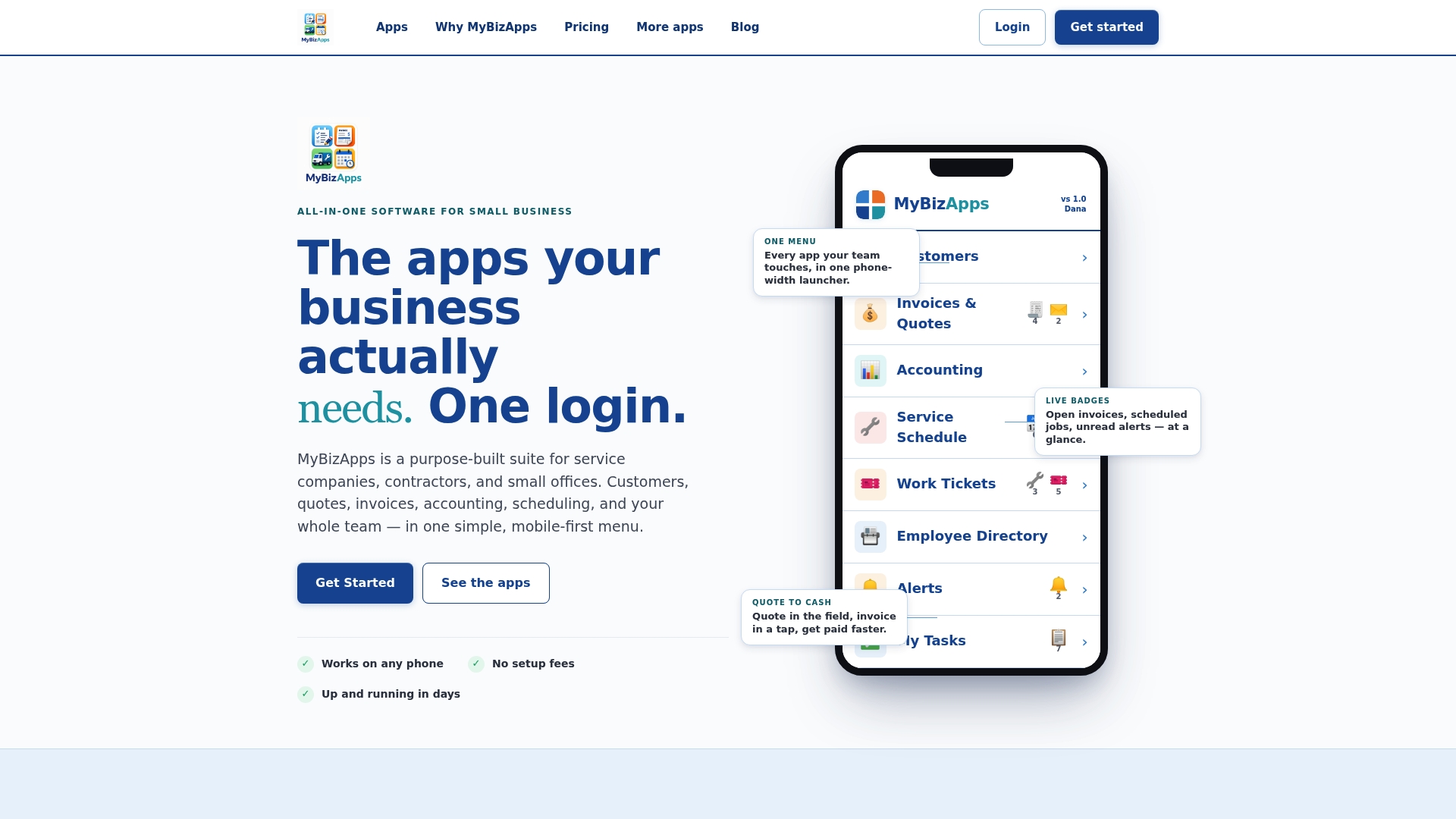
If you want to see which modules cover your billing, review the full module list and prices or the price sheet.
Our perspective
Most of the late-payment problems we see described by small service businesses are not collection problems. They are workflow problems: the invoice went out late, the customer had no easy way to pay, and nobody had time to follow up.
That is why we built MyBizApps around one login. When customers, quotes, invoices, accounting and scheduling are not separate tools, you stop re-entering information and you stop guessing what is paid. A reminder is only useful if it is built on an invoice that is accurate and a payment that is recorded the instant it arrives.
Our advice is to start simple. Invoice the day the work is done, put the terms on the page, give the customer a way to pay in one tap, and follow up on a schedule that treats everyone the same. Then keep your own attention for the few accounts that need a real conversation.
Philip
Frequently asked questions
How do I automate payment reminders?
Create your invoices in a system that also handles payment, then set rules relative to the due date: a notice before, one on the day and a few after. Write a template for each stage with placeholders and a payment link. Finally, make sure a recorded payment stops the schedule automatically.
Are payment reminders legally required?
No. Nothing in federal law obliges you to send a reminder for an ordinary invoice. The law does matter for how you contact people: texts and automated calls fall under TCPA consent rules, and collecting under another name can bring debt collection rules into play. Talk to a business attorney about your specific situation.
What is a good payment reminder message?
Short, polite and complete. Include the invoice number, amount, due date and a direct link to pay, and invite the customer to reply if something is wrong. Assume the customer simply forgot, and save firmer wording for invoices two weeks or more overdue.
How often should I send reminders?
A common pattern is one before the due date, one on the due date, then at about 3, 7 and 14 days overdue, followed by a phone call at around 30 days. Avoid daily messages: they irritate customers without making them pay faster.
Should reminders go by email or text?
Email suits the formal notices and carries the full invoice. Text is quicker for short nudges but needs customer consent recorded first. Many small businesses use both, with email as the main channel.
Sources
- FCC order on the Telephone Consumer Protection Act (FCC 15-72)
- CFPB Regulation F, section 1006.2 definitions
- American Express: how to respond to late invoices