Invoice Aging Report: How to Build, Read and Use One
Invoice Aging Report: How to Build, Read and Use One

An invoice aging report lists every unpaid customer invoice and sorts each balance by how long it has been outstanding. Most reports use five columns: Current, 1 to 30 days past due, 31 to 60, 61 to 90, and over 90. Read it from the oldest column first, because that is where the money you are least likely to collect sits. This guide shows you how the buckets work, how to build the report, how to read it, and how to turn it into a weekly collections routine.
You will see the same document called an accounts receivable aging report, an AR aging report or an aged receivables report. They are the same thing: a snapshot of who owes you money and how late they are.
TL;DR
- An aging report groups open invoices into time buckets (Current, 1 to 30, 31 to 60, 61 to 90, 90+) so you can see what is late and by how much.
- Age each invoice from its due date for collections work. The report’s total should match the accounts receivable balance in your books.
- Partial payments shrink the balance in a bucket but do not reset the invoice’s age. Unapplied credits make the report overstate what a customer owes.
- Review it weekly, start with the oldest column, and watch for customers who show up late month after month.
- Fast, accurate invoicing and payment records in one system keep the report clean and the old buckets small.
Table of Contents
- What an invoice aging report shows
- The aging date and how invoices land in buckets
- How partial payments and credits affect the age
- Example: reading a real-looking report
- How to build an invoice aging report
- Using the report to collect faster
- Common problems an aging report reveals
- Our perspective: fewer old buckets start at the invoice
- Put your invoices and payments in one place
- FAQ
- Sources
What an invoice aging report shows
An accounts receivable aging report is a periodic report that categorizes receivables by how long each invoice has been outstanding. Accountants and lenders use it to judge how reliable a company’s customers are at paying. For you as an owner, it answers three plain questions: who owes me, how late are they, and how much of this is at risk?
A summary version shows one row per customer. A detail version shows one row per invoice. A standard layout has columns for customer name, invoice number and date, total amount due, then the aging buckets and a total. One published guide notes that invoices more than 90 days old may have less than a 70% chance of being collected, which is why the right-hand columns deserve your attention first.
The grand total of the report should reconcile to the accounts receivable balance in your general ledger. If it does not, something is unposted, duplicated or unapplied, and fixing that comes before any analysis.

The aging date and how invoices land in buckets
Every aging report measures against one as-of date, often called the aging date. It is the day the report is run for, not the invoice date and not the due date. Change the as-of date and every bucket shifts, even though no invoice has moved. That is why two reports run a week apart can look so different.
The second choice is what you count from:
- Due date aging. Age is the as-of date minus the due date. An invoice inside its payment terms is Current, and only becomes past due after terms expire. This is the right basis for a collections list, because an invoice still inside its terms is not a call to make.
- Invoice date aging. Age is the as-of date minus the invoice date. It helps when you compare customers on different terms, but it makes a net 60 customer look late on day 45.
A spreadsheet guide gives the due date formula simply as report date minus due date. A current balance is any invoice where that number is zero or negative.
The standard buckets
| Bucket | What it means | What to do |
|---|---|---|
| Current | Not yet due | Nothing, unless the customer is a repeat late payer |
| 1 to 30 days | Just past due | Friendly reminder, confirm the invoice was received |
| 31 to 60 days | Late | Phone call, ask for a payment date |
| 61 to 90 days | Seriously late | Escalate, pause new work or require deposits |
| Over 90 days | High risk | Final notice, payment plan or collections decision |
The actions in the third column are a practical routine, not a rule. Adjust them to your terms and your customers.
How partial payments and credits affect the age
The balance used for aging is the invoice amount minus payments received minus credits applied. Two rules keep it honest:
- A partial payment lowers the balance, not the age. If a customer pays $400 of a $1,000 invoice that is 45 days past due, $600 stays in the 31 to 60 bucket. The age stays the same while the dollar exposure falls.
- Apply credits, or note them. An unapplied credit memo or unmatched deposit makes the report overstate what the customer owes. Either apply it to the right invoice or write down that the report excludes it. In the same guide, unapplied credits are the reason some reports show negative numbers.
This is also why deposits matter. A job that was booked with an online deposit starts life with a smaller open balance. If you want to set that up, see our guide to online deposits for service jobs and the deposit rules for jobs with online quotes.
Example: reading a real-looking report
Take a made-up business with six customers on net 30 terms, as of September 30. The example from a billing resource shows $50,000 in total receivables:
| Bucket | Amount | Share of total |
|---|---|---|
| Current | $30,000 | 60% |
| 1 to 30 days | $8,000 | 16% |
| 31 to 60 days | $5,000 | 10% |
| 61 to 90 days | $4,000 | 8% |
| Over 90 days | $3,000 | 6% |
| Total | $50,000 | 100% |
The four past due columns add up to $20,000, or 40% of receivables. Is that bad? There is no universal answer. The same source stresses that no standard share of receivables should be current, because it depends on your terms, customers and industry. Compare the report with your own earlier months before you compare it with anyone else’s.
A five-step way to read it
- Start at the right. Look at the over 90 and 61 to 90 columns first. Those are the invoices that need a personal call today.
- Find mixed rows. A customer who pays new invoices while an old one sits unpaid usually has a dispute or a billing error on that one invoice, not a cash problem.
- Look for drift. A customer with small balances in several late columns is paying slower across the board.
- Compare the percentage row month to month. A current share that slides from 70% to 60% to 50% tells you collections are slipping before any single invoice looks alarming.
- Check for negatives. Negative figures mean unapplied payments or credits. Clean them up before you chase anyone.
A practitioner’s advice is to start with the 60+ day column, identify repeat offenders, and check concentration: if one client represents more than 25% of total receivables, that is a risk regardless of age.
How to build an invoice aging report
There are two routes: let your billing or accounting system run it, or build it in a spreadsheet.
From your accounting records
If your invoices and payments live in one system, the report is a by-product of data you already keep. The cleaner your records, the more trustworthy the report. That means every invoice has a due date, every payment is matched to an invoice, and every credit is applied. If you collect invoice data from many paper or emailed documents, invoice data capture software can reduce the manual typing that creates mismatches before you age anything.
In a spreadsheet
The Journal of Accountancy describes a spreadsheet method: add a days-past-due field, use an IF formula to assign each invoice to a 0 to 30, 31 to 60, 61 to 90 or over 90 bucket, and use SUMIF to total the balances by bucket. It also recommends importing accounts and ages from your accounting system where possible rather than retyping them.
A simple layout:
- Columns: customer, invoice number, invoice date, due date, invoice amount, payments, credits.
- Balance: invoice amount minus payments minus credits. Exclude rows where the balance is zero.
- Days past due: your as-of date minus the due date.
- Bucket: an IF formula on days past due.
- Totals: SUMIF by bucket, then compare the grand total with your ledger.
Spreadsheets work for a few dozen open invoices. Past that, manual updates become the weak point, because every payment has to be entered twice: once in the books and once in the sheet.
Using the report to collect faster
A report you only glance at does nothing. Turn it into a routine.
Set a review rhythm
One source suggests reviewing it at least weekly, daily for high-volume businesses. Another software provider’s help page recommends at least monthly and ideally more often, depending on transaction volume and collection risk. For a contractor or service company sending invoices every week, a weekly 15-minute review is a sound default.
Build a worklist from the buckets
- Sort by days past due, oldest first.
- Call the largest balances in the 61+ columns before emailing the small ones.
- Log the promised payment date for each call and check it on the next review.
- For repeat late payers, change the terms: shorter net days, a deposit, or payment on completion.
The aging report also helps you decide which customers to send to collections, which to follow up with, and which accounts may be uncollectible.
Watch your total, not just the buckets
As a rough benchmark, one accounting firm says total receivables for most service businesses should sit around two to four weeks of revenue, and that more than one month of revenue means you are carrying too much. Treat it as a gut check, not a target set in stone.

Know the timing trap
An aging report is a snapshot, and snapshots can mislead. Many companies bill near month end, so a report run a few days later shows last month’s invoices as past due even when payment is on its way. Matching your credit terms to the reporting periods gives a truer picture. Month-end billing and payment timing can distort trends, so run the report on the same day each period.
Common problems an aging report reveals
- Many invoices stuck in old buckets. Look for billing errors, wrong contact details, missing purchase order numbers or unresolved disputes before assuming the customer will not pay.
- Invoices sent late. If the first column is already past due on the day an invoice goes out, the delay is yours. Our piece on stopping late invoice payments with day one invoicing covers this.
- Invoices that go out from the office days after the job. Contractors can close that gap by invoicing from the job site.
- Reports that never match the ledger. Usually a sign of payments recorded in a different place than invoices.
- Confusing numbers after switching methods. If you are unsure how your accounting basis changes what you track, read cash vs accrual accounting for small businesses.
Good records also help beyond collections. If you keep customer, invoice and payment data in one place, you are better prepared when someone asks for documentation, as we explain in centralizing business data for contractors.
Our perspective: fewer old buckets start at the invoice
Most aging problems are not collection problems. They are workflow problems that show up in the aging report weeks later.
When a job is finished on Tuesday and the invoice goes out the following Monday, the clock on that invoice has started late. When the payment arrives by check and sits in an inbox before someone records it, the report says the customer is late when they are not. When the quote, the schedule, the invoice and the payment live in four different tools, nobody trusts the numbers.
That is why we built MyBizApps around one login. Customers, quotes, invoices, accounting, scheduling and card payments sit together in a mobile-first interface, so a crew member can finish a job and the invoice can be created right then. In our experience, users report faster invoicing and payment, and faster payment means smaller old buckets.
Our advice is simple. Invoice the day the work is done, collect a deposit on larger jobs, record every payment where the invoice lives, and review aging every week. The report then becomes a short to-do list instead of a monthly surprise.
Philip
Put your invoices and payments in one place
An aging report is only as good as the records behind it. MyBizApps gives service companies, contractors and small offices a Billing Module and an Accounting module at $21 per month each, alongside scheduling, bookings, a customer portal and card payment processing, all under a single login. You add the modules you need and skip the ones you do not.
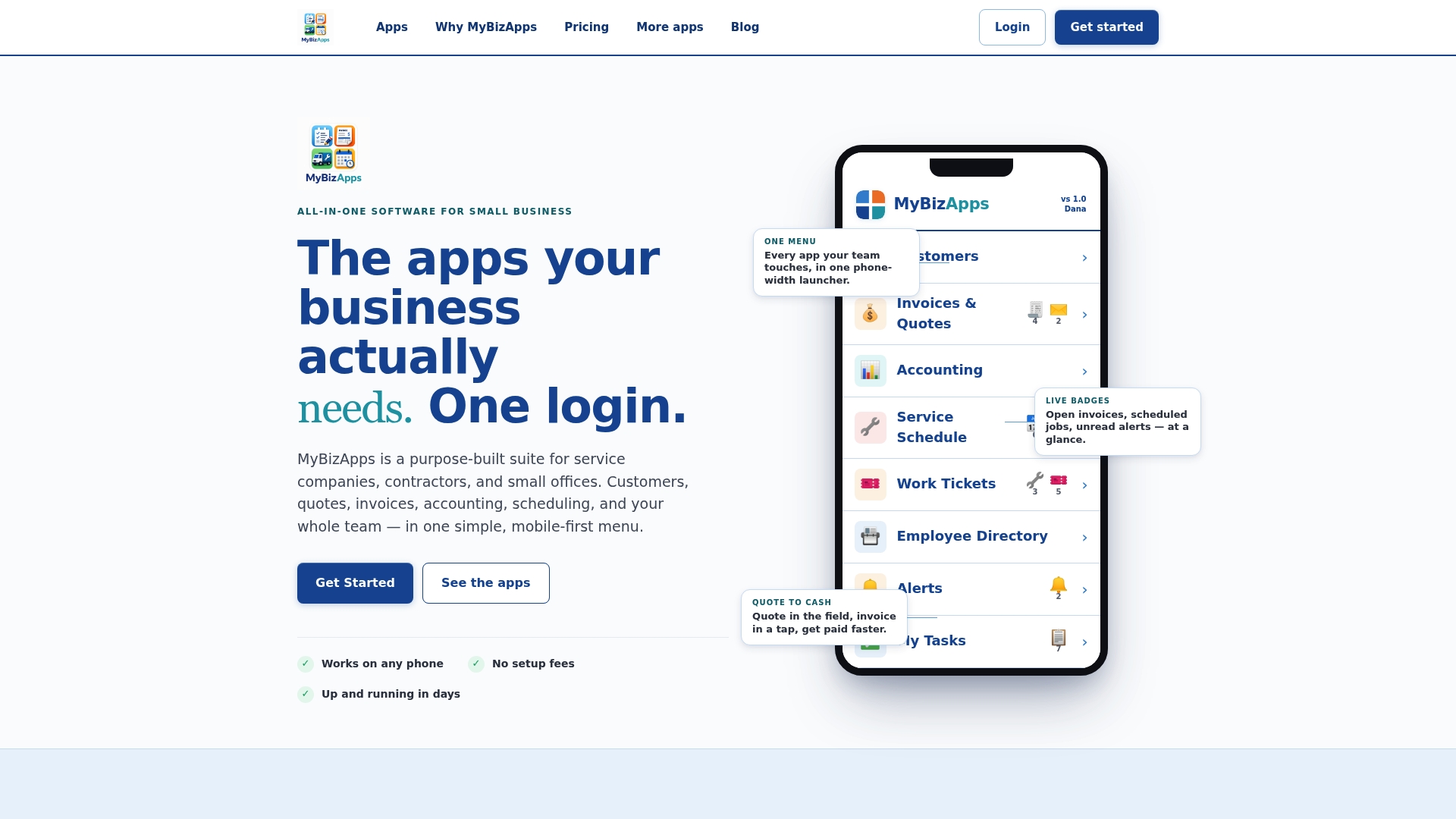
See the modules and published prices on the MyBizApps pricing page, or start from the MyBizApps home page.
FAQ
What is the aging date for invoices?
The aging date is the as-of date the report measures every open balance against. Each invoice’s age is that date minus its due date (or invoice date, if you age from invoice date). Changing the aging date moves invoices between buckets even though nothing about the invoices changed.
Should I age invoices from the invoice date or the due date?
Use the due date for collections, since an invoice inside its terms is not late. Use the invoice date when you want to compare customers on different terms. Pick one method and keep it the same from month to month so your trends stay comparable.
How often should I run an aging report?
Weekly is a practical rhythm for most small service businesses, and some sources suggest daily for high-volume operations. Run it on the same day each period so month-end billing does not distort the comparison.
Does a partial payment reset an invoice’s age?
No. The invoice keeps its original age, and only the open balance falls. A $600 remainder on an invoice that is 45 days past due stays in the 31 to 60 day bucket until it is paid.
What should the total of the aging report equal?
It should equal the accounts receivable balance in your general ledger. If the two differ, look for unapplied payments, unapplied credits, duplicate invoices or entries posted to the wrong period.
Sources
- Accounts Receivable Aging: Definition, Calculation (Investopedia)
- How to Read Your Aged Receivables Report (Mesa CPA)
- How to Prepare an Accounts Receivable Aging Report (Condesa Financial Group)
- Create an Accounts Receivable Aging Report in Excel (Freedom251)
- How to Calculate AR Aging Days (LegalClarity)
- Accounts Receivable Aging Report: Sample and Buckets (Billing Model)
- Doing accounts receivable aging reports in Excel (Journal of Accountancy)
- Free Accounts Receivable Aging Report Excel Template (HighRadius)
- Accounts Receivable Aging Summary (GrowthZone Support)
- Accounts Receivable Aging, Definition and How It Works (Corporate Finance Institute)
- Aging: Definition in Accounting, Uses, Report Example (Investopedia)