Cut Credit Card Processing Fees: Small Business Workflow Fixes
Cut Credit Card Processing Fees: Small Business Workflow Fixes
Credit card processing fees are the cost of accepting card payments, split between interchange (paid to the cardholder’s bank), network assessments (paid to Visa, Mastercard, and the like), and processor markup (what your provider keeps). Most small businesses land somewhere between 1.5% and 3.5% per transaction, with online and manually keyed sales pushing toward the higher end. This guide breaks down the components, the pricing models, how to calculate your real rate, and what you can legally do to offset the cost.
TL;DR:
- Small businesses typically pay between 1.5% and 3.5% per transaction, with higher rates for online or keyed-in sales and rewards cards.
- Interchange fees, set by banks, are generally the largest component, while processor markup is negotiable and can be optimized through proper statement review.
- Interchange-plus pricing offers the most transparency and savings for higher-volume merchants compared to flat-rate or tiered models.
- Routing more sales through card-present methods and sending complete transaction data can significantly reduce overall processing costs.
- Implementing cash discounts instead of surcharges may be less frustrating for customers and easier to comply with regulations.
Table of Contents
- What Makes Up Credit Card Processing Fees
- Flat-Rate, Tiered, Interchange-Plus, or Subscription: Which Model Fits?
- How to Calculate Your Effective Processing Rate
- Cutting Costs Without Touching Your Prices
- Surcharges, Convenience Fees, and Cash Discounts: What’s Actually Allowed
- Comparing Processor Offers: A Quick Checklist
- Where Fee Leakage Actually Starts
- An Operator’s Take on Fees vs. Checkout Friction
- A Simpler Way to Cut Fee-Related Waste
- Sources
- FAQ
What Makes Up Credit Card Processing Fees
Three separate charges stack together every time a customer taps, swipes, or types in a card number. Interchange goes to the bank that issued the card, and it’s usually the largest slice of the total. Network assessments go to Visa, Mastercard, Discover, or American Express for running the rails that move the money. Processor markup is whatever your payment company adds on top for its own service, and it’s the only piece you can actually negotiate.
Rates shift by channel and card type. A keyed-in phone order or an e-commerce sale often runs 2.5% to 3.5%, since the processor can’t verify the card is physically present. Rewards cards and business cards carry higher interchange than plain debit cards, sometimes adding half a point or more.
Small businesses typically pay between 1.5% and 3.5% per transaction, with the low end reserved for card-present debit swipes and the high end showing up on keyed or online charges.
- Interchange: set by the issuing bank, varies by card type and channel
- Network assessments: fixed by Visa, Mastercard, Discover, or Amex, roughly 0.13% to 0.15%
- Processor markup: the negotiable portion your provider adds for service and support
Flat-Rate, Tiered, Interchange-Plus, or Subscription: Which Model Fits?
Your pricing model matters as much as your rate. Flat-rate pricing, the kind Square and PayPal popularized, charges one percentage plus a few cents on every transaction regardless of card type. It’s easy to understand, but you end up subsidizing cheap debit swipes to cover the cost of pricier rewards cards.
Tiered pricing sorts transactions into “qualified,” “mid-qualified,” and “non-qualified” buckets, each with its own rate. Processors control which bucket a sale lands in, and that opacity makes it easy to bury markup inside vague categories most merchants never fully understand.
Interchange-plus pricing shows the real interchange cost separately from the processor’s markup, usually written as “interchange + 0.30% + $0.10.” It’s the most transparent structure, and it typically saves money once your monthly volume climbs past a few thousand dollars, because you’re not paying a flat premium on your cheapest transactions.
Subscription or membership pricing charges a flat monthly fee and passes interchange through at close to actual cost. High-volume merchants processing tens of thousands of dollars a month often save the most here, since the monthly fee stops scaling with sales.
- Flat-rate: simple, predictable, but costlier at scale
- Tiered: hard to audit, prone to hidden markup
- Interchange-plus: transparent, usually the best value above moderate volume
- Subscription: fixed monthly cost, favors high-volume merchants
How to Calculate Your Effective Processing Rate
Your effective rate is the true cost of accepting cards, expressed as a single percentage of total sales. Pull your last full month’s statement and work through these steps:
- Add every fee charged that month: percentage fees, per-transaction cents, monthly account fees, PCI compliance fees, gateway fees, and any chargeback costs.
- Divide that total by your gross card sales for the same month.
- Multiply by 100 to get your effective rate as a percentage.
Say you processed $20,000 in card sales and paid $580 in combined fees. That’s $580 divided by $20,000, or a 2.9% effective rate. Higher average tickets and card-present transactions almost always pull your effective rate down, because fixed per-transaction cents matter less against a bigger sale.
Cutting Costs Without Touching Your Prices
The fastest fee reductions come from how you accept cards, not from raising prices. Card-present transactions qualify for lower interchange than keyed or online entries, so routing more sales through a tap or swipe terminal instead of manual entry pays off immediately.
Sending complete transaction data, like address verification and proper authorization codes, helps your processor qualify sales for the lowest available interchange tier instead of defaulting to a costlier one. Many merchants lose money simply because their software skips these fields.
Statement review matters more than most owners assume. The Federal Trade Commission encourages merchants to review invoices with their acquirer regularly and shop rates rather than accept whatever markup was quoted at signup. Downgrades, unexplained monthly charges, and stale PCI fees hide in plain sight on statements nobody reads closely.
- Route transactions card-present whenever possible
- Send full authorization and address data to avoid downgrades
- Negotiate processor markup annually, not just at onboarding
- Use clear receipt descriptors and fast fulfillment to cut chargebacks
- Offer ACH for invoices and B2B payments to sidestep card fees entirely
Pro Tip: Pull three months of statements and highlight every line item you can’t explain in one sentence. If you can’t explain it, call your processor and ask them to.
Surcharges, Convenience Fees, and Cash Discounts: What’s Actually Allowed
Passing card costs to customers is legal in most states, but the mechanics differ and the rules are strict. A surcharge adds a percentage on top of the sticker price specifically for using a credit card, capped by network rules and disclosed at checkout. A convenience fee applies to a non-standard payment channel, like paying by phone instead of in person, and it must apply to all payment methods in that channel, not card payments alone.
A cash discount program prices everything at the “card price” and gives a discount for paying cash, which sidesteps most surcharge restrictions because you’re technically not adding a fee.
- Post surcharge notices at the entrance and point of sale, not just on the receipt
- Never surcharge debit cards, even if you surcharge credit cards
- Check your state’s law and your card network’s rules before adding any fee
- Keep cash-discount signage simple: list one price, note the cash discount separately
Comparing Processor Offers: A Quick Checklist
Before you sign with any processor, request a complete fee schedule and a recent sample statement, not just a headline rate. Map every line item to your actual transaction mix, in-person, online, and keyed, then calculate the effective rate each quote would produce against your real sales data.
- Request the full fee schedule, including PCI, gateway, batch, and chargeback fees
- Ask for a sample statement showing a realistic sales mix, not a best-case scenario
- Calculate the effective rate for your specific average ticket and channel mix
- Watch for vague per-transaction wording, early termination clauses, and PCI passthrough surprises
- Before switching, confirm your migration plan covers saved cards and recurring billing
Where Fee Leakage Actually Starts
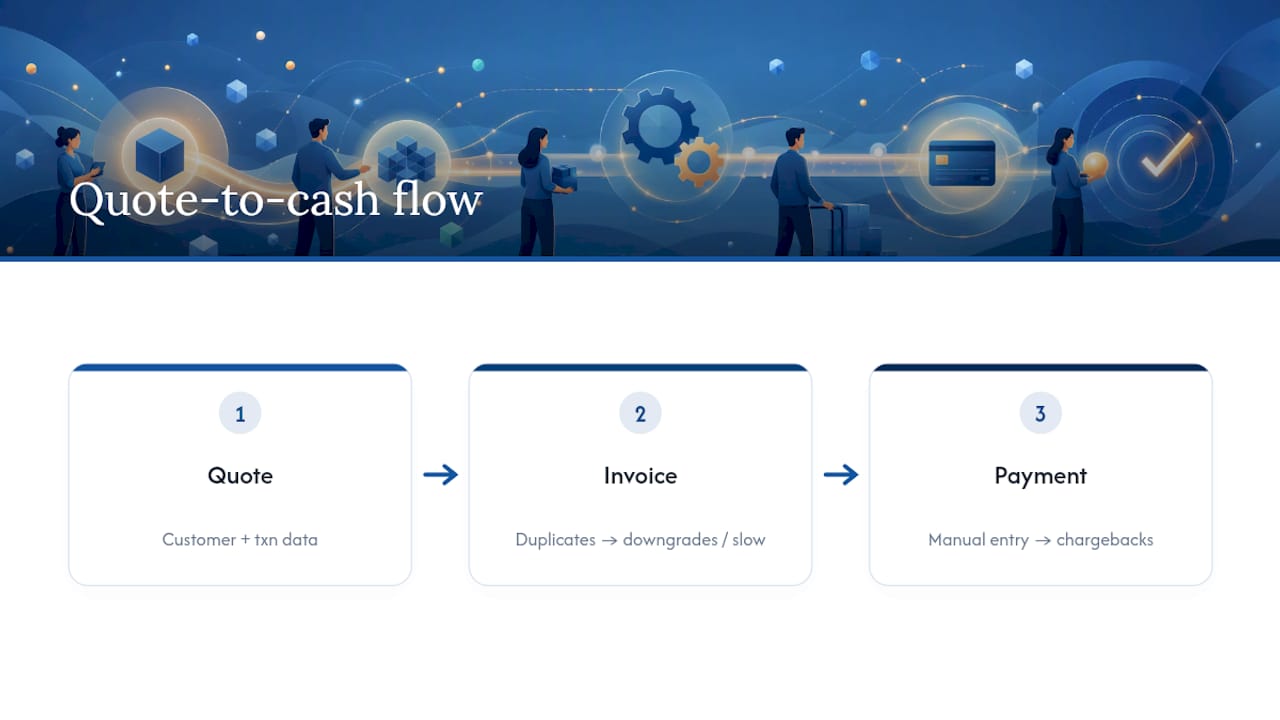
A surprising amount of “high processing fees” is really an operations problem. Manual re-entry of card numbers, duplicate invoices, and lost card-on-file tokens all push transactions into costlier categories or trigger avoidable chargebacks. Businesses running quote-to-cash workflows in one system tend to see fewer downgrades and faster invoicing, because the same data that built the quote follows the payment through. If your fees look high, check your workflow before you blame your processor.
An Operator’s Take on Fees vs. Checkout Friction
Fix the invisible stuff first: clean transaction data, fewer keyed entries, tighter statement audits. Surcharges and convenience fees are legitimate tools, but they add friction at checkout and invite pushback from customers who feel nickel-and-dimed. If you must shift cost, a cash discount usually reads better to customers than a line-item surcharge, because the messaging feels like a reward instead of a penalty.
— Philip
A Simpler Way to Cut Fee-Related Waste
Separate processors and disconnected invoicing tools create the exact gaps that inflate your effective rate, duplicate charges, missed follow-ups, and card-on-file tokens that don’t carry over when systems don’t talk to each other. Mybizapps keeps quotes, invoicing, scheduling, and payment status under one mobile login, so the same customer record that generates the quote also tracks whether the invoice got paid.
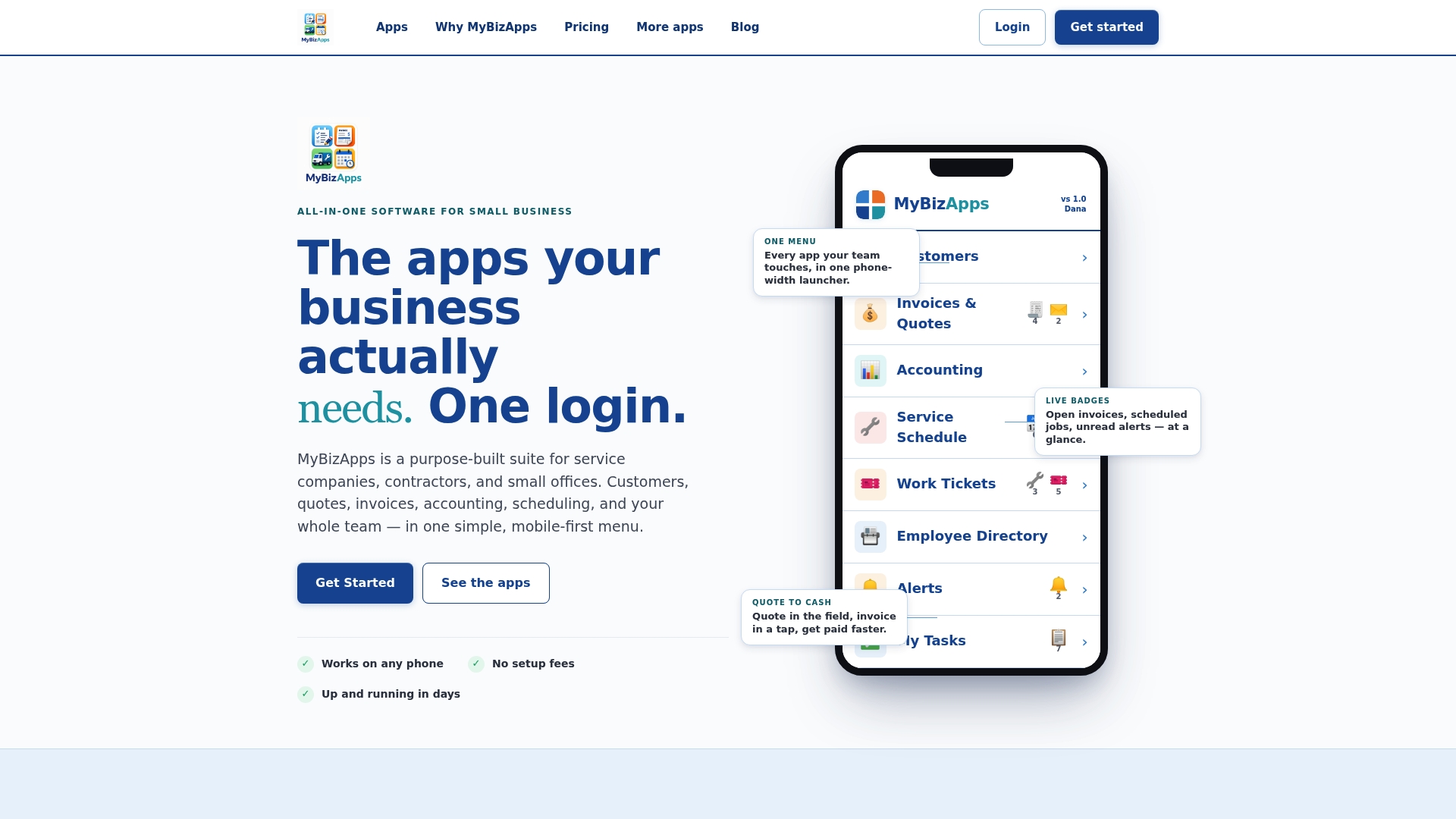
That matters most for service businesses and contractors juggling field work and office billing at the same time, since a missed invoice or a re-keyed card number is where fees quietly creep up. The Billing Module runs $21 a month and pairs with scheduling and accounting modules if you want the full setup. If you run a shop with recurring service tickets, the Oil Change Shop plan shows how a vertical-specific workflow handles billing without extra software stitched together. Check the full pricing page and see which modules fit your operation.
This article is general information, not a substitute for advice from a qualified financial advisor. Consult a qualified financial professional about your own circumstances before acting on anything here.
Sources
- Credit card processing fees for businesses | Stripe
- Credit card processing fees: A guide for businesses - NerdWallet
- FTC guidance — new rules on electronic payments
FAQ
Is It Illegal to Charge Customers a 3% Credit Card Fee?
It depends on your state and how the fee is structured.
Who Actually Pays the 3% Credit Card Fee?
By default, the merchant pays it as part of accepting card payments, since interchange, assessments, and processor markup are charged to the business, not the cardholder. A merchant can shift some of that cost to the customer through a compliant surcharge, convenience fee, or cash discount program, but only under the network rules and state laws covering that method.
Why Are Card Processing Fees So High?
Fees reflect the cost of running a global payment network, covering fraud risk, chargeback exposure, and the guarantee that merchants get paid even when a cardholder disputes a charge. Interchange alone typically makes up the largest share of the 1.5% to 3.5% effective rate most small businesses see, and keyed or online transactions run higher because they carry more fraud risk than a card-present swipe.
What’s the Difference Between Interchange-Plus and Flat-Rate Pricing?
Interchange-plus shows the actual interchange cost separately from the processor’s markup, so you can see exactly what you’re paying for service. Flat-rate pricing charges one blended percentage on every transaction, which is simpler to understand but usually costs more once your monthly volume grows.
Does MyBizApps Process Credit Card Payments?
Yes, Mybizapps includes credit card payment processing as part of its all-in-one platform, alongside invoicing, scheduling, and customer management. Pricing details are available on the pricing page.