Cut Failures from 23 to 3 by Tracking Equipment Usage for Operations
Cut Failures from 23 to 3 by Tracking Equipment Usage for Operations

The fastest path to useful equipment visibility combines three layers: telemetry (GPS and engine hours) for mobile assets, IoT or runtime sensing for the equipment that cannot afford to fail, and simple tagging or work-order logs for small tools. This mix gets you to measurable deployment and utilization numbers fast, cuts lost hours and billing disputes, and tightens preventive maintenance compliance. An integrated system like MyBizApps shows what happens when tracking data actually reaches scheduling and invoicing instead of sitting in a spreadsheet. The sections below cover metrics, method selection, and a rollout checklist.
TL;DR:
- Tracking methods should be tailored to asset value and mobility, combining GPS, telematics, tags, IoT sensors, and work-order systems for comprehensive coverage.
- Performance metrics like deployment and utilization are critical, with specific alert thresholds for low deployment on site and low hours while deployed.
- Prioritizing high-criticality equipment with condition sensors and low-criticality tools with simple tags prevents overbuilding tracking systems.
- A pilot program of 10 to 25 high-value assets over four to six weeks effectively demonstrates ROI before scaling up.
- An integrated platform that consolidates asset management, work tickets, scheduling, and billing reduces handoff errors and accelerates operational improvements.
Table of Contents
- Why tracking equipment usage matters for your bottom line
- Core methods to track equipment usage, from manual to advanced
- Key metrics: deployment, utilization, downtime, and PM compliance
- How to choose what to track for each equipment group
- Rolling out equipment tracking: from inventory to measured ROI
- How an all-in-one platform closes the gaps between tracking and action
- Common pitfalls that sink equipment tracking programs
- A practical next step: piloting MyBizApps for equipment-heavy operations
- FAQ
- Sources
Why tracking equipment usage matters for your bottom line
Untracked equipment costs money in ways that rarely show up until the damage is done. Assets disappear between job sites, get billed incorrectly to the wrong project, or sit idle while a crew rents a replacement because nobody knew the original was available three miles away.
Tracking addresses these problems directly:
- Loss and theft reduction: location logs and geofence alerts make it obvious when equipment leaves an approved zone.
- Accurate billing: engine-hour and usage records settle disputes with clients or internal departments over chargebacks.
- Higher utilization: visibility into which assets sit idle lets you redeploy instead of renting more.
- Fewer emergency repairs: usage data tied to maintenance schedules catches wear before it becomes a breakdown.
- Stronger PM compliance: automated triggers replace the manual follow-up that usually slips.
A multi-campus facility case study found that pairing IoT monitoring with automated work orders raised preventive maintenance compliance from 67% to 96% and cut critical equipment failures from 23 to 3 per year. That kind of swing is what happens when sensor data stops sitting in a report and starts generating a ticket automatically.
For a facility manager, the payoff is fewer surprise failures. A site supervisor gets cleaner records for billing and fewer arguments about which crew used what. A rental operator gets dispute-proof usage logs and better fleet turnover.
Core methods to track equipment usage, from manual to advanced
Not every asset needs the same tracking method, and treating a $200 drill the same as a $300,000 excavator wastes money in both directions.
- Manual logs and barcode/QR tagging work for small tools, attachments, and anything too cheap to justify hardware. A technician scans a tag at checkout and checkin, and the record lands in a shared system instead of a clipboard.
- GPS and telematics devices fit mobile and heavy equipment. They report location, support geofencing, and log engine hours, which documents runtime and helps enforce rental contracts.
- Engine-hour, CAN-bus, and OBD feeds pull operating hours and runtime data directly from the machine’s onboard systems, giving you precise usage without manual entry.
- IoT sensors add condition monitoring: vibration, temperature, and other signals that flag wear before a breakdown.
- CMMS and work-order systems tie usage data to maintenance history, so every repair, inspection, and service event is logged against the asset that needed it.
Mixed fleets rarely fit one method. A skid steer and a 600-horsepower crawler dozer need different data and different analytics, so grouping equipment by type before choosing tools saves you from overbuilding a tracking system for assets that do not need it. A hybrid approach, telematics on the heavy iron, tags on the small stuff, and a CMMS tying it together, covers the gap without forcing every asset through the same expensive pipeline.
Key metrics: deployment, utilization, downtime, and PM compliance
Two numbers matter more than any dashboard metric: deployment and utilization. Deployment is measured in weeks per year that an asset spends on a job site, and utilization is measured in hours per week it actually runs while deployed. Multiply the two and you get expected annual hours, which is the baseline for judging whether a machine is earning its keep.
Deployment comes first. An asset that is never on site cannot generate utilization numbers worth analyzing, and low deployment calls for a different fix (better scheduling, more jobs lined up) than low utilization (operator training, maintenance delays, or an oversized machine for the task).
| Metric | Unit | Data source | Typical alert condition |
|---|---|---|---|
| Deployment | Weeks per year on site | Scheduling or dispatch records | Below target weeks for the quarter |
| Utilization | Hours per week while deployed | Telematics or engine-hour logs | Below target hours per week |
| Downtime | Hours or days out of service | CMMS/work orders | Exceeds threshold (for example, 3+ days) |
| MTTR | Hours to repair | Work-order close records | Rising trend over rolling period |
| PM compliance rate | Percent of scheduled PM completed on time | CMMS | Falls below target percent |
Pro Tip: Set separate alerts for low deployment and low utilization. They point to different problems and the same trigger for both just adds noise you will start ignoring.
Downtime and MTTR come from work-order close timestamps, so they require a CMMS or work-ticket system rather than telematics alone. PM compliance is the simplest metric to act on because it is binary: a task was done on schedule or it was not, and tracking it against a percentage target keeps the team honest.
How to choose what to track for each equipment group
Trying to track every data point on every asset is how tracking programs die of their own weight. Start by classifying equipment, not by buying hardware.
- Sort by criticality. High-criticality equipment (anything that stops a job if it fails) gets condition sensors and tight maintenance triggers. Low-criticality tools get tags and nothing more.
- Sort by mobility. Fixed equipment needs condition monitoring, portable equipment needs tagging, and mobile equipment needs GPS and engine hours.
- Sort by revenue impact. Directly billed equipment needs precise usage logs for invoicing accuracy. Internal support equipment just needs availability tracking.
When evaluating technology for each group, weigh the type of data it captures, battery life and connectivity requirements, how well it integrates with your existing scheduling or billing system, cost per asset, and how easily a crew can actually use it in the field.
Pro Tip: Skip the instinct to log everything. Exception-based triggers, like a job-site move, a long idle period, or a return to yard, give you high-signal events without burying anyone in manual timekeeping.

Rolling out equipment tracking: from inventory to measured ROI
A tracking program succeeds or fails in the first six weeks. Rushing hardware onto every asset before you have a plan is the most common reason programs stall.
- Build the inventory. Create an asset hierarchy with unique IDs, then pick a pilot group of 10 to 25 high-value assets rather than the entire fleet, using an Inventory & Orders Tracker to manage equipment deployment efficiently.
- Set up the pilot. Choose minimal hardware for the group, connect it to a CMMS or a single platform, and define success criteria before you collect a single data point.
- Operationalize. Turn raw data into alerts, train the crews who will act on them, assign someone to own data quality, and set a review cadence.
Before going live, confirm:
- Every asset in the pilot has a scannable ID or telematics unit installed.
- Alerts route to a person, not just a dashboard.
- A review meeting is scheduled for week four and week eight to check whether PM compliance and downtime numbers moved.
Measure the pilot against your baseline, then expand to the next equipment group using the same template rather than starting from scratch each time.
How an all-in-one platform closes the gaps between tracking and action
Most tracking failures are not technology failures. They are handoff failures: usage data sits in one tool, work orders live in another, and invoicing happens in a third system that nobody updates on time. Our platform integrates asset and inventory management, work tickets, service scheduling, and billing under one mobile-first login.
When a technician logs a usage issue, it becomes a tracked work ticket instead of a verbal request that gets forgotten. The same record flows into scheduling, so the next available crew sees the open ticket without a phone call, and into billing, so the hours tied to that asset show up on the invoice without re-entry.
For teams evaluating whether an integrated approach is worth the switch, a short pilot makes the case cleanly: run four to six weeks on a small group of high-value assets, and measure PM compliance, invoice cycle time, and the number of scheduling conflicts avoided. Those three numbers tell you faster than any sales pitch whether a single-login system solves more problems than it creates.

Common pitfalls that sink equipment tracking programs
Dashboard fatigue kills more tracking programs than bad hardware does. If a report only shows historical utilization charts, nobody acts on it, and the system gets ignored within a month. Reports need to answer one question: what do we do next? A flag for “unit down 4+ days, no work order assigned” drives action. A chart of last quarter’s utilization percentage does not.
Treat equipment groups differently. A tagged hand tool needs a checkout log, not a maintenance trigger. A crawler dozer needs both. Applying one workflow to every asset either overbuilds the cheap stuff or underprotects the expensive stuff.
Adoption depends on low-effort data capture and a named data owner. Crews skip steps that feel like extra paperwork, so the fewer taps or scans required, the better your data quality holds up over time.
— Philip
A practical next step: piloting MyBizApps for equipment-heavy operations
![CTA image placeholder]
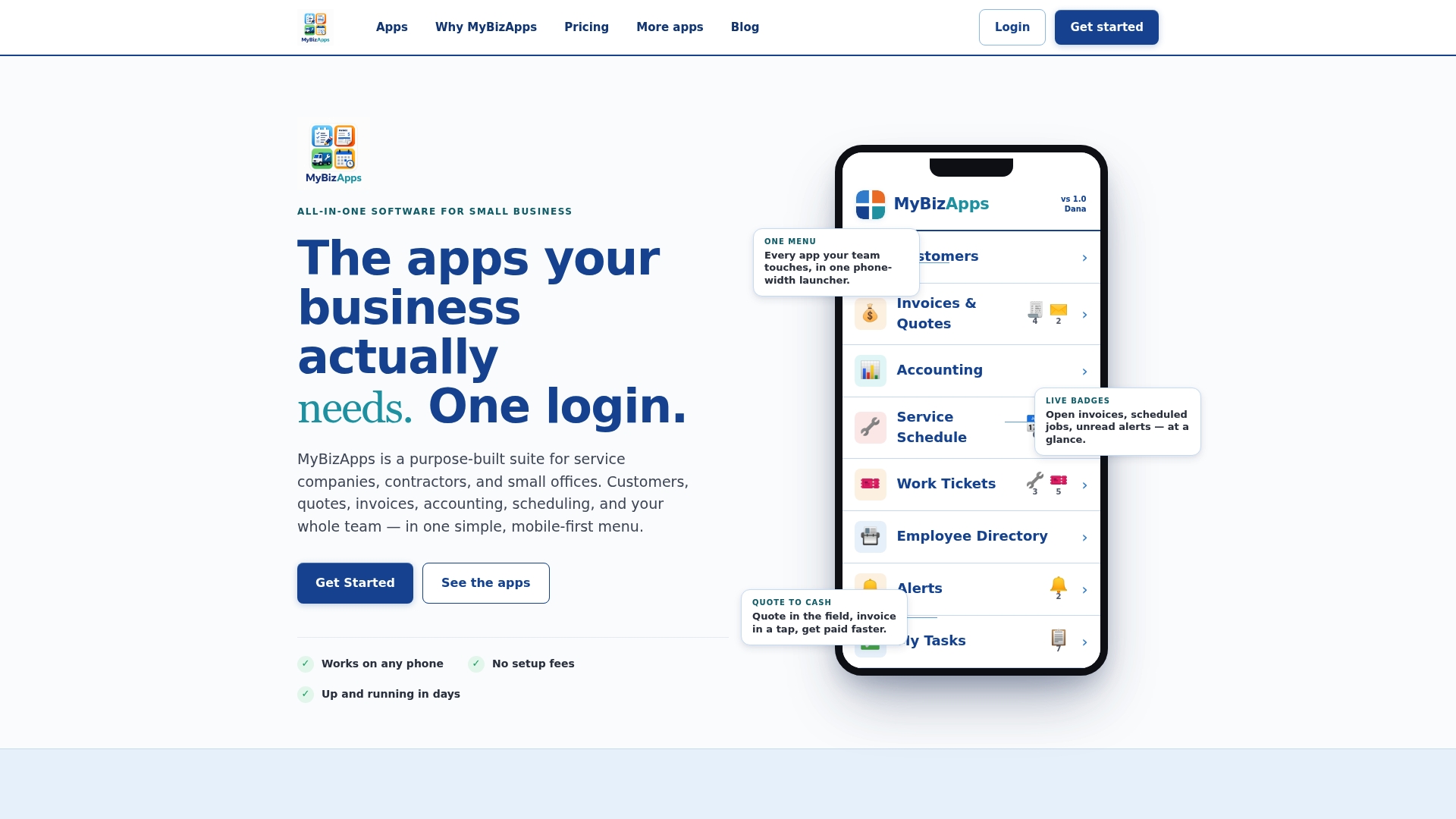
If you are weighing whether to stitch together separate tools for assets, scheduling, and billing, or run them from one login, we group the relevant functionalities together: asset and inventory management, work tickets, service scheduling, and billing, all accessible from a mobile-first interface.
The fastest way to see if it fits your operation is a small pilot:
- Pick 10 to 25 high-value assets and route their service requests through work tickets instead of phone calls or texts.
- Connect scheduling so crews see open tickets without a separate check-in.
- Track PM compliance and invoice cycle time over four to six weeks and compare against your current baseline.
Every module is priced individually, so you can add scheduling, billing, or asset management only where you need it rather than committing to a full suite on day one. For equipment-heavy workflows like service vehicles or shop-based maintenance, the Oil Change Shop app shows how a vertical-specific setup handles recurring service tracking without custom development. Check the price sheet for current module costs before scoping your pilot.
FAQ
What can I use to track my equipment?
Common options include GPS or telematics devices for mobile equipment, barcode or QR tags for small tools, and a CMMS or work-order system to tie usage to maintenance history. Most operations use a mix rather than a single tool, matching the method to the asset’s value and mobility.
What are the three types of equipment monitoring?
Monitoring generally falls into location tracking (GPS and geofencing), condition monitoring (IoT sensors for vibration, temperature, or wear), and usage or runtime tracking (engine-hour logs and work-order records). Each type answers a different question: where is it, how is it holding up, and how much is it being used.
How do I keep track of tools and equipment?
Small tools are usually tracked with barcode or QR tags scanned at checkout and checkin, logged against a central asset list. Larger or mobile equipment benefits from GPS and engine-hour data feeding into the same system so everything is visible in one place rather than scattered across logs.
How can I track equipment maintenance?
Maintenance tracking works best through a CMMS or work-order system that logs every service event against the specific asset, including the date, hours at service, and technician notes. Pairing that with automated alerts for overdue preventive maintenance, rather than relying on manual follow-up, is what raised PM compliance substantially in one multi-campus facility case study.
Sources
- How to measure equipment deployment and utilization in construction fleets | Construction Equipment
- Case study: hospital facility management uptime | Oxmaint