Job Costing for Contractors: Methods, Template, Steps
Job Costing for Contractors: Methods, Template, Steps

Job costing means tracking every dollar you spend on a job against what you charged for it, one job at a time, so you know which projects make money and which quietly lose it. To do it well, assign every labor hour, material purchase, sub invoice and equipment charge to a job, compare it to your budget every week, and use the results in your next bid. It works best when estimates, work tickets, scheduling, invoicing and accounting live in one system. That way the numbers are entered once, in the field, and never retyped.
This guide is for owners of contractor and service businesses who want a practical routine, not accounting theory. It covers what to track, the three methods, a template you can copy, and the mistakes that make job costs wrong.
TL;DR
- Job costing assigns labor, materials, subcontractors, equipment and a share of overhead to each job, then compares actual costs with the budget while the job is still running.
- Start with actual costing. Add standard or activity-based methods only when your volume or repeat work justifies them.
- A usable template has four columns per job: budget by cost category, costs to date, percent complete and a warning flag. Update it weekly.
- Most job costing errors come from late or missing entries, so capture time and materials at the job site, not at the end of the week.
- One login for work tickets, scheduling, invoicing and accounting keeps costs and revenue tied to the same job.
Table of Contents
- Why job costing matters more than your overall profit number
- Which costs to include: direct and indirect
- Job costing methods and when each fits
- A job costing template you can copy
- How to run job costing step by step
- Common mistakes that skew job costs
- Job costing and your tax accounting method
- What a connected system adds
- Our view on job costing
- FAQ
- Sources
Why job costing matters more than your overall profit number
Your year-end profit and loss statement tells you whether the business made money. It does not tell you which jobs did. A kitchen remodel that earned 18% and a deck that lost 4% blend into one average, and you repeat the losing job next month because nothing flagged it.
Margins in the trade are not generous. The National Association of Home Builders (NAHB) reported in April 2026 that the average remodeler net profit margin was 6.3% in 2024, the highest since 1996, with a gross margin of 29.9%. That study’s average remodeler had $2.7 million in revenue, and operating expenses averaged $646,000, or 23.6% of revenue, which left about 6 cents of profit per dollar. At that level, one job running 10% over budget can erase the profit from several others.
Job costing matters most when you juggle many jobs at once. One contractor interviewed by Acorn Finance put it this way: managing one project is a different thing from managing five, ten or fifteen at the same time. The more jobs you run in parallel, the less you can hold in your head.
Prices also move while a job is underway. Acorn Finance reported that residential building material prices were up 5% year over year in July 2026, with softwood lumber up 17.3%. An estimate written in spring may not match what the supply house charges in fall. Tracking costs mid-job is how you catch that gap while you can still write a change order.
Which costs to include: direct and indirect
Every job cost falls into one of two groups. Direct costs belong to a single job. Indirect costs support the whole business and have to be spread across jobs.
Direct costs
- Labor. Hours worked on the job times the hourly wage, plus the employer’s cost of employing that person. On top of wages, employers pay 6.2% Social Security and 1.45% Medicare tax on covered wages, and most also pay workers’ compensation, unemployment tax and benefits. Costing labor at the bare wage understates it.
- Materials. Everything bought for the job: lumber, fixtures, fasteners, consumables, delivery fees and disposal. Include waste and returns.
- Subcontractors. Invoices from trades you hire for the job.
- Equipment. Rentals, fuel, and a daily charge for tools and vehicles you own.
- Permits and other job-specific fees. Inspection fees, engineering, dumpsters.
Indirect costs (overhead)
Insurance, office rent, software, vehicle payments, owner and office salaries, advertising and accounting fees are overhead. They do not belong to one job, but a job that does not carry a fair share of them looks more profitable than it is. Most small contractors add overhead as a percentage of direct labor or of total direct cost, calculated from last year’s overhead divided by last year’s direct costs. Recalculate it once a year.
A quick example: a bathroom remodel is bid at $18,000. Direct costs come to $11,400 (labor $4,800, materials $3,900, tile subcontractor $2,100, dumpster and permit $600). If your overhead rate is 15% of direct cost, the job carries $1,710 of overhead. That leaves $4,890 of profit, or 27% of the price. Without the overhead line, you would have thought you made $6,600 and 37%.

Job costing methods and when each fits
Accounting firm JMCO describes three primary job costing methods: actual, standard and activity-based costing. For a small contractor, the choice is simpler than it sounds.
| Method | How it works | Best fit |
|---|---|---|
| Actual costing | Record true costs as they happen and assign them to the job | Almost every small contractor, especially with custom or varied work |
| Standard costing | Use predetermined costs from historical averages, then compare them with actuals | Repetitive jobs such as the same service call, install or package |
| Activity-based costing | Assign overhead by the specific activities that drive it | Larger firms with the staff to support the added complexity |
Actual costing is where to begin. It needs only discipline: every hour and every receipt goes to a job number. Its weakness is timing, since actual costs are only as good as how quickly they are entered.
Standard costing helps once you have run the same job many times. If a water heater swap has averaged 3.5 labor hours and $620 in parts, you can budget it that way and watch for variances. It pairs well with recurring work. If you run repeat service visits, our guide to recurring service schedules shows how to keep them organized.
Activity-based costing assigns overhead by what causes it, for example estimating time, permitting or warranty callbacks. It gives sharper numbers, but only a firm with dedicated office staff will keep it up.
A job costing template you can copy
A job costing template does not need to be elaborate. Acorn Finance describes a basic work-in-progress schedule that tracks four things per active job: budget by cost category, costs to date, percent complete and warning signs, updated weekly. Here is a version you can rebuild in any spreadsheet or in your management software.
| Job | Category | Budget | Costs to date | % complete | Cost % of budget | Flag |
|---|---|---|---|---|---|---|
| Smith bathroom | Labor | $4,800 | $3,360 | 50% | 70% | Over pace |
| Smith bathroom | Materials | $3,900 | $2,100 | 50% | 54% | OK |
| Smith bathroom | Subcontractors | $2,100 | $0 | 50% | 0% | Tile not yet billed |
| Smith bathroom | Other | $600 | $450 | 50% | 75% | Check |
The flag column does the work. The same source gives a clear warning sign: 70% of the labor budget spent on a job that is only 50% done, which is exactly the Smith line above. You now have a decision to make while the job is still open: adjust the schedule, talk to the homeowner about a change order, or find out why before the next bid.
Columns worth adding
- Committed costs. Purchase orders and sub contracts signed but not yet invoiced, so you do not mistake an unbilled sub for a savings.
- Billed to date. Compare what you have invoiced with the percent complete, to see whether the job is cash positive.
- Change orders. Approved changes adjust the budget, so they must show up as new budget lines, not as overruns.
- Final margin. Fill this in at job close and keep it for estimating.
How to run job costing step by step
1. Give every job a number
Every cost needs somewhere to go. Create the job record when the quote is accepted and use the same ID on the work ticket, purchase orders, invoices and time entries. Costs without a job number are the single biggest source of bad data.
In MyBizApps, quotes, invoices, scheduling and work tickets sit under one login, so the job is created once and the customer, schedule and billing information follow it instead of being retyped.
2. Turn the estimate into a budget
Break the accepted estimate into the same categories you will track: labor, materials, subs, equipment and other. If your estimate is one lump sum, you cannot compare anything to it later. Estimates that miss consistently are a separate problem, and our guide on how to improve estimate accuracy covers it.
3. Capture labor and materials where they happen
This is where most systems fail. Time written on a notepad and entered on Friday is half remembered. Receipts stuffed in a truck door show up three weeks later. Your crew should log hours, and materials should be recorded at purchase or pickup, from a phone. A mobile-first system makes that realistic for a field team. MyBizApps is built mobile-first, with work ticket tracking and team access in the same menu as the office tools.
4. Enter subcontractor and supplier invoices promptly
As soon as a bill arrives, assign it to a job. Do not wait for month-end close. If your bookkeeper or accounting module sees the same job numbers, costs post once. The MyBizApps Accounting module is $21 per month and sits beside the Billing Module, also $21 per month, so costs and revenue can be matched to the same customer.
5. Review weekly, not monthly
Set a fixed 30-minute slot, say Friday afternoon. For each active job, update percent complete honestly (ask the foreman, not the calendar), check cost versus budget by category, and mark anything over pace. Weekly review is what separates job costing from after-the-fact bookkeeping.
6. Act on variances
When a flag trips, you have three levers: change the plan (crew, sequence), change the price (a change order for scope the customer added) or accept the loss and note why. Never skip the note. A one-line reason, such as “demo found rot, not in scope”, becomes data for your next estimate.
7. Close the job and feed the numbers back
At completion, record the final cost by category and the final margin. After ten similar jobs, you have your own standard costs, which beat any industry average.
Common mistakes that skew job costs
- Underpricing labor. Using wage alone and forgetting payroll taxes, insurance and benefits.
- No overhead share. A job that looks 37% profitable may really be 27%, as in the bathroom example.
- Late entry. Costs entered after the job is invoiced cannot change a decision.
- Guessing percent complete. Set rules, such as demo done, rough-in done, finish done, with set percentages for each.
- Mixing jobs. One truck of supplies split across three jobs without notes ends up on whichever job is open.
- Ignoring crew scheduling. Idle time and double trips are labor cost too. See how to schedule multiple technicians without wasted hours.
Job costing and your tax accounting method
Job costing is a management tool. How you report income on long jobs is a separate tax question. Under IRC Section 460, contractors with average annual gross receipts above $31 million (2025, inflation-indexed) generally must use the percentage-of-completion method on long-term contracts, while smaller contractors meeting the tests can elect completed-contract, and home construction contracts are exempt from the mandatory rule. Which method applies to you is a question for your CPA. What job costing gives your CPA is clean, job-level records, and keeping them in one place helps, as we explain in our piece on centralizing business data.
What a connected system adds
A spreadsheet works for a few jobs. As the count rises, the weak point is rekeying: the quote lives in one tool, hours in another, invoices in a third and the books in a fourth. Every handoff is a chance to lose a cost or post it to the wrong job.
MyBizApps puts customer management, quotes, invoices, accounting, scheduling and dispatch, work tickets, and asset and inventory management behind one login. Modules are priced individually: Billing Module, Accounting, Service Scheduling and Manage Assets & Inventory are each $21 per month. You add the pieces you need and skip the rest. Current modules and pricing are on the pricing page.
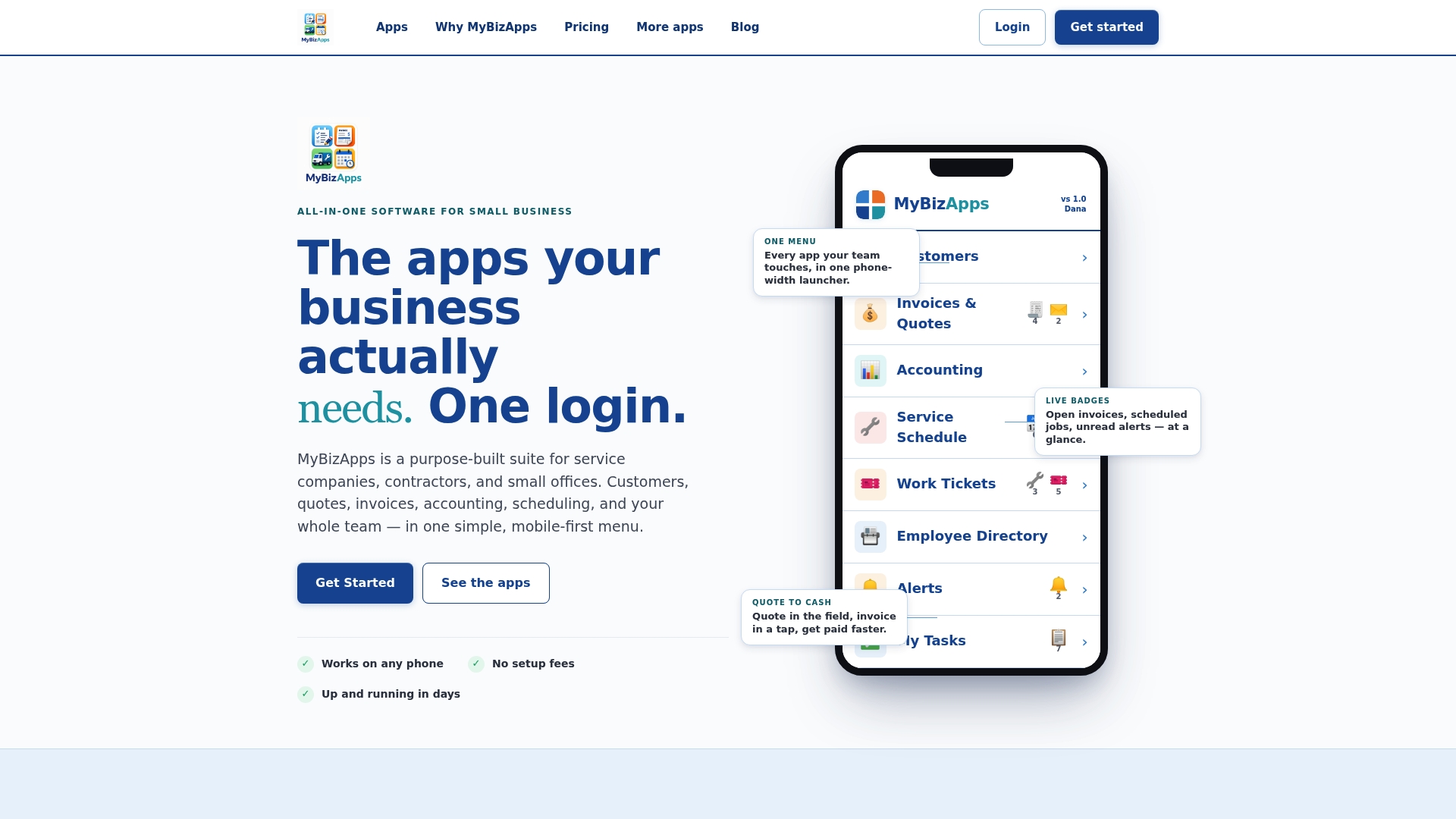
If your jobs start from a quote and end with a card payment, start with the Billing Module and Service Scheduling, then add Accounting when you want costs and revenue in the same place. Users report faster invoicing and payment, which improves cash flow, and cash flow is what keeps the next payroll covered while jobs are in progress.
Our view on job costing
Most small contractors do not fail at job costing because the math is hard. They fail because the data arrives late. A foreman remembers hours on Friday, a receipt turns up two weeks later, and by then the job is finished.
We built MyBizApps around one idea: the field team and the office should work from the same login, on a phone, with quotes, tickets, schedules, invoices and accounting connected. When everyone enters information once, where the work happens, the weekly review stops being a chore.
Our advice is simple. Pick actual costing, keep a four-column tracker, review it every week and write down why jobs miss. Within a season you will know your real margins by job type, and that is worth more than any average.
Philip
FAQ
What is job costing in simple terms?
It is tracking all the costs of one job, labor, materials, subcontractors, equipment and a share of overhead, and comparing them with the price you charged. The result is a profit figure for each job instead of one for the whole company. You use it to fix problems mid-job and to price the next one better.
Which job costing method should a small contractor use?
Start with actual costing, since it needs only consistent entry of real costs. If you repeat the same kind of job often, add standard costs from your own history to spot variances. Activity-based costing generally suits larger firms with office staff to maintain it.
What should a job costing template include?
For each active job, list the budget by cost category, costs to date, percent complete and a flag for warning signs. Many contractors also add committed costs, amounts billed and change orders. Update it weekly so you can still act on what it shows.
How often should I update job costs?
Weekly is the practical minimum while jobs are active. Hours and materials should be recorded daily, and the review is a fixed weekly slot. Monthly updates arrive too late to change a job’s outcome, especially when material prices are moving.
Do I need accounting software for job costing?
A spreadsheet can start the process, but costs entered in several places invite errors as job count grows. A system that links quotes, tickets, invoices and accounting lets each cost post once to the right job. Your CPA can advise on tax reporting methods for long contracts.
Sources
- NAHB: Home remodeling profit margin jumps
- Scotsman Guide: Residential remodelers hit highest net profit margins
- Acorn Finance: Job costing for contractors
- IRS Topic no. 751: Social Security and Medicare withholding rates
- JMCO: Overview of construction job costing methods
- Blue Cloud CPA: Construction accounting methods