Mobile Invoicing for Contractors: Get Paid From the Job Site
Mobile Invoicing for Contractors: Get Paid From the Job Site

Mobile invoicing lets a contractor build an invoice on a phone, send it to the customer before leaving the job, and take payment without going back to the office. The best setups pull the invoice from the quote and the schedule, so nobody retypes anything. Below you’ll find what to include on every invoice, how to send and collect from your phone, how to chase late payments, and how to choose a tool that fits a small crew.
TL;DR
- Invoice the same day the work is done, from the job site, while the details are fresh and the customer is still engaged.
- Every invoice needs your business details, the customer’s details, an invoice number, a date, itemized work, a total and clear payment terms.
- Offer a card payment option on the invoice itself. The SBA advises accepting payment forms that are cost-effective, secure and pleasant for customers.
- Choose a tool where quotes, scheduling, customer records and invoices share one record, so the invoice builds itself from the job.
- AI can draft invoice wording, but you still verify names, quantities, prices and totals before anything is sent.
Table of Contents
- What mobile invoicing actually covers
- What to put on a contractor invoice
- How to create and send an invoice from your phone
- Getting paid: payment options and follow-up
- How invoicing connects to quotes, scheduling and customer records
- Can ChatGPT generate an invoice?
- How to choose a mobile invoicing tool
- Our perspective
- Invoicing with MyBizApps
- A realistic first week
- FAQ
- Sources
What mobile invoicing actually covers
A mobile invoicing tool is more than a PDF maker. For a contractor it usually handles five jobs:
- Creating the invoice from a template, a saved price list or an approved quote.
- Sending it by email or text, or through a customer portal.
- Collecting payment by card, bank transfer, check or cash, recorded against the right invoice.
- Following up on unpaid balances with reminders.
- Keeping the record so the books, your tax preparer and your own memory all agree on what was billed.
The gap between “we finished the job” and “the customer has an invoice” is where most small contractors lose money. Invoices written at night, from notes and memory, go out days late. Late invoices get paid late. Moving the work to the phone shortens that gap to minutes.
If cash flow is your main worry, our guide on improving cash flow with better invoicing goes deeper on the habits that move money faster.
What to put on a contractor invoice
Whatever tool you use, the invoice itself has to be complete. One missing line, such as a purchase order number or a service address, is enough for a customer’s accounts team to send it back. A checklist from MBO Partners covers the basics: your business name and contact information, the client’s name and address, the invoice date and an invoice number, plus a description of what you delivered.
For a field contractor, build on that with a few extras:
| Invoice element | What to include | Why it matters |
|---|---|---|
| Your details | Business name, address, phone, email, license number if your state or trade requires one | Customers and property managers need to know who they are paying |
| Customer details | Name, billing address, job address if different | Avoids returned or misdirected invoices |
| Invoice number and date | A simple sequence such as 1001, 1002 | Makes tracking and reconciling easy |
| Itemized work | Labor (hours and rate or flat price), materials, equipment, trip or disposal fees | Customers pay faster when they can see what they are paying for |
| Reference | Quote number, work ticket or PO number | Ties the invoice to what was agreed |
| Deposits and credits | Amounts already paid | Shows the true balance due |
| Taxes | Sales tax where it applies to your work | Rules differ by state, so confirm with your tax preparer |
| Total due and terms | Due date, accepted payment methods, any late fee you disclosed up front | Sets expectations before the customer asks |
| Photos or notes | Before and after photos, short summary of work done | Heads off “what did I pay for?” questions |
A late fee only works if the customer knew about it beforehand, so put it on the quote or agreement as well as the invoice.
Keep invoices as part of your records
Invoices are also tax records. The IRS says business records should include enough information to determine gross receipts and expenses, with supporting documents such as invoices, receipts and deposit slips. Its Topic no. 305 on recordkeeping also explains that well-organized records make it easier to prepare a return and answer questions if the IRS contacts you. How long you need to keep each type of record depends on your situation, so ask your CPA or enrolled agent for your own retention schedule.
With a mobile tool, every invoice you send is stored automatically and searchable from your phone. That beats a glovebox full of carbon copies.

How to create and send an invoice from your phone
The exact taps differ by product, but the workflow is nearly always the same.
- Open the job, not a blank invoice. If the customer, address and approved quote are already in the system, you are converting rather than typing.
- Confirm the scope. Add anything that changed on site: extra materials, an added hour, a change order the customer approved.
- Itemize. Use saved line items for your common services and materials so pricing stays consistent from one job to the next.
- Attach proof. Add photos of the finished work and, if you use work tickets, the signed ticket.
- Apply deposits. Subtract what the customer already paid so the balance is right.
- Send it before you leave. Email or text the invoice with a payment option while you are still standing in the driveway.
- Record how it was paid. If the customer hands you a check or cash, mark it paid on the spot so your records never lag.
Contractors who adopt the habit of invoicing at the end of the visit often find it is the single biggest improvement to getting paid on time. We explain the thinking in day one invoicing to stop late payments.
Deposits belong in the same flow
For larger jobs, an invoice is the second payment request, not the first. Taking a deposit at booking protects your materials budget and filters out customers who are not serious. Our walkthrough of online deposits for service jobs lays out six steps from booking to final invoice, and deposit rules for service jobs with online quotes covers how to decide the amounts. When the deposit is recorded against the job, the final invoice shows the remaining balance without any math on your part.
Getting paid: payment options and follow-up
An invoice that asks the customer to mail a check, then wait, is slower than one with a card option. The U.S. Small Business Administration advises that businesses accept forms of payment that are cost-effective, secure and provide a positive experience for customers. For contractors, that usually means offering more than one route:
- Card payment on the invoice. The customer pays from their phone in a minute. Weigh the processing fee against the days of waiting you save.
- Card payment on site. Useful when the customer would rather pay in person.
- Check or cash. Still common with older customers and in some trades. Record these immediately.
- Bank transfer. Often used for larger jobs and commercial accounts.
Whichever you accept, say so on the quote and the invoice, so no one is surprised.
A simple follow-up routine
Most late payments are not refusals. The invoice was buried in an inbox, or the customer meant to pay and forgot. A calm, consistent routine works better than an angry call after 60 days:
- Day 0: Send the invoice with the payment option and due date.
- A day or two before it is due: Send a short reminder with the amount and a payment link.
- The day after it is due: Send a friendly nudge that includes the invoice again.
- One week late: Call. A voice often resolves what an email did not.
- Beyond that: Follow the late-fee and collections terms you stated in your agreement, and talk to a business attorney before taking legal steps. Rules on late fees and collections vary by state.
The point of doing this on a phone is that reminders and balances sit in the same place as the job. You never have to search for who owes what.
How invoicing connects to quotes, scheduling and customer records
The fastest invoice is the one you never type. That only happens when your tools share data:
- Customer record: Name, billing address, job addresses, contact preferences and past jobs live in one profile.
- Quote: The approved quote becomes the starting point for the invoice, with the same line items.
- Schedule and dispatch: When a job is completed on the calendar, it can trigger the invoice instead of relying on someone remembering.
- Work ticket or job status: The crew’s notes, photos and status updates feed the invoice description.
- Accounting: Paid and unpaid invoices post to the books without double entry.
When those pieces live in separate apps, someone retypes the same details three times. Every retype is a chance for a wrong price or a missed charge. The cost of that is rarely visible, but it shows up as write-offs and arguments.
Can ChatGPT generate an invoice?
Yes, in the sense that an AI chatbot can produce a tidy invoice layout and draft the wording if you give it the details. It is useful for a one-off template or to rephrase a job description in plain language.
It is not a substitute for your invoicing system, because a chatbot has no link to your customers, your quotes or your payments. It doesn’t know what was agreed, and it can make arithmetic or formatting mistakes. Before sending anything AI wrote, check:
- The customer’s name, address and contact details
- Every quantity, rate and line total, plus tax and the grand total
- That the invoice number is unique and in sequence
- That deposits and credits are applied
- That the payment instructions are correct and match what you actually accept
- That the invoice matches the signed quote or work ticket
An invoice is a financial record. Treat AI as a drafting assistant and you as the one who signs off.
How to choose a mobile invoicing tool
Ask these questions in order. The first few matter most for a small crew.
1. Does it work well on a phone, not just on a laptop? Open it on your actual phone, in the truck, on a typical day. If you cannot create an invoice in a couple of minutes, you will stop using it.
2. Does one login cover the whole job? Customers, quotes, scheduling, work tickets, invoices and accounting in one place mean fewer errors and less training for new hires.
3. Can you take payment? Card payment built into the invoice shortens the wait for money.
4. Can you start small and add later? Many contractors begin with invoicing and add scheduling or accounting as they grow. A modular approach keeps you from paying for features you don’t use yet.
5. Does it keep records you can hand to your accountant? Exportable, searchable invoices and payments make tax time easier, in line with the IRS guidance on keeping invoices and receipts.
6. Can the office and the field see the same thing? The person answering phones should see the same job status the technician just updated.
7. What does it cost, and how is it billed? Look for published monthly pricing and a clear view of what each module adds.
Our perspective
We built MyBizApps because we kept seeing the same pattern in small service businesses: one app for quotes, another for the calendar, a spreadsheet for customers, and a separate tool for invoices. Every handoff between them is a place where time leaks and mistakes creep in.
Our view is that mobile invoicing should not be a separate product at all. It should be the last step of a job that already lives in one place: the customer record, the quote, the schedule, the work ticket and then the invoice and payment. That is why everything in MyBizApps runs under a single login, with a simple interface designed for both field and office teams.
We also believe you should not have to buy everything at once. You pick the modules you need, such as billing, scheduling, bookings or accounting, and add others as the business grows. Our users report faster invoicing and payment processes, which is where improved cash flow starts.
If you do one thing after reading this article, make it this: send the invoice before you leave the job site.
Philip
Invoicing with MyBizApps
MyBizApps is a mobile-first suite for service companies, contractors and small offices. For invoicing, the relevant pieces are the Billing Module, Service Scheduling, Accounting and Customer Portal, each listed at $21 per month on our pricing page. The suite also includes customer management, quote and invoice creation, credit card payment processing and work ticket tracking, all under one login, so an invoice can follow naturally from the job.
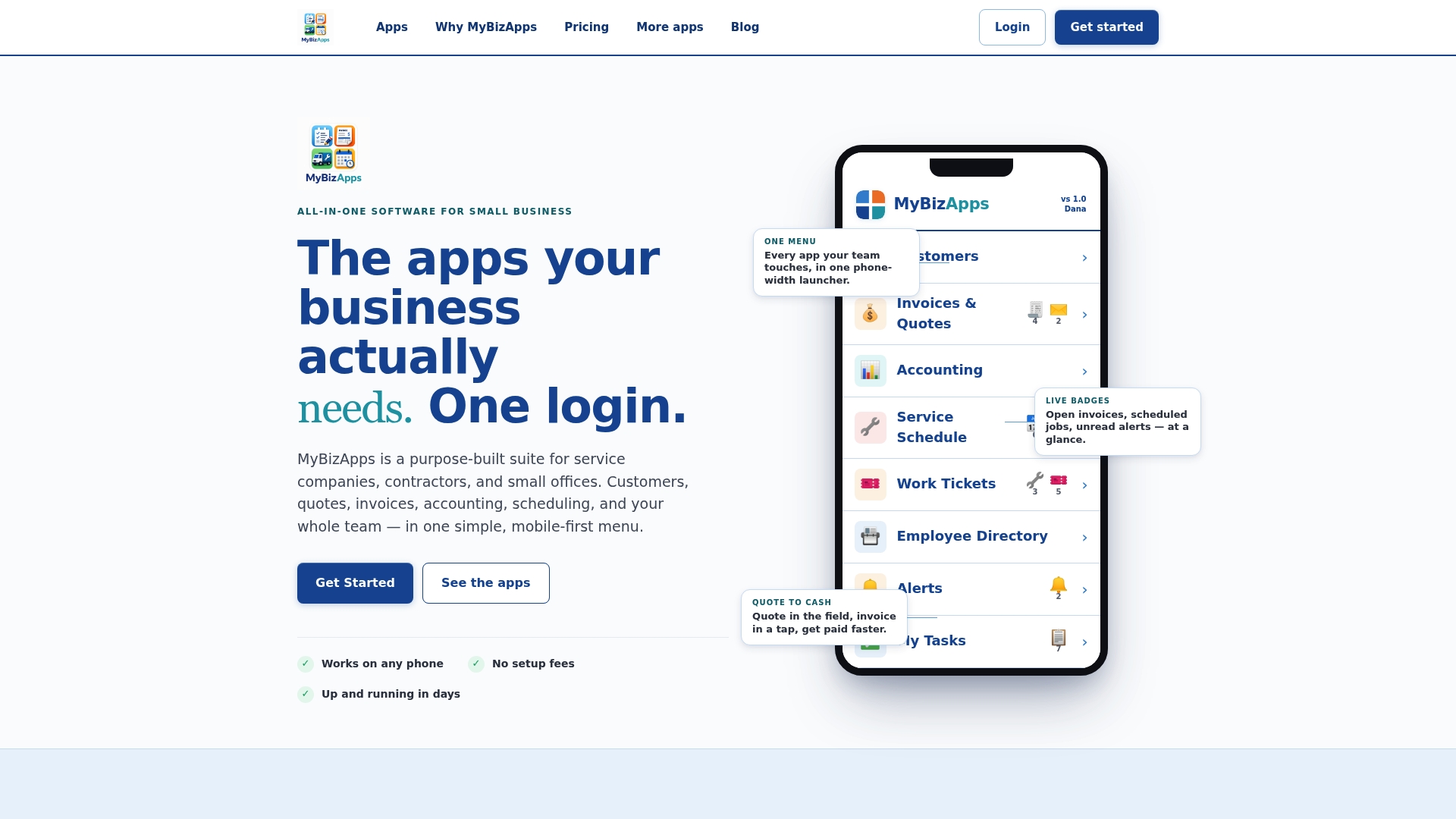
If you want to see how the modules fit together for your trade, start from the MyBizApps home page or compare the modules on the price sheet. More practical guides for small service businesses are on our blog.
A realistic first week
Switching tools sounds like a project. It doesn’t have to be. A practical order for a small crew:
- Day one: Enter your ten most frequent customers and your most common services with prices.
- Day two: Send your next invoice from the phone, from the job site, and note how long it took.
- Day three: Set your payment terms and decide which payment methods you accept.
- Day four: Move your next quote into the system so the invoice can be built from it.
- Day five: Review what is unpaid, and send reminders from the same screen.
By the end of the week, you will know whether the workflow saves you time, and you will have a clean list of what is outstanding.
FAQ
What is the best way to invoice as a contractor?
Invoice the same day, from the job site, using the approved quote as the starting point. Include itemized labor and materials, the invoice number, a due date and a payment option. The sooner the customer receives it, the sooner it gets paid.
What should a contractor include on an invoice?
Include your business details, the customer’s name and address, an invoice number and date, an itemized list of work and materials, deposits already paid, the total due and your payment terms. Add a quote or work ticket reference where you have one. Ask your tax preparer how sales tax applies to your work in your state.
Can I create an invoice from my phone?
Yes. A mobile-first invoicing tool lets you open the job, add or adjust line items, attach photos and send the invoice by email or text before you leave. Payments you collect on site can be recorded right away so the balance stays accurate.
Can ChatGPT generate an invoice for me?
It can draft the layout and wording, but it is not connected to your customers, quotes or payments. If you use it, verify every name, quantity, price and total against your quote or work ticket before sending.
How much does mobile invoicing software cost?
It varies by product and by what is included. In MyBizApps, the Billing Module is $21 per month, and other modules such as Service Scheduling and Accounting are also $21 per month each. See the pricing page for the current list.
Sources
- Manage your business, U.S. Small Business Administration
- Recordkeeping, Internal Revenue Service
- Topic no. 305, Recordkeeping, Internal Revenue Service
- 6 Things to Include in a Contractor Invoice, MBO Partners