How to Reduce Schedule Gaps in a Service Business
How to Reduce Schedule Gaps in a Service Business

You reduce schedule gaps by doing three things in order: find out what is creating the empty time, build the schedule around real job lengths and drive time, and keep it current through the day so an open slot gets filled while it is still worth something. Most gaps in a small service business come from a handful of repeatable causes, and each has a different fix.
This guide is for owners and office managers of contractor crews, home service companies and small offices who book work by phone, text or online. It walks through diagnosis, scheduling rules, cancellation handling, same-day adjustments and the tools that keep it all in one place.
TL;DR
- Diagnose before you fix: gaps caused by emergencies, jobs running long and skill mismatches need different remedies.
- Book against the hours your crew can actually deliver, with a deliberate buffer, not against an open calendar.
- Group jobs by area and steer flexible customers toward days when you are already nearby.
- Treat every cancellation as a slot to refill, using a waitlist and a short, fast message.
- Keep one live schedule that the office and the field both see, so changes reach everyone at once.
Table of Contents
- Start by finding out where the gaps come from
- Build the schedule around real time, not hoped-for time
- Scheduling versus dispatch: two different jobs
- Handle cancellations and no-shows before they become gaps
- Adjust the day when jobs run late or plans change
- Keep one live schedule that everyone sees
- Perspective
- Put it into practice with MyBizApps
- A simple 30-day plan
- FAQ
- Sources
Start by finding out where the gaps come from
A gap is any stretch of paid time where nobody is doing billable work: a technician waiting for the next address, an hour nobody booked between two jobs, or a morning slot left open after a cancellation. They look alike on a calendar, but they have different causes.
Contractor Magazine advises diagnosing whether gaps come from incoming emergencies, jobs running long without timely office updates, or technicians being mismatched to job types, because each one calls for a different remedy. Its view is that software should follow that diagnosis, not stand in for it. We agree. Buying a tool before you know which problem you have is how people end up with a nicer-looking calendar and the same empty hours.
Sort a week of gaps into four buckets
Pull last week’s schedule and, for every gap longer than 30 minutes, write down why it happened. Most land in one of these:
| Bucket | What it looks like | Typical fix |
|---|---|---|
| Emergency churn | A same-day call pushes planned jobs around, leaving holes later | A held-back buffer and a clear rule for who takes urgent work |
| Overruns and late updates | A job runs long, the next customer waits, the office finds out late | Realistic durations and a quick status update from the field |
| Skill or parts mismatch | The wrong person arrives and a second visit is needed | Match jobs to people and truck stock before booking |
| Booking patterns | Appointments scattered across the map with unsellable 45-minute holes | Zones, compact booking and sensible slot lengths |
If you track nothing else, track these: drive time per day, jobs completed per technician per day, on-time arrival, how much of the day is billable, and how many jobs were rescheduled or cancelled. A simple spreadsheet is enough for the first month. The point is to see which bucket is largest, then work on that one first.
Check the calendar for “fake full”
A calendar can look full and still hold unsellable time. Three habits cause it: tiny leftover gaps between jobs, service durations that are guesses rather than history, and availability split across several calendars so nobody sees the whole picture. If your office keeps one calendar for the crew, another for online booking and a third in someone’s head, you will have gaps that nobody can see, let alone fill.

Build the schedule around real time, not hoped-for time
Use your own job history for durations
The most common scheduling mistake is booking jobs for the time you wish they took. Look at your last 30 to 50 completed jobs of each type and use the typical time, not the best case. If a water heater swap is booked at two hours and takes three, you have not created a one-hour gap. You have created a late arrival at the next house, an apology call and often a cancellation.
Two habits help:
- Set a standard duration for each service type, and review it every quarter.
- Add a note when a job runs long and why (access problems, parts, a surprise repair). Patterns show up fast.
Account for drive time by service area
Drive time is the quiet gap. A technician with six jobs in a day who spends 20 minutes between each loses nearly two hours before anything goes wrong. A 20-minute average hides the real problem: one job on the east side followed by one on the west side can cost an hour.
The fix is zoning. Divide your service area into a few zones and try to keep each crew in one or two zones per day. When a customer is flexible, offer the days when you are already working their zone. Customers usually accept “Tuesday morning, we’re already in your neighborhood” more readily than you would expect, especially when the alternative is a long wait. For a closer look at the routing side, see our guide to technician route planning for small service teams, and if you run more than one location, multi-location scheduling covers how to keep sites from competing for the same people.
Hold back a buffer on purpose
It is tempting to treat a fully packed calendar as the goal. It is not. Every day has surprises: a job that opens up into a bigger repair, a customer who is not home, traffic. We suggest holding back roughly 10% to 20% of the day as flexible time, especially in your busy season, and releasing it only when the day proves it is not needed. Think of it as a margin, not a gap. An unplanned gap is wasted. A planned buffer absorbs overruns, takes the same-day call that pays a premium, and gets released for a quick add-on job when the morning goes well.
Here is a worked example for one technician on an eight-hour day:
- Planned jobs: five hours of billable work
- Drive time between zones: 1 hour 15 minutes
- Held-back buffer: 1 hour 30 minutes
- Lunch and paperwork: 15 minutes of slack
If the day runs clean, the buffer becomes an extra job or an earlier finish. If it runs long, nobody is late. Over a month, this beats a schedule that looks tight on paper and collapses by 11 a.m.
Book compact, not scattered
Compact scheduling means steering new bookings toward times next to appointments you already have, rather than offering every open slot on the calendar. If Wednesday has jobs at 9 and 11, offer 1 p.m. before you offer 4 p.m. on an empty Friday. Your customers get a prompt visit, and you avoid one-hour holes that no job fits into. If you take online bookings, the rule has to live in the booking tool, because customers will otherwise pick whatever looks convenient to them, not to you.
Match the job to the person as well. When the technician who is nearest lacks the skill or parts, the job comes back as a second visit, which is a gap with extra steps. Keep your truck stock organized so the usual parts are on board, and book the unusual jobs with the person who can finish them. Our post on contractor scheduling best practices for small crews goes deeper on matching crews to work.
Scheduling versus dispatch: two different jobs
Scheduling books future work. Dispatch manages the day as it unfolds. Small shops often blur the two and then wonder why a good plan falls apart by noon. Someone has to own the live day: reordering jobs when one runs long, sending the closest technician to an emergency, and telling the next customer the new arrival time.
In a three-person company that someone may be you. Decide it in advance anyway. Write down who can move a job, how much notice a customer gets and what happens to the displaced job. Our piece on contractor scheduling procedures versus rules explains why a short repeatable procedure holds up better than a long list of rules.
The office role matters here. The U.S. Bureau of Labor Statistics describes receptionists as the people who schedule and confirm appointments, maintain calendars and pass on arrivals or cancellations to colleagues. Whether that person is full-time or it is you at the kitchen table, those duties are exactly what keep gaps from growing: confirmation, calendar upkeep and fast communication of changes.

Handle cancellations and no-shows before they become gaps
Cancellations are the gaps you can do the most about, because you know about them in advance, at least sometimes. Four moves cover most of it.
- Confirm every appointment. Send a reminder the day before and again the morning of, and ask for a simple reply. A no-reply is a warning you can act on while there is still time to move someone else in.
- Set a clear cancellation policy. State how much notice you need and what happens if a customer is not home. Put it in the booking confirmation, not in fine print. Many small businesses use a short grace window and a fee only for repeat no-shows, which keeps goodwill intact.
- Keep a waitlist. When a customer asks for a day you are full, offer to text them if something opens. When a slot frees up, message the waitlist right away with the day, time and a one-tap way to accept. A cancelled slot stays lost revenue only if it stays empty.
- Keep a short list of flexible jobs. Recurring maintenance, estimates and non-urgent repairs can move without anyone minding. Tag them so the office can pull one forward in a minute when a gap opens.
When you pull a job forward, call or text the customer to confirm they can be there, and update the schedule before anyone drives off. A job that was moved on paper but not on the crew’s phones creates a new gap, just somewhere else.
Adjust the day when jobs run late or plans change
Even a well-built schedule changes. What you want is a quick, calm way to adjust, not a scramble.
- Ask for a status at fixed points. A one-tap “started,” “running long” and “done” from the field gives the office the information it needs to move the next job before the customer is waiting. We cover this in job status tracking for service teams.
- Re-sequence by area first. When something slips, shuffle the remaining jobs in that zone before pulling work from a different one.
- Warn the customer early. A text that says “running 30 minutes behind, new arrival 1:30” earns patience. Silence earns cancellations.
- Keep a swap partner. Pair technicians so one can take the other’s overflow, within the same zone.
- Review at day’s end. Spend five minutes on what moved and why. After a month you will see whether the problem is durations, drive time or emergencies.
There is also evidence that disciplined scheduling data pays off. The American Gas Association reports that a utility, Citizens, analyzed 18 months of operational data on its new operations and saw a 5% increase in on-time appointments. That is a much larger operation than yours, but the lesson scales down: measure for a few months, change one thing at a time and check whether the number moved.
Keep one live schedule that everyone sees
Gaps multiply when information is split. The customer’s request is in a text thread, the quote is in a document, the schedule is on a whiteboard, and the invoice lives somewhere else. Each handoff is a chance for a late update, and a late update is an empty hour or a missed visit.
The practical answer is a single system where the customer record, the booking, the quote, the job and the invoice are linked. When the crew marks a job done, the office sees it, the invoice can go out and the next job’s timing can be adjusted. When a customer books online, the slot lands on the same calendar the crew uses, with your compact-booking rules applied.
Automation helps, but it should be pointed at the right work. SCORE, a U.S. Small Business Administration resource partner, recommends that small businesses sort inquiries into routine tasks such as booking and human moments such as complaints, and automate the first kind to protect time for the second. Booking, reminders and waitlist texts are routine. A frustrated customer whose job ran two hours late is a human moment, and that call should come from a person.
Perspective
We have watched small crews lose hours to the same problem again and again: the schedule was fine, but the information around it was scattered. The quote was in one app, the calendar in another, the invoice in a third, and the technician in the truck was working from a text message.
Our approach is to put the pieces under one login, built mobile-first so the field and the office look at the same thing. Customers, bookings, quotes, scheduling and dispatch, work tickets, invoices and accounting sit together, so a change in one place shows up everywhere it matters. We designed it that way so a small team can start with what it needs and add modules as it grows, without a complicated setup.
Our advice is to fix the diagnosis first, then give your team one live schedule. Gaps shrink when the person who learns something first, usually the technician on site, can tell everyone else in a few seconds.
Philip
Put it into practice with MyBizApps
If your gaps trace back to scattered tools, the modules that matter most are the ones that keep the day current. Service Scheduling gives you a real-time calendar and dispatch view, Bookings lets customers pick times online, and the Customer Portal keeps customers informed. Billing and Accounting connect the finished job to the invoice. Each of these modules is $21 per month, and you can add only the ones you need. See the current list on the pricing page.
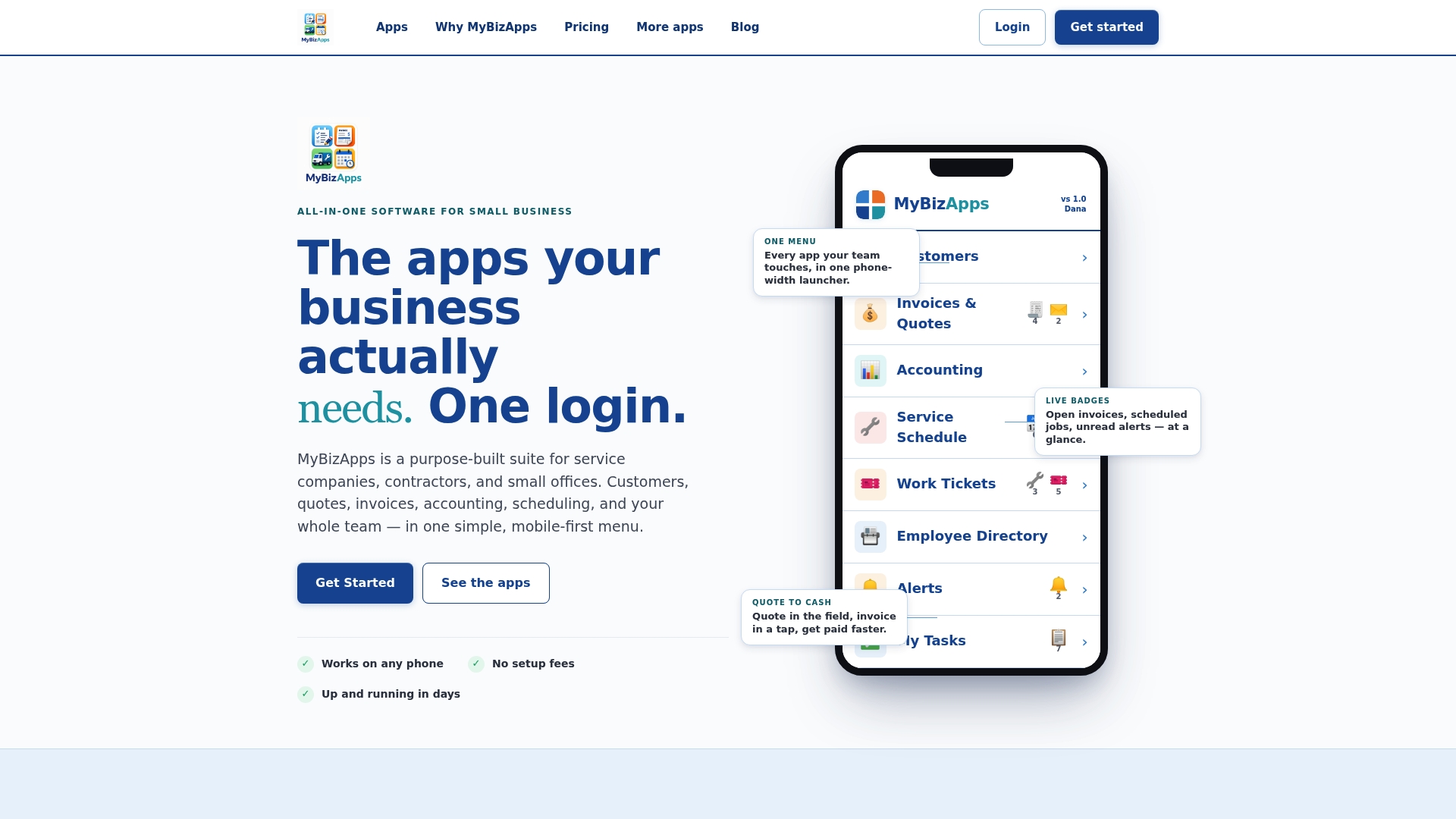
Work ticket tracking is also part of the suite, and you can see how it fits on the MyBizApps home page. If you want the full list of module prices on one page, the price sheet has it.
A simple 30-day plan
You do not need to fix everything at once. Here is a sequence that works for most small crews.
- Week 1: Measure. Log every gap over 30 minutes with its cause. Note drive time and overruns.
- Week 2: Reset durations and zones. Update standard job times from your history. Draw two to four zones and assign them to crews or days.
- Week 3: Add the buffer and the waitlist. Hold back a slice of each day and start offering the waitlist to every customer you turn away.
- Week 4: Tighten the live loop. Agree on status updates from the field, who can move a job and how customers get told. Review the numbers against week 1.
If gaps fall, keep going. If one bucket stays stubborn, that is the one to look at next. For seasonal slow periods that no scheduling tweak can fix, see our guide to building a seasonal promotion calendar to bring in work when the calendar is thin.
FAQ
How much buffer should I leave in a daily schedule?
A common starting point is 10% to 20% of the day, more in peak season when emergencies and overruns are frequent. Start there, then adjust based on how often the buffer is used. If it is rarely touched, release it earlier or trim it. If it is gone by noon, your job durations are probably too optimistic.
What is the fastest way to fill a same-day cancellation?
Text your waitlist first, because those customers already asked for a slot. Include the day, time and a one-tap way to accept. If nobody replies, pull forward a flexible job such as a maintenance visit or an estimate, and confirm with the customer before you update the crew.
Should I book jobs back to back with no gaps?
Book them close together, but not with zero margin. Back-to-back booking cuts dead time, yet a tiny overrun then cascades through the whole day. Keep a deliberate buffer so a late job does not make every later customer wait.
How do I know if software will help my gaps?
Check your gap log first. If most gaps come from late updates, scattered calendars or manual rebooking, a shared live schedule will help. If they come from underestimated job lengths or poor zoning, fix those rules first, then use software to enforce them.
Sources
- The Hidden Operational Cost of Manual Dispatching, Contractor Magazine
- Receptionists, Occupational Outlook Handbook, U.S. Bureau of Labor Statistics
- Field Goals, American Gas Association
- Automate Your Customer Service Without Losing the Human Touch, SCORE