Warranty Tracking for Service Businesses: A Practical Guide
Warranty Tracking for Service Businesses: A Practical Guide

Warranty tracking means keeping every warranty you give or depend on tied to the customer, the asset and the job it came from, so you can answer “is this covered?” in seconds. The simplest way to get there is to stop keeping warranties in a separate spreadsheet or folder. Store them where the customer record, work ticket and invoice already live. With MyBizApps, customer management, work ticket tracking, asset and inventory management, invoicing and scheduling run under one mobile-first login, so the warranty information sits next to the work that created it.
This guide is for owners and managers of contractor businesses, service companies and small offices. It covers what to record, how to look up coverage, how to follow a claim to the end, and how to set it all up without adding another tool nobody opens.
TL;DR
- A warranty record is only useful if it links to a customer, an asset, a job and an invoice. A standalone list goes stale.
- Record at minimum: customer, product or service, model and serial number, start and end dates, terms and exclusions, and the invoice that proves the sale.
- Manufacturers set their own claim deadlines (for example 45 or 90 days), so log the failure date and the filing date on every claim.
- Track claims by status, from submitted to paid, so nothing sits in limbo and you can see money owed to you.
- Put warranty details where your crew works: in the field, on a phone, on the work ticket.
Table of Contents
- What warranty tracking actually covers
- What to record for each warranty
- How to look up coverage and find missing paperwork
- Warranty claims tracking: from failure to payment
- Connecting warranties to customers, assets and jobs
- Reminders that turn expiry dates into work
- What to look for in a warranty tracking system
- How MyBizApps fits
- Our view on warranty tracking
- Set up warranty tracking with MyBizApps
- FAQ
- Sources
What warranty tracking actually covers
For a service business, two kinds of warranty cross your desk, and tracking has to handle both.
Warranties you receive. A manufacturer covers the water heater, compressor or controller you installed. If it fails inside the coverage period, the manufacturer may pay for the part, sometimes for labor, but only if you file correctly and on time.
Warranties you give. Your own workmanship guarantee, or a parts-and-labor warranty on a repair. When a customer calls back, you need to know in a minute whether the visit is billable or free.
Both depend on the same facts: what was sold, to whom, when, and under which terms. Federal law adds a reason to keep these terms accurate. Under the Magnuson-Moss Warranty Act, the FTC’s Businessperson’s Guide to Federal Warranty Law explains that the Act does not require a business to offer a written warranty, but that a written warranty you do offer on a consumer product must follow disclosure and pre-sale availability rules. If you write warranty terms, you should be able to produce them later, exactly as the customer saw them.
Tracking does not create or extend coverage. It makes sure the coverage that exists is found, honored and claimed.

What to record for each warranty
A useful record answers who bought it, what was sold, when, what terms apply and when coverage ends. For a contractor or service company, the fields below cover almost every case.
| Field | Why it matters |
|---|---|
| Customer name and contact | Lets you search by the person who calls |
| Job address or site | The same customer may have several locations with several units |
| Product or service description | Separates a part warranty from a labor guarantee |
| Brand, model and serial number | Manufacturers will not process a claim without them |
| Install or service date | The usual start of coverage |
| Warranty end date | Drives reminders and the billable-or-free decision |
| Terms and exclusions | Misuse, unregistered equipment and missing maintenance often void coverage |
| Invoice number | Proof of sale and the link to payment |
| Photos of the nameplate and the finished work | Settles disputes about condition and installation |
| Claim history | Shows what was filed, what was paid and what was denied |
Some warranties expire by something other than a date, such as hours of operation or mileage. If you service vehicles or equipment, add a field for that limit so the record shows which one ends coverage first.
Capture it at the moment of the job
The record is cheapest to create while the technician is standing next to the equipment. Photographing the nameplate, noting the serial number and attaching the terms takes a couple of minutes on site. Reconstructing the same facts eight months later, after the customer has lost their copy, can take an hour and often fails.

This is why a mobile-first system matters. If the crew can only enter warranty details back at the office, the details get skipped.
How to look up coverage and find missing paperwork
A lookup is only as fast as your search keys. Customers rarely know a serial number, but they know their name, phone number and address. A workable lookup lets you start from any of these:
- The customer’s name or phone number
- The job site address
- The product, brand or model
- The serial number
- The invoice or work ticket number
Once you land on the customer, you should see every asset at that site, each asset’s warranty end date, and the jobs and invoices attached to it. When a customer asks whether the furnace you installed is still covered, you answer from the record while they are still on the phone.
Missing paperwork
Gaps are normal: a manufacturer’s card never registered, a receipt that was never scanned, a unit installed by a previous crew. Run a short review once a quarter:
- List assets with no warranty end date.
- List assets with no serial number or nameplate photo.
- List invoices for equipment sales that have no warranty terms attached.
Fix the oldest ones first, because they are closest to expiry. The same pass is a good time to confirm that technicians are capturing details on new jobs. If most gaps come from the last month, the habit needs work. If they come from old jobs, you have a backlog to clear.
If you document repairs on customer devices, the same discipline applies to electronics. This device repair technician checklist shows how repair shops record device details and work performed so that a parts-and-labor warranty can be honored later.
Warranty claims tracking: from failure to payment
Filing is where money is won or lost. Manufacturers run claims on strict clocks and strict paperwork, and the rules differ by brand. A few real examples show the pattern.
- Lennox’s Your Way user guide states that dealers are responsible for filing a limited-warranty claim within 45 days of the failure diagnosis date, and that approved labor claims are paid within 30 business days.
- Watkins Manufacturing’s warranty instructions say parts must be received within 90 days of the repair date or the claim is automatically rejected.
- Bosch’s Home Comfort Claims guide defines claim statuses from Submitted and In Review through More Info Needed, Approved, Completed and Rejected, and says rejected claims cannot be re-opened.
The lesson is not to memorize any one manufacturer’s rules. It is that every claim has a diagnosis date, a filing deadline, a parts-return deadline in some cases, and a status that changes. Check the current terms on the manufacturer’s own claim guide, since they are updated.
A claim record that works
For each claim, keep:
- The customer, asset and original job
- The date the failure was diagnosed
- The filing deadline, calculated from that date
- The failed part’s disposition: returned, held or discarded
- Photos and technician notes
- The claim number issued by the manufacturer
- A status: draft, submitted, more information needed, approved, paid or denied
- The amount recovered, or the reason for denial
Then review open claims weekly. A claim stuck at “more information needed” is the most common leak, because the request often arrives by email and sits unread. A weekly list of everything not yet paid, sorted by deadline, takes five minutes and keeps the money coming in.
Warranty work versus billable work
The record also answers a daily question: is this visit free, partly covered or billable? Decide the rule before the technician is on the doorstep. Typically:
- Inside the manufacturer’s coverage and your labor warranty: no charge to the customer, and you file a claim for what the manufacturer will reimburse.
- Inside the parts warranty but outside your labor guarantee: parts free, labor billed.
- Outside both, or excluded by misuse: a normal quote and invoice.
When the work ticket shows the coverage status at dispatch, nobody argues about it at the door.
Connecting warranties to customers, assets and jobs
This is the part most generic warranty trackers skip, and it is where service companies feel the pain. A consumer app can tell you a toaster expires in March. A contractor needs to know that the 2024 install at 41 Maple Street has a compressor under manufacturer warranty until a given date, that your own labor guarantee ended earlier, and that the customer has paid the invoice in full.
That takes four links:
- Customer to asset. Every unit you installed or serviced is listed under the customer and the site.
- Asset to warranty. Terms, dates and exclusions sit on the asset, not in a separate file.
- Job to asset. Each work ticket names the asset it touched, so the service history builds itself. See our guide to job status tracking for service teams for how statuses keep everyone on the same page.
- Invoice to job. The invoice is the proof of sale and the start of the clock. Our piece on electronic work orders walks through the path from request to invoice.
Parts matter too. If you stock common replacement components in your vans, warranty swaps are faster when you know what is on the truck. We cover that in truck stock management for service vans.
Reminders that turn expiry dates into work
A date sitting in a record does nothing until someone sees it. Set three kinds of reminder:
- Before your own guarantee ends. A short note to the customer offering an inspection is good service and often leads to a paid maintenance visit.
- Before the manufacturer’s coverage ends. A check now can catch a defect while the part is still covered.
- Before a claim deadline. The deadline from the manufacturer’s rules, counted from the diagnosis date.
A common window is 90 days out, then 30, then a final nudge in the last week. Adjust it to how fast your jobs move. Customers whose warranty has just ended are also natural candidates for a follow-up campaign; our customer reactivation templates give you wording to start from.
What to look for in a warranty tracking system
Whether you build the routine in a spreadsheet or in software, test it against these needs:
- Search by customer, address, serial number and invoice. If you can only search one way, you will not find things.
- Records attached to jobs and invoices. A warranty that lives apart from the work order goes stale.
- Phone access in the field. The nameplate is photographed at the unit, not at the desk.
- Status views for claims. You should see what is open, what is overdue and what is owed.
- Alerts. Expiry and deadline reminders that reach a person, not a folder.
- One login for the team. Office staff, dispatchers and technicians should all see the same record.
- Room to grow. You may start with warranties and later want scheduling, accounting or a customer portal.
A suite that already holds your customers, quotes, invoices and schedule covers points 2, 3 and 6 by design, because the warranty details are not a second system to keep in sync.
How MyBizApps fits
MyBizApps is an all-in-one software suite for service companies, contractors and small offices. Customer management, quote and invoice creation, real-time scheduling and dispatch, work ticket tracking, asset and inventory management, team alerts and checklists, and a customer portal run under a single mobile-first login. That is the set of records a warranty depends on: who the customer is, what you installed, which job it came from and what was invoiced.
The platform is modular. The Manage Assets & Inventory module is $21 per month, as are the Billing Module, Service Scheduling and Accounting. You add the pieces your business uses. Work Tickets is also part of the suite; see the MyBizApps site for details, and the pricing page for the full module list.
Getting paid for warranty-adjacent work matters as much as tracking it. Invoicing on day one helps cash flow, as covered in our article on reducing late invoice payments, and a schedule of automated payment reminders keeps billable follow-up visits from going unpaid.
Records also help at tax time. Keeping job and expense records in one place is part of staying ready for an audit, which we explain in centralizing business data for contractors.
Our view on warranty tracking
Most warranty problems we hear about are not really warranty problems. They are record problems. The serial number was in someone’s truck, the install date was on a paper ticket, and the invoice was in a different program from the customer file.
Our approach is to keep the customer, the asset, the work ticket and the invoice under one login, so the warranty is just another fact on a record your team already opens every day. A technician with a phone can check the history before knocking on the door, and the office sees the same screen.
If you take one habit from this guide, make it this: no job closes without the model, the serial number and the warranty end date on the ticket. Everything else, the reminders, the claims, the follow-up visits, becomes easier once that habit holds.
Philip
Set up warranty tracking with MyBizApps
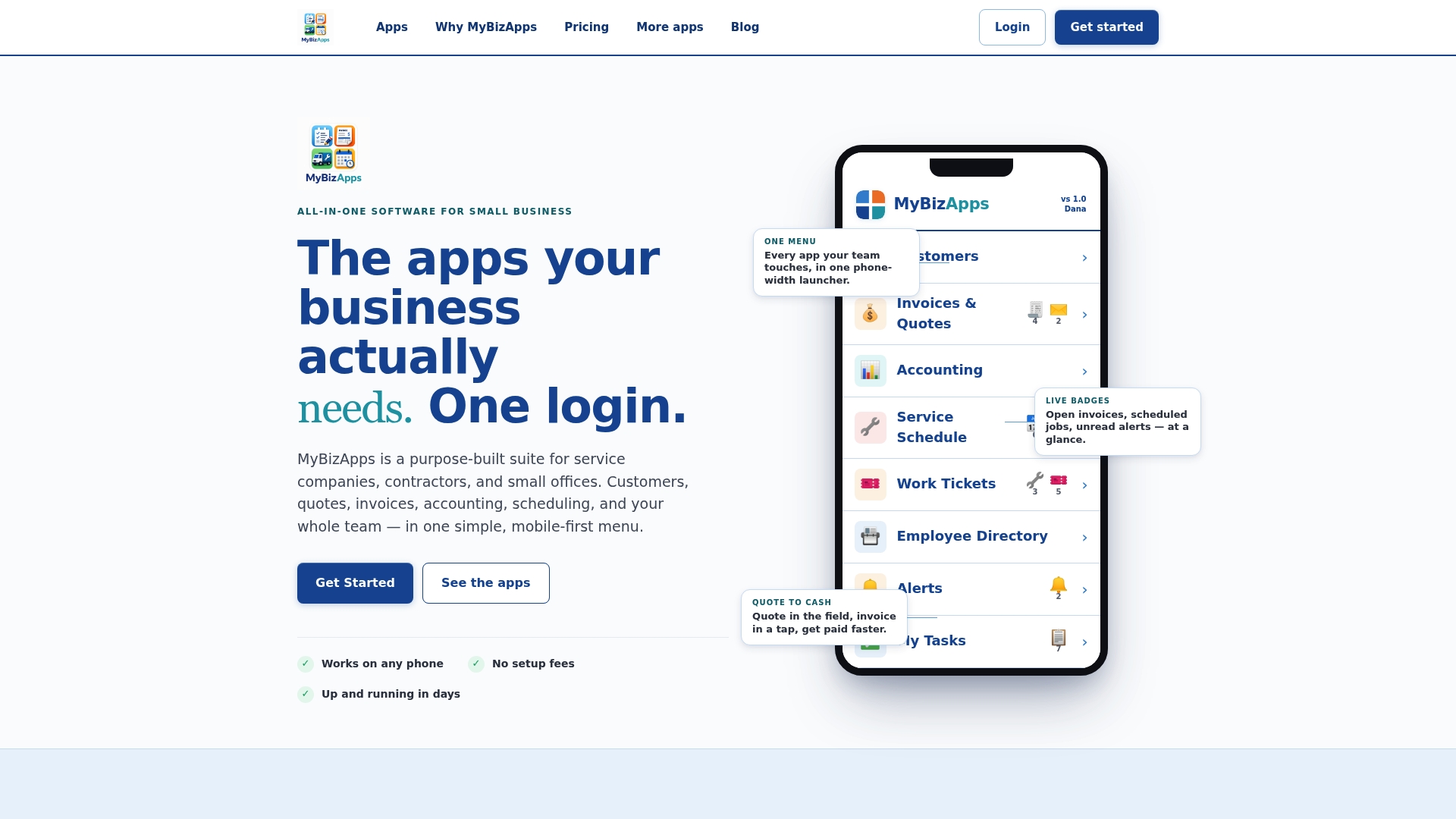
If your customers, jobs and invoices are still spread across separate tools, start by bringing them under one login. MyBizApps gives service companies, contractors and small offices customer management, work tickets, asset and inventory management, scheduling and invoicing in a single mobile-first menu, with each module available as you need it.
See the modules and monthly prices on the MyBizApps pricing page, or go to mybizapps.app to get started.
FAQ
What is warranty tracking?
It is the practice of recording every warranty you receive or give, with its dates, terms and the customer or asset it belongs to, and then watching those records until coverage ends. For a service business it also includes following claims to payment. It does not create or extend coverage, but it makes sure the coverage you have is used.
How do I find warranty paperwork I never filed?
Start from the invoice or work ticket for the job, which usually names the product and date. Then check the manufacturer’s records using the model and serial number from the nameplate, and ask the customer for the original receipt or registration email. Going forward, photograph the nameplate and attach the terms to the job at the time of installation.
How long do I have to file a manufacturer warranty claim?
It depends on the manufacturer and the product. Lennox, for example, states a 45-day filing window from the failure diagnosis date, while Watkins Manufacturing rejects claims when parts are not received within 90 days of the repair. Read the current claim guide for each brand you install and calendar the deadline when you diagnose the failure.
Do I have to offer a written warranty on my work?
Not under federal law. The FTC’s guide to the Magnuson-Moss Warranty Act says the Act does not require a business to provide a written warranty. If you do offer one on a consumer product, the FTC’s disclosure and pre-sale availability rules apply, so keep the exact terms you gave each customer. For questions about your own wording, speak with a business attorney.
Sources
- Businessperson’s Guide to Federal Warranty Law, FTC
- Your Way user guide, Lennox
- Warranty instructions, Watkins Manufacturing
- Home Comfort Claims filing guide, Bosch
- Device repair technician checklist