Electronic Work Orders: How to Run Jobs From Request to Invoice
Electronic Work Orders: How to Run Jobs From Request to Invoice

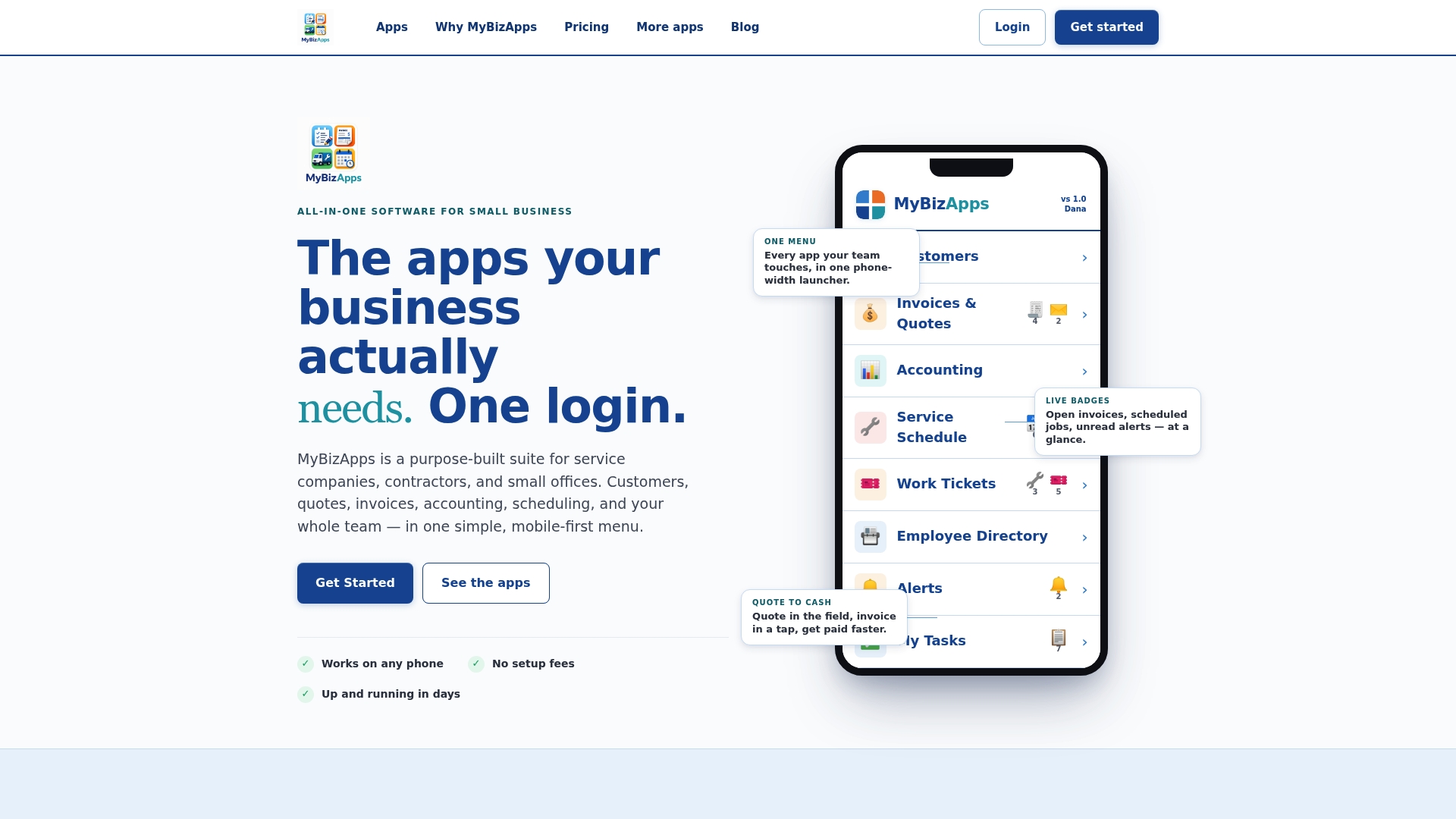
An electronic work order is a job record that lives on a phone or tablet instead of a clipboard. It holds the customer, the address, the task, the assigned technician, the parts, the signature and the status, and it feeds straight into the quote and the invoice. The real gain for a small service company is not the screen. It is that scheduling, job status, billing and payment sit under one login, so nobody retypes a job from a paper slip at the end of the day. That is how we built MyBizApps, with work tickets, scheduling, invoicing, accounting and card payments in one mobile-first menu.
TL;DR
- An electronic work order (also called a digital, paperless or e-work order) is a job record created, updated, signed and billed on a phone or tablet.
- A good one carries the customer, location, task, priority, technician, schedule, parts, notes, signature and a link to the invoice.
- The biggest time savings come from connecting the work order to scheduling and billing, not from scanning paper.
- Choose a tool your field crew will actually open: simple screens, fast entry, and one login for office and field.
- Start with one job type, run it for two weeks, then roll out to the rest.
Table of Contents
- What an electronic work order is
- What a good work order includes
- An illustration: one job, start to finish
- Why paper work orders cost you money
- How electronic work orders connect to the rest of the business
- Are electronic signatures valid?
- What to look for in an electronic work order tool
- How to switch from paper in two weeks
- Common problems and how to prevent them
- Our perspective
- Where to start with MyBizApps
- FAQ
- Sources
What an electronic work order is
A work order is a request for work to be performed. The U.S. Bureau of Indian Affairs, in its O&M work orders training manual, describes the information it holds as the tasks performed, the labor hours or services required, the materials and tools needed, and the assets or locations worked on. The same manual shows a work order moving through statuses such as waiting approval, in progress, approved, completed and closed.
An electronic work order is that same record kept as data. Instead of a carbon-copy pad, the technician opens the job on a phone, sees the details, adds photos and notes, collects a signature on the screen, and closes it. Office staff see the status the moment it changes.
The names vary. People search for electronic, digital, paperless and e-work orders, but they mean the same thing. “Work ticket” is the term many contractors and shops use for the same record.
What a good work order includes
Maintenance tool maker Fluke, in its guide to work orders, says an effective one explains why it was created, identifies the asset or location, sets a priority from low to critical, estimates labor and parts, names the assigned technician, gives start and due dates, and records follow-up notes with the actual hours and work completed.
For a service business, translate that into a practical field list:
| Field | Why it matters in the field |
|---|---|
| Customer name, phone, email | The technician can call from the driveway without asking the office |
| Job address and access notes | Fewer wrong turns and missed gate codes |
| Task description | Sets the scope so both sides agree on what is being done |
| Priority | Lets the dispatcher sort urgent jobs from routine ones |
| Assigned technician and time slot | Ties the order to the schedule |
| Parts and materials used | Feeds the invoice and the inventory count |
| Labor hours | Feeds the invoice and shows what jobs really cost |
| Photos and site notes | Proof of condition before and after |
| Customer signature or approval | Documents that the work was accepted |
| Status | Everyone sees where the job stands without a phone call |
If your current paper form misses any of these, the electronic version is a chance to add them. A required field on a screen is much harder to skip than a blank line on a form.
An illustration: one job, start to finish
Here is a made-up example, not a customer story, to show the flow. A homeowner calls about a water heater that is not heating.
- Request. The office creates a customer record (or opens the existing one) and a work order: “No hot water, 50-gallon electric unit,” priority high.
- Quote. The office sends a flat-rate quote for diagnosis. The customer approves it by message.
- Schedule. The dispatcher assigns the nearest available technician for a two-hour window. The technician’s phone shows the job.
- On site. The technician finds a failed heating element, adds the part and 1.5 hours of labor to the work order, and takes a before and after photo.
- Sign-off. The customer signs on the screen.
- Invoice and payment. The work order converts to an invoice with the parts and hours already filled in, and the customer pays by card.
On paper, steps 4 to 6 usually happen back at the office that evening, from handwriting. That gap is where lost parts charges, forgotten photos and late invoices come from.
Why paper work orders cost you money
Paper has no single failure. It has many small ones.
- Re-entry. Someone types the technician’s handwriting into an invoice, and every retyped number is a chance for an error.
- Delay. An invoice cannot go out until the slip comes back. The longer that takes, the longer you wait for cash.
- Blind spots. The office cannot tell whether a job is started, finished or stuck unless someone calls.
- Lost records. A slip left on a truck seat is a job you cannot prove or bill.
- No history. When a customer calls back about work done last spring, you dig through a folder.
Electronic orders remove most of these by capturing information once, where the work happens. Our own users report faster invoicing and payment, which improves cash flow.
How electronic work orders connect to the rest of the business
A standalone work order app solves the paperwork problem and leaves the others. The orders matter most when they connect to four other parts of the business.
Customer records
When the work order links to a customer record, the technician sees prior jobs, contact details and notes without a call. The office does not create the customer twice. Over time the record becomes the service history for that address.
Scheduling and dispatch
The order and the calendar should be the same object. When a dispatcher drags a job to another technician, that technician’s phone should update. If you run several crews, see our guide on scheduling multiple technicians without chaos. Repeat customers are easier when recurring service schedules generate work orders automatically, and a shop with several sites will want to read about multi-location scheduling.
Quotes and invoices
A quote that becomes a work order that becomes an invoice means the price agreed at the start is the price billed at the end, with only the real changes added. This is the single biggest time saver for most small shops.
Payments and accounting
If the customer can pay by card from the invoice, and the payment lands in the books automatically, nobody reconciles a pile of receipts on Friday. Work done on Monday can be paid on Monday.
Are electronic signatures valid?
In the U.S., yes for most business transactions. The federal ESIGN Act makes electronic signatures legally valid in all 50 states, and most states also have their own version of the Uniform Electronic Transactions Act, according to this overview of ESIGN and UETA. The same overview lists what makes a signature hold up: clear intent to sign, consent to do business electronically, a verifiable link between the signature and the signer, and records you can reproduce later. Consumer work may carry extra disclosure requirements, so if your contracts are large or regulated, ask your attorney how they apply to your trade.
In practice, that means a signature on a phone screen, stored with the work order and a timestamp, is a sound record of approval for ordinary service jobs.

What to look for in an electronic work order tool
Most buyers compare long feature lists. For a small team, a short list of tests works better.
- Field speed. Can a technician open a job, add a part, take a photo and close it in under a minute, with gloves on? If the field crew avoids the app, the office is back to chasing slips.
- One login. Office and field should work in the same system. Separate tools for scheduling, billing and accounting bring back the retyping you are trying to remove.
- Quote-to-invoice flow. The order should convert to an invoice without rebuilding it.
- Real-time status. The dispatcher should see job status without calling.
- Customer-facing options. Online booking and a customer portal cut inbound calls.
- Parts and assets. If you stock parts or service equipment, the order should be able to record what was used and what was worked on.
- Modular pricing. You should be able to start with what you need and add the rest later.
The heavy maintenance software built for large plants is aimed at facilities teams with many assets and long implementation cycles. A ten-person plumbing, HVAC, cleaning or repair company needs something lighter, which is the gap an all-in-one mobile-first suite is meant to fill.
How to switch from paper in two weeks
The fear of switching is usually bigger than the switch. A staged rollout keeps the work moving. Our step-by-step piece on going paperless with work orders goes deeper, and the outline is below.
Week 1: set up and pilot
- List your job types (repair, install, inspection, recurring visit) and pick one for the pilot.
- Load your customers. Bring over the active ones first, not ten years of history.
- Build your template. Use the field table above and cut anything your crew never fills in.
- Pick one or two technicians who are comfortable with phones to run the pilot.
Week 2: run it live
- Create every pilot job as an electronic order and have the technician close it on site.
- Convert each completed order to an invoice the same day.
- At the end of the week, ask the crew what slowed them down and adjust the template.
After the pilot
Move the remaining job types over one at a time. Keep a paper pad in the truck for the first few weeks as a fallback for dead zones, then retire it once the crew trusts the system.
Common problems and how to prevent them
- Crew resistance. Make the screen shorter than the paper form. Required fields should be the ones that drive billing, nothing more.
- Inconsistent descriptions. Use short checklists and standard task names so reports mean something later.
- Late closing. Set the rule that a job is not done until the order is closed on site. That rule is what makes same-day invoicing possible.
- Signal gaps. Plan for basements and rural jobs by finishing notes when you are back in coverage.
- Skills mismatch. Assign by capability as well as availability. Our guide on technician skills scheduling covers this, and route planning for small service teams helps cut drive time between orders.
Our perspective
Most owners we talk to do not have a work order problem. They have a handoff problem. The job is written down in one place, scheduled in another, billed in a third, and the books live somewhere else again. Every handoff is a retype, and every retype is a delay or a mistake.
That is why we put customers, quotes, scheduling, work tickets, invoices, accounting and card payments under a single login with a simple, mobile-first interface. The technician and the office see the same job. The invoice grows out of the work order instead of being rebuilt from it.
We also built it in modules, so a small team can start with the pieces it needs and add more as it grows, without a complicated onboarding. For a company that wants to stop chasing paper, we think that is the shortest path from a request to money in the bank.
Philip
Where to start with MyBizApps
If you want electronic work orders connected to scheduling and billing, begin with the modules that match your day. Service Scheduling, the Billing Module, Accounting, Bookings and the Customer Portal are each listed at $21 per month on our pricing page, and you add only what you use. Work Tickets, our work order tracking, is part of the suite on the MyBizApps site.
If you run a specific kind of shop, there are focused apps too, such as the Oil Change Shop app and Drink Orders for tea, boba and coffee shops. The full list of modules is on the price sheet.
FAQ
What is the difference between a work order and an invoice?
A work order describes the job: what is to be done, where, by whom and with which parts. An invoice asks for payment once the work is done. In a connected system the invoice is created from the completed work order, so the parts and hours carry across without retyping.
Are digital, paperless and electronic work orders the same thing?
Yes. All of them mean a work order created and completed on a screen instead of paper. Some teams say work ticket or job ticket for the same record. What matters is whether the order is connected to your schedule, customer records and billing.
Do my technicians need special devices?
No. A recent phone or tablet is enough for most service work. Our platform is mobile-first, so the same login works for the field crew and the office. Test it on the phones your crew already carries before you buy anything else.
Can electronic work orders handle customer signatures?
Yes. The customer signs on the technician’s screen and the signature is stored with the job. U.S. law generally recognizes electronic signatures for business transactions under the ESIGN Act, and for larger or regulated contracts you should confirm the details with your attorney.
How long does it take to move from paper?
A small team can pilot one job type in about two weeks and move the rest over the following weeks. Keeping a paper pad as a short-term backup helps the crew trust the change.
Sources
- O&M Work Orders Training Manual, U.S. Bureau of Indian Affairs
- What Is a Work Order? Complete Guide and Examples, Fluke
- Electronic Signature Law: ESIGN and UETA